

How to Customize Your iPhone Carrier Name and Banner
Posted October 26, 2009 at 11:55pm by
Shalom Levytam
These are instructions on how to customize your iPhone carrier name and banner using FakeCarrier.
Step One
Press to launch Cydia from your Springboard.

Step Two
Press to select the Sections tab from the bottom of the screen.
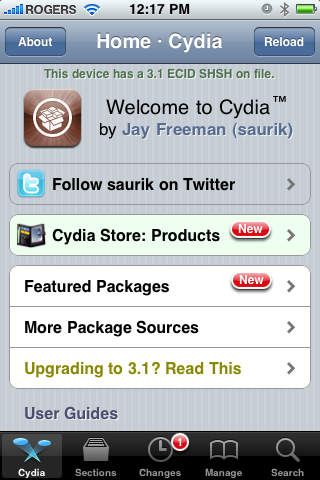
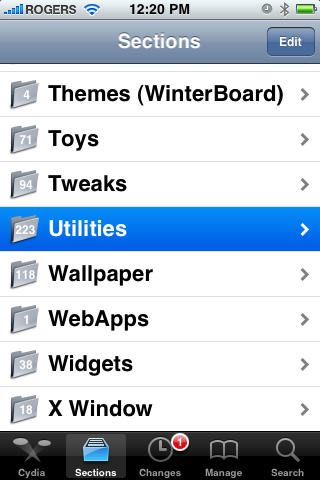
Step Three
Press to select Utilities from the list of Sections.
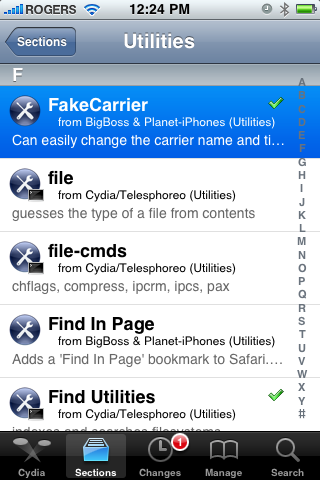
Step Four
Press to select FakeCarrier from the list of Packages.
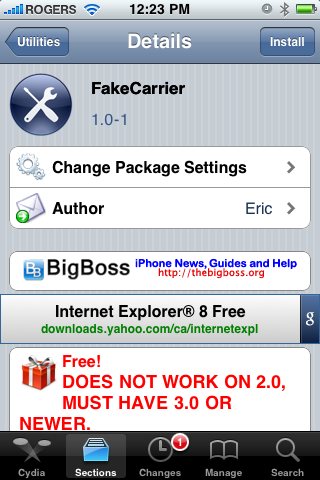
Step Five
Press the Install button at the top right of the screen.
Step Six
Press the Confirm button at the top right of the screen to begin installation.
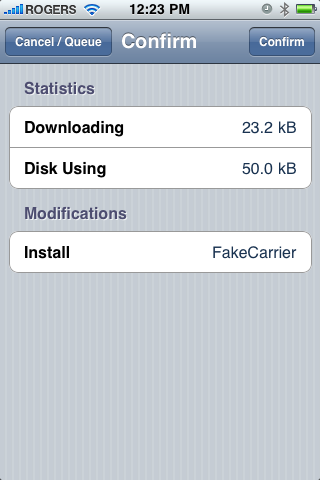
Step Seven
Once the application has installed successfully press the large Return to Cydia button.
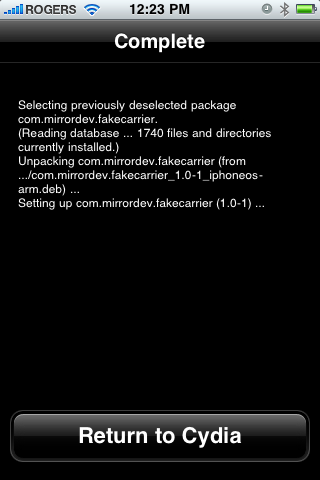
Step Eight
Press the Home button to return to your Springboard then press to launch FakeCarrier.
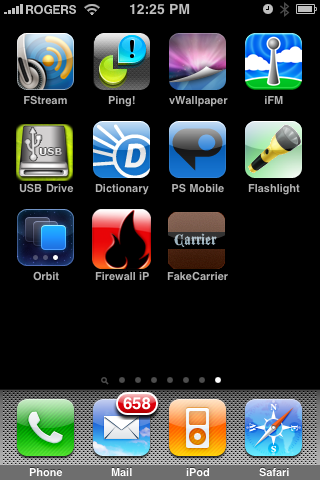
Step Nine
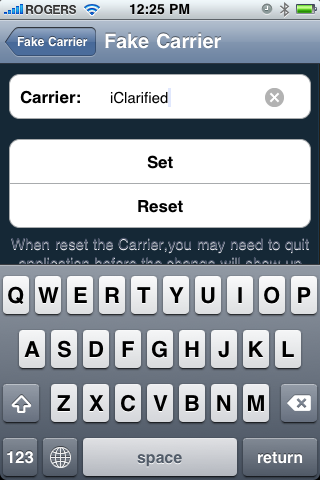
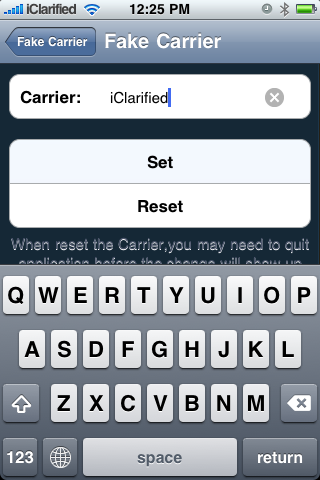
Press the Fake Carrier button to customize your carrier name.
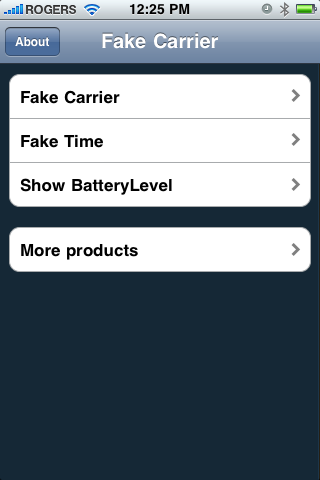
Input your own carrier name then press the Set button to make it active. To return to the default carrier name press the Reset button.
Step Ten
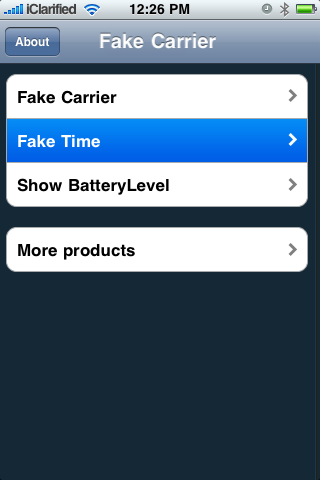
To replace the time banner at the top of the screen press the Fake Time button from the main menu.
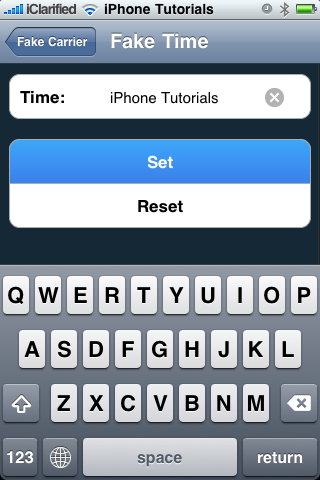
Input your own text for the banner then press the Set button to make it active. To return to the default time banner press the Reset button.
Step One
Press to launch Cydia from your Springboard.
Step Two
Press to select the Sections tab from the bottom of the screen.
Step Three
Press to select Utilities from the list of Sections.
Step Four
Press to select FakeCarrier from the list of Packages.
Step Five
Press the Install button at the top right of the screen.
Step Six
Press the Confirm button at the top right of the screen to begin installation.
Step Seven
Once the application has installed successfully press the large Return to Cydia button.
Step Eight
Press the Home button to return to your Springboard then press to launch FakeCarrier.
Step Nine
Press the Fake Carrier button to customize your carrier name.
Input your own carrier name then press the Set button to make it active. To return to the default carrier name press the Reset button.
Step Ten
To replace the time banner at the top of the screen press the Fake Time button from the main menu.
Input your own text for the banner then press the Set button to make it active. To return to the default time banner press the Reset button.



![Apple Targets October 13 for Smart Home Hub, New HomePod mini and Apple TV [Gurman]](/images/news/102501/102501/102501-160.jpg "Apple Targets October 13 for Smart Home Hub, New HomePod mini and Apple TV [Gurman]")


![How To Find Your iPhone IMEI Number [Video]](/images/tutorials/83557/83557/83557-160.jpg "How To Find Your iPhone IMEI Number [Video]")



![16-Inch M5 Max MacBook Pro Drops $900 to New Low of $3,499 [Deal]](/images/news/102438/102438/102438-160.jpg "16-Inch M5 Max MacBook Pro Drops $900 to New Low of $3,499 [Deal]")
![Magic Keyboard for iPad Air Drops to $200 on Amazon [Deal]](/images/news/102402/102402/102402-160.jpg "Magic Keyboard for iPad Air Drops to $200 on Amazon [Deal]")
![13-Inch M5 MacBook Air With 1TB Drops to $1,449 on Amazon [Deal]](/images/news/102345/102345/102345-160.jpg "13-Inch M5 MacBook Air With 1TB Drops to $1,449 on Amazon [Deal]")

