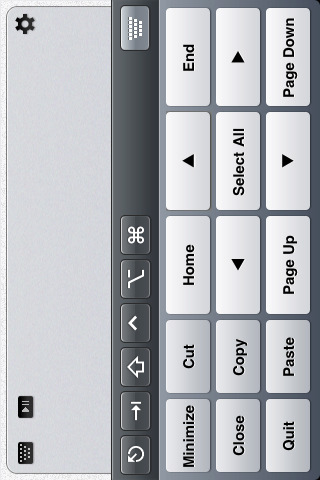
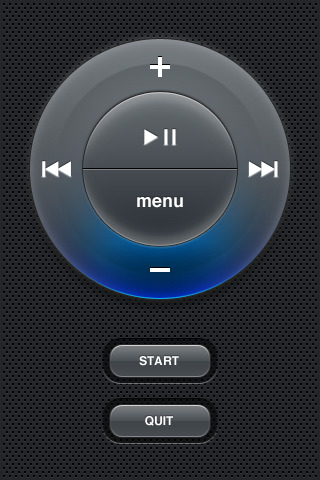
TouchPad 2.2 lets you use your iPhone or iPod touch to remotely control your computer through WiFi. It features an extended keyboard, multi-touch trackpad and Apple remote.
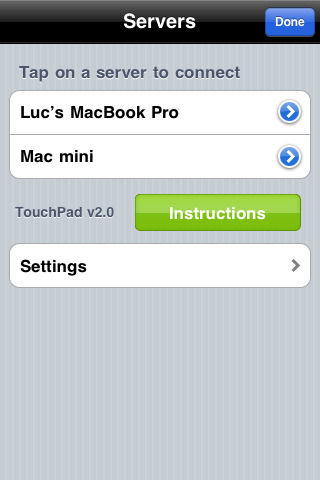
Tired of having a keyboard and mouse laying around in your living room? Get rid of that lousy setup with TouchPad! Use your iPhone or your iPod touch to remotely control your computer through WiFi (wireless network). With TouchPad's intuitive use, you'll feel right at home if you have already used a track pad on a MacBook. It's almost like having a micro laptop in your hands! FEATURES: • Media controller (Front Row, Quicktime, Keynote, etc.) • Drag files, windows, text, etc. • Modifier keys (Ctrl, Option/Alt, Cmd, Shift) included. • Tab, Esc keys included. • Horizontal and vertical orientation supported. • Connection Manager. • Compatible with Wake-On-Lan (Snow Leopard). • Super-easy setup.
MULTI-TOUCH SUPPORTED GESTURES: • 1 finger, 2 finger and 3 finger gestures supported. • 2 finger vertical and horizontal scrolling. • Drag gesture (tap-tap-hold-slide) supported. • Swipe left or right with 3 fingers (Back and Forward). • 4 finger swipe up and down (Exposé) • Pinch to zoom screen
What's New In This Version: - New gesture! Swipe 3 fingers up or down to go to previous or next elements in a list - Improved drag gesture: double-tap, hold, drag and tap to release - InAppSettingsKit integration
You can purchase TouchPad from the App Store for $3.99.
[Smoking Apples]
Get the iClarified Daily Newsletter
Apple news, rumors, tutorials, price drop alerts, in your inbox every evening, free.
Unsubscribe at any time.
Success!
You have been subscribed.
Add Comment
Would you like to be notified when someone replies or adds a new comment?
Yes (All Threads)
Yes (This Thread Only)
No
Notifications
Would you like to be notified when we post a new Apple news article or tutorial?
Yes
No
Comments (1)
Comments are closed for this article.
0
turim - January 9, 2010 at 6:44am
Nice!
How about making a control like this for PS3?











![How To Turn Off Always On Display on iPhone [Video]](/images/tutorials/87524/87524/87524-160.jpg "How To Turn Off Always On Display on iPhone [Video]")
![How To Change Wallpaper on Mac [Video]](/images/tutorials/90512/90512/90512-160.jpg "How To Change Wallpaper on Mac [Video]")





![16-Inch M5 Max MacBook Pro Drops $900 to New Low of $3,499 [Deal]](/images/news/102438/102438/102438-160.jpg "16-Inch M5 Max MacBook Pro Drops $900 to New Low of $3,499 [Deal]")
![Magic Keyboard for iPad Air Drops to $200 on Amazon [Deal]](/images/news/102402/102402/102402-160.jpg "Magic Keyboard for iPad Air Drops to $200 on Amazon [Deal]")
