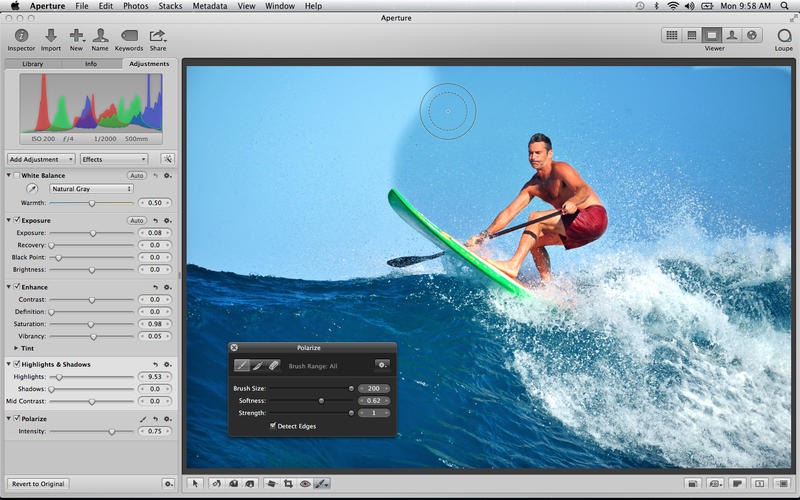
Apple has announced that Aperture will not run in versions of macOS after Mojave.
In June 2014, Apple announced the discontinuation of development of Aperture. Since that time, Apple has released five major macOS updates. For technical reasons, Aperture will not run in future versions of macOS after macOS Mojave. To continue working with your Aperture photo libraries, you must migrate them to the Photos app included with macOS, or migrate them to Adobe Lightroom Classic.
Apple has provided instructions on how to move your Aperture libraries to Photos or Adobe Lightroom Classic in this support document.
In March, Apple also warned users that as part of the upcoming transition from 32-bit to 64-bit, legacy media files in Final Cut and Motion won't be compatible with future versions of macOS. You must convert your legacy media files before upgrading to macOS 10.15 because the option to convert the incompatible files will no longer be available after macOS Mojave.
Apple news, rumors, tutorials, price drop alerts, in your inbox every evening, free.
Unsubscribe at any time.
Success!
You have been subscribed.
Add Comment
Would you like to be notified when someone replies or adds a new comment?
Yes (All Threads)
Yes (This Thread Only)
No
Notifications
Would you like to be notified when we post a new Apple news article or tutorial?
Yes
No
Comments (2)
Comments are closed for this article.
0
nick314 - May 2, 2019 at 7:19am
@matrixmaniac here's a viable solution: http://thedigitalstory.com/2018/02/aperture-to-capture-one-pro-migration.html
0
matrixmaniac - April 30, 2019 at 8:20pm
This is a nightmare... I have more than a TB of carefully curated and edited pictures half of which are manually scanned from film and edited... And no viable path to save all the work. Photos is just a baby toy SW and the migration to lightroom has too many limitations and breaks too much and I don't like to use Adobe products in the first place.






![Beats 360 Headphones Debut With Swappable Cushions, IPX4 Rating for $349.99 [Video]](/images/news/102342/102342/102342-160.jpg "Beats 360 Headphones Debut With Swappable Cushions, IPX4 Rating for $349.99 [Video]")










![Apple Studio Display XDR Hits All-Time Low of $2,969.99 ($329 Off) [Deal]](/images/news/101976/101976/101976-160.jpg "Apple Studio Display XDR Hits All-Time Low of $2,969.99 ($329 Off) [Deal]")
