![Apple Releases Public Beta 2 of iOS 27.2, macOS Golden Gate 27.2, and More [Download]](/images/news/102621/485682/485682-64.png "Apple Releases Public Beta 2 of iOS 27.2, macOS Golden Gate 27.2, and More [Download]")
Apple Releases Public Beta 2 of iOS 27.2, macOS Golden Gate 27.2, and More [Download]
Apple has released the second public betas of iOS 27.2, iPadOS 27.2, macOS Golden Gate 27.2, watchOS 27.2, and tvOS 27.2 for testing.
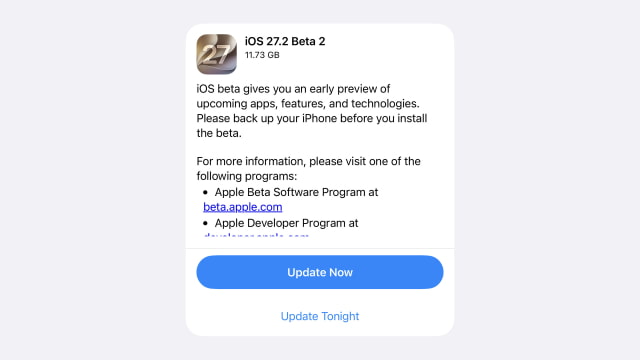
The public releases arrive one day after the third developer betas of iOS and iPadOS, macOS, and watchOS and tvOS.
The iOS 27.2 beta cycle includes a redesigned Health app with Insights, Longevity, and Browse tabs. Insights surfaces recent health and fitness data, while Longevity shows trends over time and includes a Health Age calculated from metrics such as activity, sleep, and VO2 max. The new Health experience is currently limited to U.S. English.
Other additions include Siri AI support for French, Japanese, Korean, Portuguese, and Spanish, along with Apple TV profiles on iPhone and iPad and new CarPlay Ultra themes. More details are available in the iOS 27.2 beta feature roundup.
Anyone with a compatible device can join the free Apple Beta Software Program to install the updates. Once enrolled, iPhone and iPad users can select the public beta under Settings > General > Software Update > Beta Updates. On Mac, the option is under System Settings > General > Software Update.
Apple Watch and Apple TV testers can also install the new releases through their respective Software Update settings. Apple recommends backing up your iPhone, iPad, or Mac before installing beta software and using a secondary device, as prerelease versions may contain bugs.




![Apple Releases iOS 27.2 Beta 3 and iPadOS 27.2 Beta 3 to Developers [Download]](/images/news/102579/102579/102579-160.jpg "Apple Releases iOS 27.2 Beta 3 and iPadOS 27.2 Beta 3 to Developers [Download]")
![Apple Releases macOS 27.2 Golden Gate Beta 3 to Developers [Download]](/images/news/102582/102582/102582-160.jpg "Apple Releases macOS 27.2 Golden Gate Beta 3 to Developers [Download]")
![How To Change Wallpaper on Mac [Video]](/images/tutorials/90512/90512/90512-160.jpg "How To Change Wallpaper on Mac [Video]")

![How To Back Up Your iPhone to an External Drive on Mac [Video]](/images/tutorials/72786/72786/72786-160.jpg "How To Back Up Your iPhone to an External Drive on Mac [Video]")