Meta's Muse Comes to iPad With Business App Connectors
Meta's Muse AI agent is now available as a native iPad app. Version 10.0 brings the service to the tablet and highlights expanded connections to business and productivity apps.
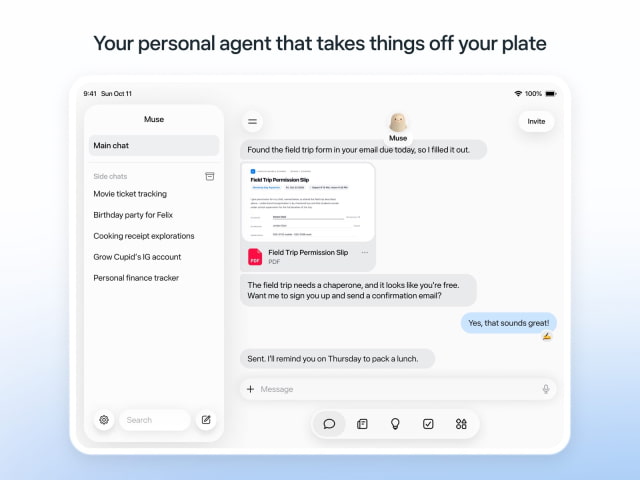
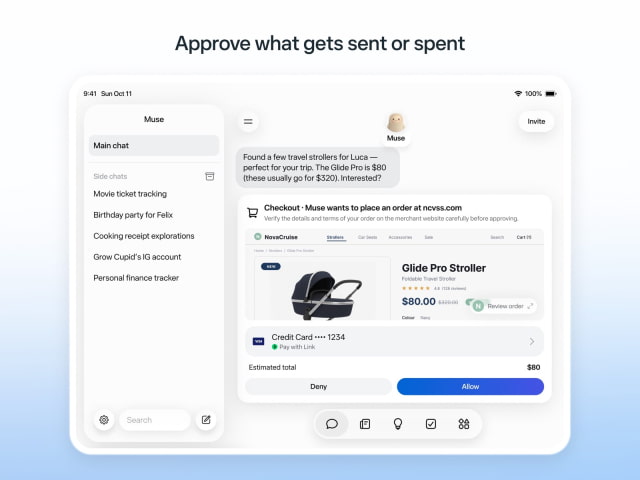
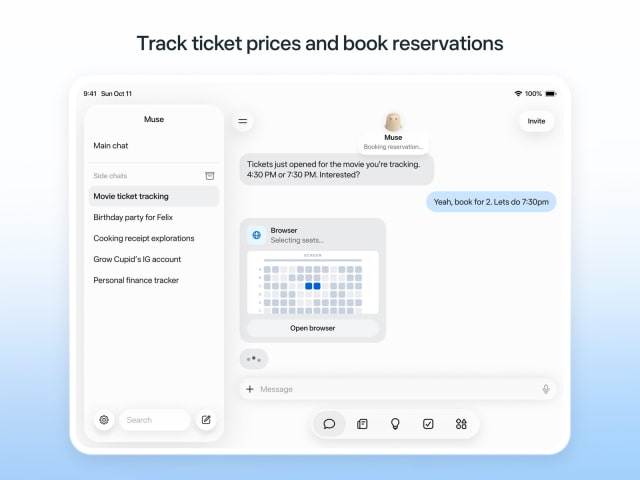
The tablet interface puts saved chats in a sidebar next to the current conversation, with navigation for other tools along the bottom. App Store screenshots show the agent completing a school form, requesting approval for a purchase, and selecting seats for a movie booking.
The release notes list business connectors for Asana, Canva, Dropbox, Figma, QuickBooks, GitHub, Klaviyo, Zoom, and Meta ad accounts. Granola and Notion are also among the supported connections for everyday tasks. Users choose which services to link.
Those tools support jobs such as planning marketing content, preparing client pitches, and creating product pages, with approval required before actions go ahead. Meta announced Muse for Small Business on September 29, so the business features extend beyond the new iPad release.
The service launched on iPhone in September to handle tasks such as managing email, shopping, and planning trips. It can continue working after the app is closed and notify users when something needs their attention. Connected services can be revoked at any time.
Muse is free to download from the App Store with in-app purchases for additional usage. The iPad version requires iPadOS 18 or later.