Apple has released iOS 4.3.1 for the iPhone, iPad, and iPod touch.
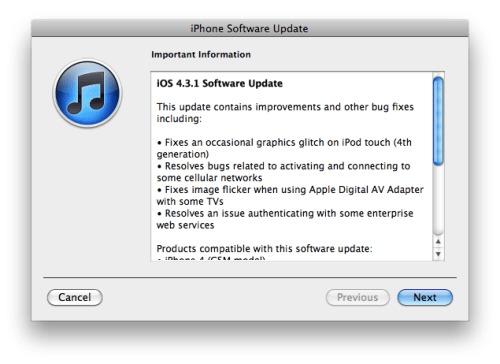
This update contains improvements and other bug fixes including: ● Fixes an occasional graphics glitch on the iPod touch (4th generation) ● Resolves bugs related to activating and connecting to some cellular networks ● Fixes image flicker when using Apple Digital AV Adapter with some TVs ● Resolves an issue authenticating with some enterprise web services
This update contains security content originally included in previous iOS Software Updates. For more information, please visit this website: https://support.apple.com/en-us/100100
You can download the new firmware using these links: ● iPhone ● iPod touch ● iPad
Get the iClarified Daily Newsletter
Apple news, rumors, tutorials, price drop alerts, in your inbox every evening, free.
Unsubscribe at any time.
Success!
You have been subscribed.
Add Comment
Would you like to be notified when someone replies or adds a new comment?
Yes (All Threads)
Yes (This Thread Only)
No
Notifications
Would you like to be notified when we post a new Apple news article or tutorial?
Yes
No
Comments (6)
Comments are closed for this article.
0
Tara - March 26, 2011 at 7:03am
Where is jailbreak and unlock? No word in 4-5 months. Seems like smart guys are sleeping. Now China is selling Gevey SIM unlocker for $70-80. Are we inferior to China in technology?
0
NeHoMaR - March 25, 2011 at 3:24pm
I suppose this is the final update for iOS 4, until iOS 5, or maybe not?
0
BSoares - March 25, 2011 at 2:20pm
I hope it fixes a bug on my iPad2 that makes the side button leave the iPad muted. If you have it on mute, then change the setting so the button does orientation lock, and unlock it, the iPad stays muted even if you hit volume up. Only changing the function of the button again and taking it out of Mute fixes that.
0
BSoares - March 25, 2011 at 4:45pm
Well, after updating to 4.3.1 I can confirm the bug is still there and affects both iPad 1 and 2.
0
Ab08 - March 25, 2011 at 5:44pm
Pretty insignificant bug. Surely you must have some more serious problem than such a trivial issue.
0
Fs1034 - March 25, 2011 at 7:28pm
Use the appswitcher tray button to take it out of mute. Whenever you switch the functionality of the side switch, that button takes the other functionality.
Look to the far left of the iPod controls and brightness slider.





![Apple Releases macOS 27.2 Golden Gate Beta to Developers [Download]](/images/news/102249/102249/102249-160.jpg "Apple Releases macOS 27.2 Golden Gate Beta to Developers [Download]")
![Apple Seeds First Betas of watchOS 27.2, tvOS 27.2, and visionOS 27.2 to Developers [Download]](/images/news/102252/102252/102252-160.jpg "Apple Seeds First Betas of watchOS 27.2, tvOS 27.2, and visionOS 27.2 to Developers [Download]")
![Apple Releases iOS 27.2 Beta and iPadOS 27.2 Beta to Developers [Download]](/images/news/102248/102248/102248-160.jpg "Apple Releases iOS 27.2 Beta and iPadOS 27.2 Beta to Developers [Download]")










![Apple Studio Display XDR Hits All-Time Low of $2,969.99 ($329 Off) [Deal]](/images/news/101976/101976/101976-160.jpg "Apple Studio Display XDR Hits All-Time Low of $2,969.99 ($329 Off) [Deal]")
