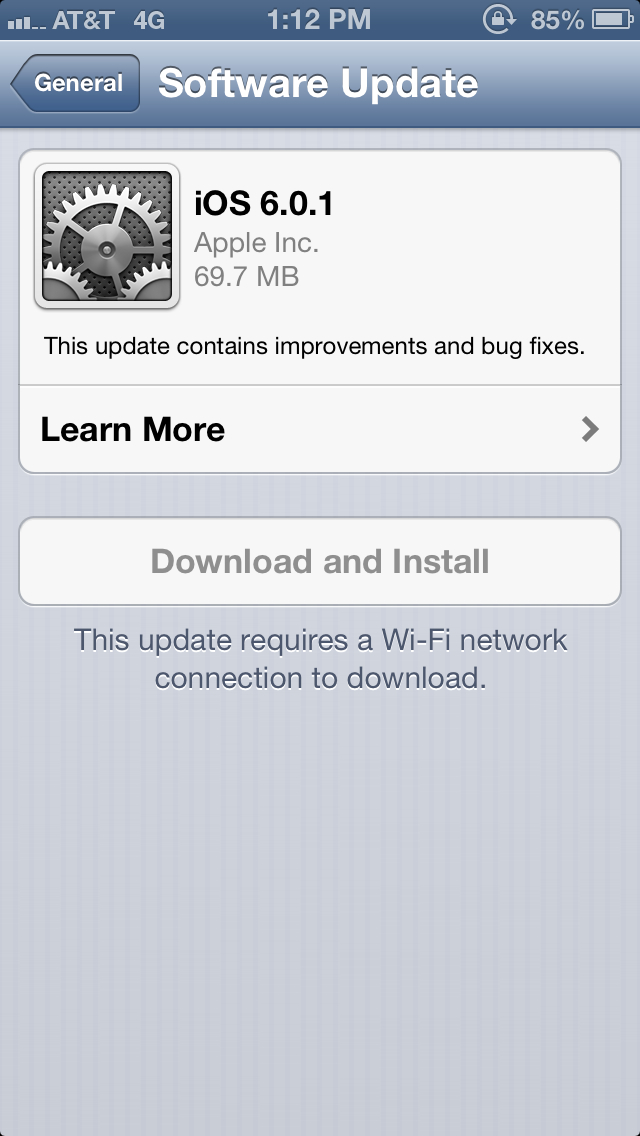
Apple has released iOS 6.0.1 for the iPhone, iPad, iPad Mini, and iPod Touch. You can download the update by connecting your device to iTunes to download or via OTA update.
This update contains improvements and bug fixes, including: ● Fixes a bug that prevents iPhone 5 from installing software updates wirelessly over the air ● Fixes a bug where horizontal lines may be displayed across the keyboard ● Fixes an issue that could cause camera flash to not go off ● Improves reliability of iPhone 5 and iPod touch (5th generation) when connected to encrypted WPA2 Wi-Fi networks ● Resolves an issue that prevents iPhone from using the cellular network in some instances ● Consolidated the Use Cellular Data switch for iTunes Match ● Fixes a Passcode Lock bug which sometimes allowed access to Passbook pass details from lock screen ● Fixes a bug affecting Exchange meetings
If you have an iPhone 5, the updater will download an app first that enables OTA updates then it will download 6.0.1.
We'll keep you posted on any other changes.
Get the iClarified Daily Newsletter
Apple news, rumors, tutorials, price drop alerts, in your inbox every evening, free.
Unsubscribe at any time.
Success!
You have been subscribed.
Add Comment
Would you like to be notified when someone replies or adds a new comment?
Yes (All Threads)
Yes (This Thread Only)
No
Notifications
Would you like to be notified when we post a new Apple news article or tutorial?
Yes
No
Comments (32)
Comments are closed for this article.
0
ryandigweed - November 3, 2012 at 10:26pm
I got a 3GS (new bootROM) which is updated to this version. :S can't JB or hactivate :(
0
Lb - November 3, 2012 at 10:11pm
Can't use phone and surf net at the same time anymore
0
JamesHoyland23 - November 3, 2012 at 3:06am
I want them to fix the battery wi fi and the locator icon it keep appearing and dissapearing.
0
JamesHoyland23 - November 3, 2012 at 3:04am
I wonder if IOS 6.1 is possible 2 download
0
Anurag - November 2, 2012 at 11:21am
if they will fix Brightness problem, battery backup will go down, just because of this reason they are not fixing.
0
Crimson... - November 2, 2012 at 5:54am
Damn why they didn't fix the auto brightness problem...
0
DanCJ - November 2, 2012 at 8:11am
When you're in dim light turn the brightness down. It should work fr
0
tdtran1025 - November 2, 2012 at 4:53am
Maps is server based, hence server problem, not app.
0
SirSabatoge - November 2, 2012 at 3:36am
Does anybody know why Apple doesn't put SB settings in the notification tab, like is there legit reason?
0
T-MoWireless - November 2, 2012 at 3:14am
After having all the iPhones since the first gen I will move on to Windows!! iPhone is boring!!
0
Guest - November 2, 2012 at 2:15am
Is anyone able to save SHSH blobs for 6.0? I tried using TU and iSHSHit but neither worked. I didn't think Apple closed the signing window that fast. I'm still rocking 5.1.1 but was hoping to snatch the blobs. I shouldn't have out it off for so long I guess.
0
din1z - November 2, 2012 at 2:57pm
yeah, window is closed
0
Omar - November 3, 2012 at 1:43pm
Save them with rednsow 0.9.15b3 it works
0
bobstud - November 1, 2012 at 9:49pm
wow fantastic 6.01 I also just jail broken it (6.01) with redsnow please down load 3 version of redsnow with fire fox my iphone fast like hell now thanks Geo u did it again
1
Jeff - November 1, 2012 at 8:50pm
With 6.0.1 Released, is the Jailbreak Coming?.... Been waiting for iPhone 5 JB...
0
Noman - November 1, 2012 at 9:43pm
Not paying much attention, are yopu? There is not likely to EVER be a jailbreak coming. Deal with it.
0
Hugo - November 1, 2012 at 8:43pm
Weather is still not working and both facebook and messenger are extremely slow on wi-fi. Haven't tested on 3g yet.
0
Guest - November 1, 2012 at 7:55pm
Auto-brightness bug still not fixed.
0
Alex - November 1, 2012 at 7:33pm
With the new update the Facebook application crashes on iPhone 4S... :(
0
odedoo1 - November 1, 2012 at 7:22pm
I'm still on 5.1.1 but if you upgraded your iPad or 4S then I would recommend upgrading to 6.0.1 using iTunes and knowing Apple they usually keep the window open for about 2 days just like they did with iOS 5 after 6 came out I was able to downgrade back to 5.1.1, one thing for sure use iTunes!
0
Jay - November 1, 2012 at 7:29pm
Same here. Wouldn't be upgrading until there's a JB. It's fine as is.
0
King - November 1, 2012 at 6:46pm
My iPad 3 gen got a lot slower after the update. Does this update fix that?
0
JBREAK - November 1, 2012 at 6:17pm
Does the "updater app" delete automatically when the OTA updates are finished, or do you delete it yourself? And, can you even delete it?
0
Brendan - November 1, 2012 at 7:16pm
It disappears afterwards.
0
no_ma'am - November 1, 2012 at 5:32pm
And purple haze
0
Mavarick - November 1, 2012 at 5:27pm
Should've been for maps.
0
thevmax - November 1, 2012 at 5:43pm
Agreed ... 100%
0
James - November 1, 2012 at 5:48pm
6.1 will likely be for maps. This is just a bug fix.
0
kline1 - November 1, 2012 at 5:51pm
I believe updates to Maps are on the server side not software.
0
dancj - November 1, 2012 at 6:07pm
The problem with the maps isn't the app itself - that's great.
The problem is the quality of the data - and they can fix that without an update just by providing better data.
0
Irish mick - November 1, 2012 at 6:24pm
Yep... The map are already improving, as people say, most of the data is server side and doesn't require app updates...






![Pro Photographer Austin Mann Tests iPhone 18 Pro Camera [Video]](/images/news/102297/102297/102297-160.jpg "Pro Photographer Austin Mann Tests iPhone 18 Pro Camera [Video]")

![Apple Releases Xcode 27.1 Beta With iPhone Duo SDKs and Simulator [Download]](/images/news/102276/102276/102276-160.jpg "Apple Releases Xcode 27.1 Beta With iPhone Duo SDKs and Simulator [Download]")
![Apple Shares 'new trick' Shot on iPhone 18 Pro Ad Featuring ROSÉ [Video]](/images/news/102273/102273/102273-160.jpg "Apple Shares 'new trick' Shot on iPhone 18 Pro Ad Featuring ROSÉ [Video]")









![Apple Studio Display XDR Hits All-Time Low of $2,969.99 ($329 Off) [Deal]](/images/news/101976/101976/101976-160.jpg "Apple Studio Display XDR Hits All-Time Low of $2,969.99 ($329 Off) [Deal]")
