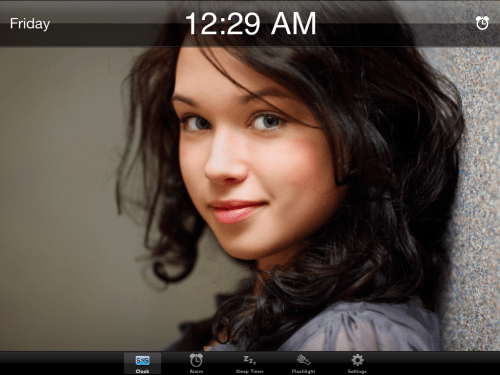
Embraceware Software has announced the release and immediate availability of Awaken 1.6 for iPad. Awaken is a full screen clock, music alarm clock, sleep timer and flashlight. Awaken for iPad is a free update to anyone who has already purchased the iPhone version. Awaken is now a universal application which runs on both iPhone and iPad with a unique interface for each device.
Feature Highlights: * Simple, elegant user interface * Wake up to your music or sounds * Fullscreen snooze control * Alarm volume and brightness fade in * Create and manage multiple alarms * Fall asleep with the sleep timer * Sleep Timer volume and brightness fade out * Slide finger to adjust brightness * Fullscreen clock with 10 styles
Fall asleep listening to your music with the sleep timer. Choose your music, set a duration, and optionally, set the volume and screen brightness to fade out as you drift off to sleep. Choose from a selection of 10 fullscreen clock styles. Works great as a night table or desk clock. Supports both portrait and landscape modes. Awaken is designed for night and we added a handy flashlight function to prevent stumbling around in the dark. Shake your iPhone anytime while running Awaken to toggle the flashlight on and off.
New features introduced in version 1.6: * Added full support for iPad. * Added a new "Photo Frame" clock style exclusive to iPad version.
Supported Languages: * US English, French, Spanish and Swedish
Pricing and Availability: Awaken 1.6 for iPhone, iPad and iPod touch as a single universal application for just $1.99 USD (or equivalent amount in other currencies) and available worldwide exclusively through the App Store in the Productivity category.
Get the iClarified Daily Newsletter
Apple news, rumors, tutorials, price drop alerts, in your inbox every evening, free.
Unsubscribe at any time.
Success!
You have been subscribed.
Add Comment
Would you like to be notified when someone replies or adds a new comment?
Yes (All Threads)
Yes (This Thread Only)
No
Notifications
Would you like to be notified when we post a new Apple news article or tutorial?









![How To Change Wallpaper on Mac [Video]](/images/tutorials/90512/90512/90512-160.jpg "How To Change Wallpaper on Mac [Video]")
![How To Turn Off Always On Display on iPhone [Video]](/images/tutorials/87524/87524/87524-160.jpg "How To Turn Off Always On Display on iPhone [Video]")





![16-Inch M5 Max MacBook Pro Drops $900 to New Low of $3,499 [Deal]](/images/news/102438/102438/102438-160.jpg "16-Inch M5 Max MacBook Pro Drops $900 to New Low of $3,499 [Deal]")
![Magic Keyboard for iPad Air Drops to $200 on Amazon [Deal]](/images/news/102402/102402/102402-160.jpg "Magic Keyboard for iPad Air Drops to $200 on Amazon [Deal]")
