Twelve South Launches $39.99 AirFly Drive for Wireless CarPlay and Android Auto
Twelve South has launched AirFly Drive, a $39.99 adapter that turns a car's factory wired CarPlay or Android Auto connection into a wireless one. The compact device stays in the car's USB port and connects the phone over Wi-Fi.
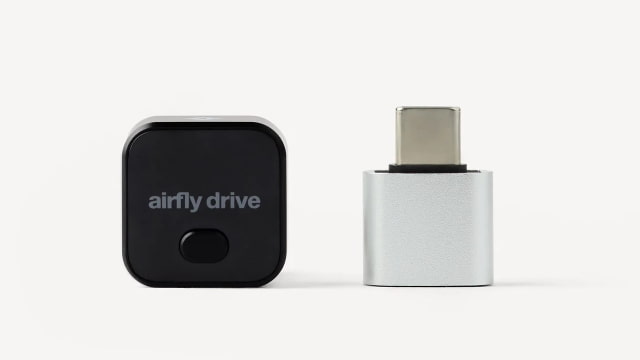
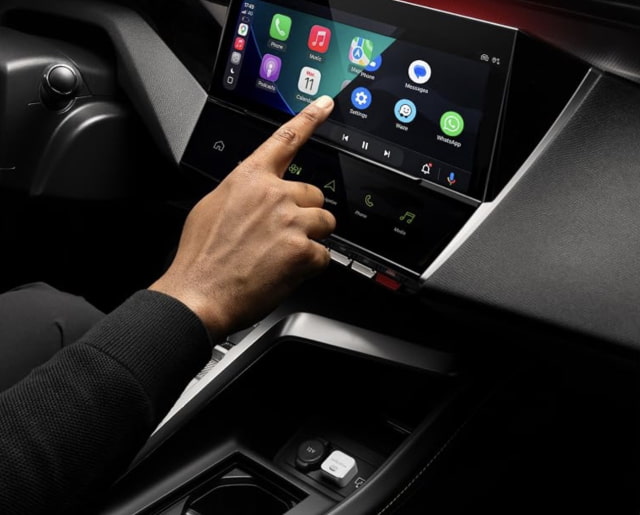
After the first pairing, the adapter reconnects automatically within seconds of starting the vehicle. Maps, music, podcasts and calls remain available through the car's display and controls, while a button on the adapter switches between two paired phones without pairing them again.
The car must already support wired CarPlay or Android Auto; an AUX-only connection will not work. Twelve South lists iPhones running iOS 10 or later and Android phones running Android 11 or later, and says the adapter supports vehicles with those wired systems from 2016 onward. It must be plugged into the media-enabled CarPlay or Android Auto port, rather than a charge-only USB port.
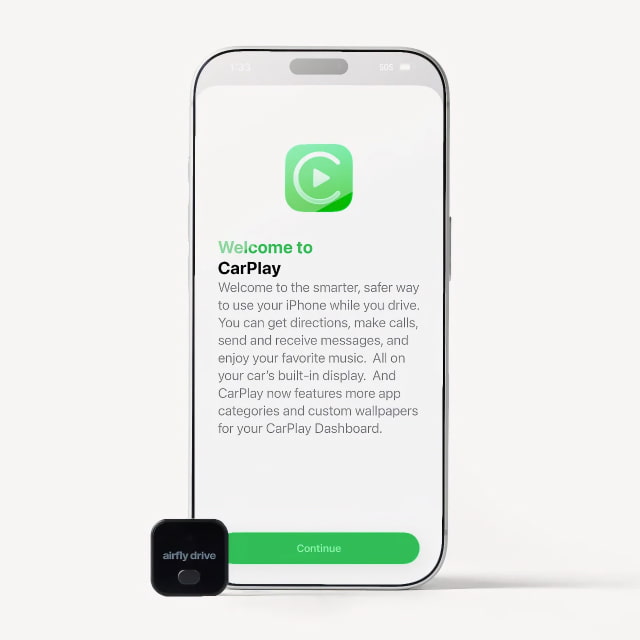
AirFly Drive has a USB-A plug, with a USB-A to USB-C adapter included for cars with USB-C ports. Setup requires no app or account. For first-time pairing, Twelve South instructs drivers to select their vehicle in the phone's Bluetooth settings, choose Forget This Device, then plug in the adapter and follow the on-screen prompts while parked.
The adapter is available in black and white from Twelve South. It is also available on Amazon.
![OpenAI Launches GPT-6.2 Astra and Sol With Better Performance, Lower Costs [Video] OpenAI Launches GPT-6.2 Astra and Sol With Better Performance, Lower Costs [Video]](/images/news/103626/103626/103626-160.jpg)

![iFixit Finds Apple HomeView Unnecessarily Difficult to Repair [Video] iFixit Finds Apple HomeView Unnecessarily Difficult to Repair [Video]](/images/news/103617/103617/103617-160.jpg)


![How To Back Up Your iPhone to an External Drive on Mac [Video] How To Back Up Your iPhone to an External Drive on Mac [Video]](/images/tutorials/72786/72786/72786-160.jpg)
![How To Sideload Apps Onto Your iPhone Using Xcode [Video] How To Sideload Apps Onto Your iPhone Using Xcode [Video]](/images/tutorials/52314/52314/52314-160.jpg)
![How To Find Your IP Address on iPhone [Video] How To Find Your IP Address on iPhone [Video]](/images/tutorials/496/496/496-160.jpg)


![MacBook Neo Drops to $649.99 ($49 Off) [Deal] MacBook Neo Drops to $649.99 ($49 Off) [Deal]](/images/news/103599/103599/103599-160.jpg)
![15-Inch M5 MacBook Air Drops to $1,249.99 ($249 Off) [Deal] 15-Inch M5 MacBook Air Drops to $1,249.99 ($249 Off) [Deal]](/images/news/103563/103563/103563-160.jpg)
![Apple Watch Series 12 Drops to New All-Time Low of $329 ($70 Off) [Deal] Apple Watch Series 12 Drops to New All-Time Low of $329 ($70 Off) [Deal]](/images/news/103548/103548/103548-160.jpg)
![AirPods Pro 3 Drop Back to $179.99 ($69 Off) [Deal] AirPods Pro 3 Drop Back to $179.99 ($69 Off) [Deal]](/images/news/103545/103545/103545-160.jpg)