If your current MacBook Pro can get you through another few weeks, we'd hold off on replacing it. Apple is reportedly preparing a thinner, lighter model with an OLED touchscreen for this fall, potentially bringing a much bigger change than the usual chip upgrade.
The M5 Pro and M5 Max models introduced in March still have plenty to offer, especially at a discount. If you're replacing an unreliable laptop or losing time to slow exports, buying one now may be the better call. But for an upgrade you can comfortably put off, the timing favors waiting.

When Could the Redesigned MacBook Pro Arrive?
The redesigned MacBook Pro is reportedly being tested with macOS 27.2 and could debut as early as October, with November also possible. The reported changes include OLED, touch input, a thinner enclosure, and a Dynamic Island in place of the current notch. Apple has not announced the machines or their prices.
The redesign is also expected to be significantly lighter, though specific weights haven't surfaced. Today's 14-inch M5 Pro and M5 Max models weigh 1.60 and 1.62 kg, respectively; the 16-inch versions weigh 2.14 and 2.15 kg.
A lighter enclosure would be especially welcome if you carry a 16-inch Pro to work every day. If yours usually stays on a desk connected to a monitor, portability and a new built-in display give you less reason to wait.

What Would OLED and Touch Add?
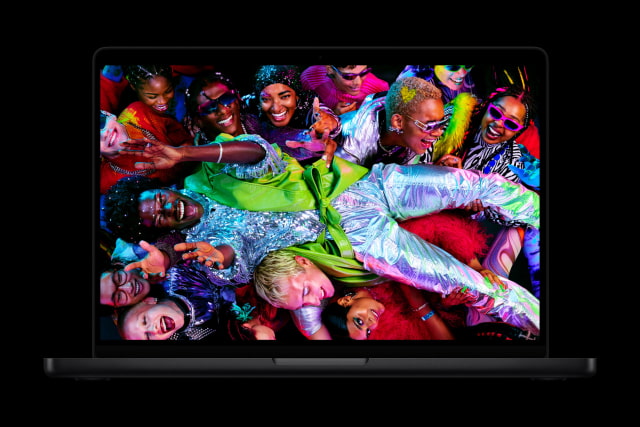
Today's 14.2-inch and 16.2-inch Liquid Retina XDR displays already offer ProMotion up to 120Hz, up to 1,600 nits of peak HDR brightness, and an optional nano-texture finish. OLED's appeal is finer control over light: individual pixels can switch off completely, giving bright objects a cleaner edge against a black background.
That could be a welcome improvement for watching films or editing high-contrast photos. Brightness, reflections, and battery life will also matter in everyday use, and we'll need the finished MacBook to judge those trade-offs.
Touch would be a more noticeable change to how you use the Mac. Reported plans include scrolling, pinch-to-zoom, and controls that grow when tapped, alongside the familiar keyboard and trackpad. Being able to reach up and zoom into a photo or tap a control could be handy even if you spend most of the day using a mouse.
There are fresh software clues too. New touch-gesture code in macOS 27.2 beta 3 covers Safari, Notes, Photos, and Quick Look. Apple already supports touch through Sidecar on a connected iPad, which is another potential use for the new code.
When Buying an M5 Model Still Makes Sense
Waiting is harder to justify when your laptop is holding up paid work. If more memory or faster exports would save you time every day, an M5 Pro or M5 Max could start earning its keep before Apple even announces a replacement.
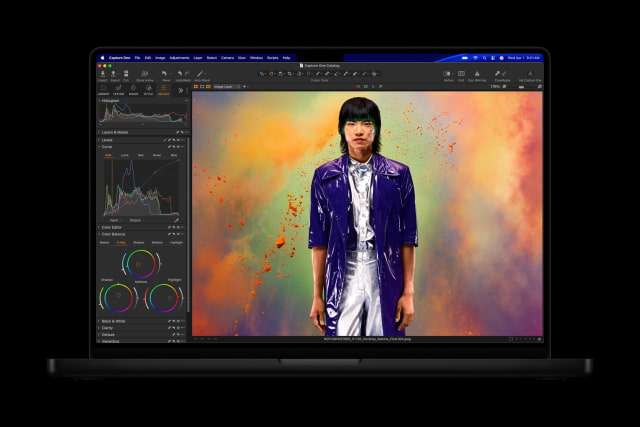
Start with the configuration your applications need. M5 Pro supports up to 64GB of unified memory with the 20-core GPU, while M5 Max reaches 128GB with the 40-core GPU. Both have Thunderbolt 5. The less expensive 14-inch M5 tops out at 32GB and uses Thunderbolt 4; all three chip options include SDXC, HDMI, and MagSafe.
For memory-heavy projects, a Pro with enough RAM can be a better purchase than a discounted Max with less. Put your budget toward the bottleneck you're trying to fix, whether that's memory, graphics performance, or storage.
How Good Does the Deal Need to Be?
Apple's current U.S. prices start at $1,999 for the 14-inch M5, $2,499 for the 14-inch M5 Pro, and $2,999 for the 16-inch M5 Pro. When comparing a retailer's discount, check the chip, memory, storage, and display option against the same configuration at Apple.
A modest saving wouldn't persuade us to rush an optional upgrade this close to a possible redesign. A larger discount on exactly the configuration you need is a stronger reason to buy, especially if you mostly use an external monitor. Set a budget before the announcement: Apple hasn't revealed what the OLED models will cost, and a current-generation Pro may still be the better fit.
Use our Mac Price Tracker to compare offers across retailers, or follow the 14-inch M5 Pro with 24GB of memory and a 1TB SSD for that specific configuration. Prices and availability change, so check the final total and delivery estimate before ordering.
Our Advice: Wait a Few Weeks if You Can
For an optional upgrade, we'd wait through October and reassess if Apple hasn't announced the redesign. OLED, touch, and a lighter body could make a meaningful difference over several years of ownership. With October or November now the reported window, a short pause is reasonable; an open-ended wait isn't necessary.
Buy now if your current Mac is costing you time or you've found a substantial discount on a configuration you'd happily keep for years. If neither applies, keep using the Mac you have until Apple's plans are clearer.



![Apple Releases iOS 27.2 Beta 3 and iPadOS 27.2 Beta 3 to Developers [Download]](/images/news/102579/102579/102579-160.jpg "Apple Releases iOS 27.2 Beta 3 and iPadOS 27.2 Beta 3 to Developers [Download]")
![Apple Releases macOS 27.2 Golden Gate Beta 3 to Developers [Download]](/images/news/102582/102582/102582-160.jpg "Apple Releases macOS 27.2 Golden Gate Beta 3 to Developers [Download]")
![Apple Seeds Third Betas of watchOS 27.2, tvOS 27.2, and visionOS 27.2 to Developers [Download]](/images/news/102585/102585/102585-160.jpg "Apple Seeds Third Betas of watchOS 27.2, tvOS 27.2, and visionOS 27.2 to Developers [Download]")
![How To Change Wallpaper on Mac [Video]](/images/tutorials/90512/90512/90512-160.jpg "How To Change Wallpaper on Mac [Video]")

![How To Back Up Your iPhone to an External Drive on Mac [Video]](/images/tutorials/72786/72786/72786-160.jpg "How To Back Up Your iPhone to an External Drive on Mac [Video]")