MacBook Pro vs. Surface Laptop Ultra: Is Microsoft's New Rival Worth Switching For?
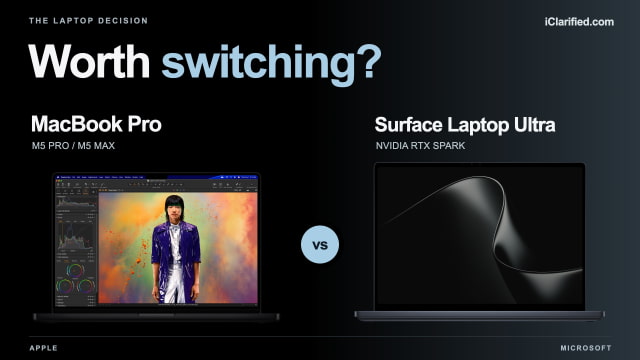
A touchscreen and NVIDIA graphics are two things you won't find in today's MacBook Pro. Microsoft's Surface Laptop Ultra brings them together in a laptop starting at $2,599.99, with preorders open ahead of its October 16 release.
Touch is appealing, but switching also means weighing your Mac apps and the conveniences that connect your laptop to an iPhone or iPad. The Surface's closest Apple rivals are the 14-inch and 16-inch M5 Pro and M5 Max models. And with an OLED MacBook Pro reportedly on the way, buying either now may not be the best move.
Touch Is the Most Obvious Difference
With the Surface, you can scroll a webpage or zoom into a photo directly on the screen. On a MacBook Pro, you use the trackpad for those gestures. Touch could be useful if you often find yourself reaching for a laptop's display, but it won't turn this Surface into a drawing tablet: Surface Pen and Slim Pen are not supported.
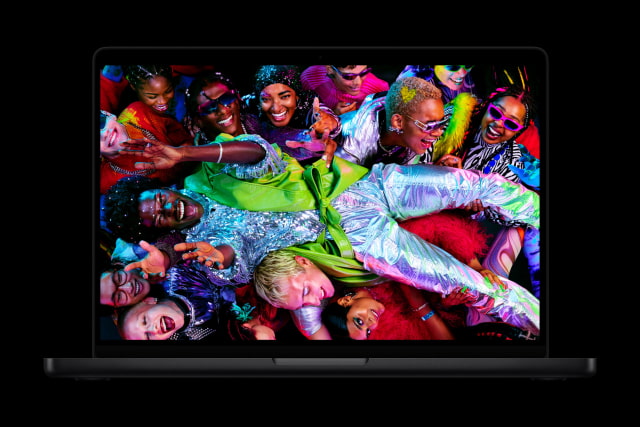
The Surface's 15-inch display sits between Apple's 14.2-inch and 16.2-inch options. Its taller 3:2 shape leaves useful room for documents and code, and both brands offer refresh rates up to 120Hz. The MacBook Pro also has an optional nano-texture finish if reflections are a problem where you work.
What Happens to Your Mac Setup?
For a Mac owner, the change also reaches beyond the laptop. AirDrop, Universal Clipboard, and Sidecar make it easy to move files, copy between Apple devices, or use an iPad as a second display. If you use those features throughout the day, they are a good reason to stay with macOS. Final Cut Pro users would also need a different Windows editing application.
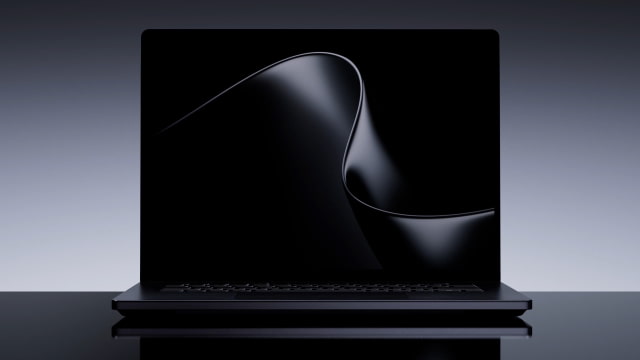
Surface Laptop Ultra runs Windows on Arm. Native Arm apps are the best fit; other supported Windows apps can run through Microsoft's Prism emulator. Check Windows-on-Arm support for any specialist plug-ins, older utilities, or hardware drivers you rely on, especially for accessories such as audio interfaces and capture devices.
When NVIDIA Is a Reason to Switch
If your work depends on NVIDIA's CUDA tools, the Surface offers something the MacBook Pro can't: an NVIDIA GPU built into the laptop. For developers and creators using CUDA-dependent software, that could be a much stronger reason to switch than a touchscreen.
MacBook Pro remains well suited to video work, with hardware acceleration for formats including ProRes and ProRes RAW. M5 Max adds extra video-encoding and ProRes engines. If your projects and plug-ins already run well on a Mac, moving them to Windows needs to offer a worthwhile improvement.
Before switching for faster exports or renders, look for production-hardware tests in the applications you use. Apple and NVIDIA count GPU cores differently, so those numbers are not a shortcut to knowing which laptop will finish your work sooner.
The 14-Inch Mac Is Easier to Carry
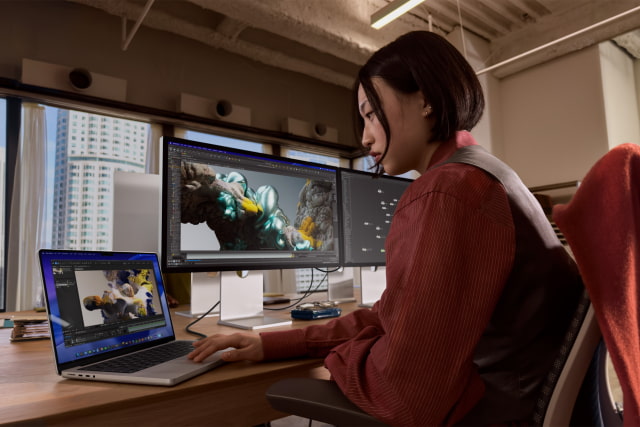
At 2.0 kg, the Surface is much closer to the 16-inch MacBook Pro's 2.14–2.15 kg than the 14-inch model's 1.60–1.62 kg. Moving from a 14-inch M5 Pro to the Surface adds 400 grams to your bag for a modest increase in screen diagonal. The Surface is also thicker: 17.99 mm without its feet, versus 15.5 mm for the 14-inch Mac and 16.8 mm for the 16-inch.
Apple has the higher advertised battery figures. M5 Pro is rated for up to 14 hours of web use in the 14-inch Mac and 17 hours in the 16-inch; Microsoft claims up to 12 hours for its tested 20-core, 64GB Surface. Treat these as manufacturer estimates, since the test workloads and brightness settings differ. Apple also measures streaming video, whereas Microsoft's 15-hour video rating uses local playback. Expect demanding GPU work to draw down either battery much faster.
Useful Ports, and a Removable Surface SSD
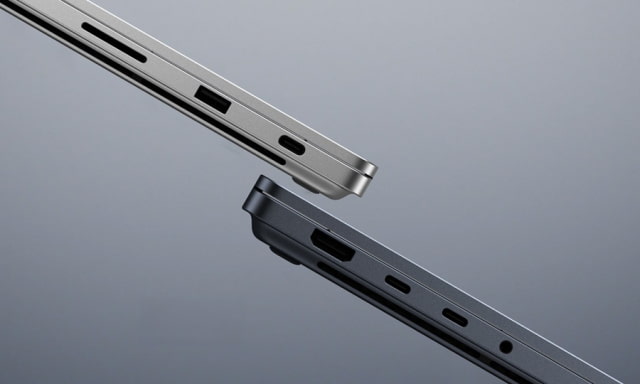
Both laptops have HDMI, an SD card slot, a headphone jack, and three USB-C ports. The Surface adds USB-A, handy for an older accessory without an adapter. Its USB4 ports run at up to 40Gbps; M5 Pro and M5 Max use Thunderbolt 5. Microsoft's included magnetic charging cable attaches to a USB-C port, while the Mac's separate MagSafe 3 connector leaves all three Thunderbolt ports available when charging that way.
Microsoft also makes the Surface's SSD removable and publishes repair guidance. Its 512GB drive uses PCIe Gen 4, while the 1TB and 2TB options use Gen 5. Apple offers larger factory SSDs—up to 4TB with M5 Pro and 8TB with M5 Max—but the Surface's serviceable storage is appealing if future replacement matters to you.
Should You Wait for an OLED MacBook Pro?
If touch is what draws you to the Surface, the timing is worth considering. Apple is reportedly preparing a thinner, lighter MacBook Pro with an OLED touchscreen, potentially arriving in October or November. Apple has not announced it, and pricing is unknown. For a Mac owner whose current laptop can last a little longer, we would wait a few weeks before changing platforms or paying full price for today's model.
Our MacBook Pro buy-now-or-wait guide covers the latest OLED reports and the situations where buying an M5 model now still makes sense.
What Do You Get for the Price?
At $2,499, the 14-inch M5 Pro MacBook Pro costs less than the entry Surface and gives you twice the storage: 1TB instead of 512GB. Both start with 24GB of memory. Getting 1TB in the Surface raises its price to $2,999.99—almost exactly the starting price of a 16-inch M5 Pro MacBook Pro with the same memory and storage.
Apple also sells a $1,999 14-inch MacBook Pro with the standard M5 chip. It is worth considering if you don't need the Pro and Max models' higher memory limits or Thunderbolt 5; the standard M5 model has Thunderbolt 4. The table below covers the Pro and Max models compared here.
Microsoft is offering up to $1,000 back for an eligible MacBook Pro trade-in, with the amount depending on your model and its condition. Compare the quote with what you could get by selling the Mac yourself. These are U.S. direct-store prices before tax or trade-in; retailer offers may be lower.
Specifications Compared
| Feature | Surface Laptop Ultra | 14-inch MacBook Pro | 16-inch MacBook Pro |
|---|---|---|---|
| Starting U.S. direct price | $2,599.99 (24GB / 512GB) | $2,499 (M5 Pro, 24GB / 1TB) | $2,999 (M5 Pro, 24GB / 1TB) |
| Chip configurations | RTX Spark N1X: 18- or 20-core CPU; 5,120- or 6,144-core Blackwell GPU | M5 Pro: 15/16 or 18/20 CPU/GPU cores; M5 Max: 18/32 or 18/40 | M5 Pro: 18/20 CPU/GPU cores; M5 Max: 18/32 or 18/40 |
| Display | 15-inch touch; 3270 × 2180; 3:2 | 14.2-inch Liquid Retina XDR; 3024 × 1964 | 16.2-inch Liquid Retina XDR; 3456 × 2234 |
| Refresh rate | Up to 120Hz | ProMotion up to 120Hz | ProMotion up to 120Hz |
| Brightness | 2,000 nits peak HDR (10% window); 1,000 nits SDR | 1,600 nits peak HDR; 1,000 nits sustained HDR / outdoor SDR | 1,600 nits peak HDR; 1,000 nits sustained HDR / outdoor SDR |
| Touch / display options | Touch supported; no pen support | No touchscreen; optional nano-texture finish | No touchscreen; optional nano-texture finish |
| Unified memory | 24GB–128GB, depending on configuration | M5 Pro: up to 64GB (20-core GPU); M5 Max: up to 128GB (40-core GPU) | M5 Pro: up to 64GB (20-core GPU); M5 Max: up to 128GB (40-core GPU) |
| SSD options | 512GB–2TB; removable SSD | M5 Pro: up to 4TB; M5 Max: up to 8TB | M5 Pro: up to 4TB; M5 Max: up to 8TB |
| Width × depth × height | 328.8 × 238.7 × 17.99 mm (height without feet) | 312.6 × 221.2 × 15.5 mm | 355.7 × 248.1 × 16.8 mm |
| Weight | 2.0 kg / 4.41 lb | M5 Pro: 1.60 kg / 3.5 lb; M5 Max: 1.62 kg / 3.6 lb | M5 Pro: 2.14 kg; M5 Max: 2.15 kg (both 4.7 lb) |
| Battery capacity | 92Wh nominal | 72.4Wh | 100Wh nominal (99.6Wh rated) |
| Manufacturer-rated web use | Up to 12 hours (20-core / 64GB / 1TB test unit) | M5 Pro: up to 14 hours; M5 Max: up to 13 | M5 Pro: up to 17 hours; M5 Max: up to 16 |
| Manufacturer-rated video | Up to 15 hours, local playback (same test unit) | M5 Pro: up to 22 hours; M5 Max: up to 20; streaming | M5 Pro: up to 24 hours; M5 Max: up to 22; streaming |
| Ports | 3 × USB4 (40Gbps); HDMI 2.1b; USB-A 3.1; SD; 3.5mm | 3 × Thunderbolt 5; HDMI; SDXC; 3.5mm; separate MagSafe 3 | 3 × Thunderbolt 5; HDMI; SDXC; 3.5mm; separate MagSafe 3 |
| External displays | Up to three 4K displays at 60Hz | M5 Pro: up to three; M5 Max: up to four (up to 6K/60Hz each) | M5 Pro: up to three; M5 Max: up to four (up to 6K/60Hz each) |
| Charging | 140W adapter included (U.S.); magnetic USB-C cable | 70W or 96W adapter; MagSafe 3 cable; 96W+ for fast charge | 140W adapter and MagSafe 3 cable; 140W+ for fast charge |
| Wireless | Wi-Fi 7; Bluetooth 5.4 | Wi-Fi 7; Bluetooth 6; Thread | Wi-Fi 7; Bluetooth 6; Thread |
| Camera | 1080p; Windows Hello face authentication | 12MP Center Stage; Desk View; 1080p video | 12MP Center Stage; Desk View; 1080p video |
| Audio | Four speakers; two microphones | Six speakers; three microphones | Six speakers; three microphones |
| Operating system | Windows 11 Home (24GB); Pro (32GB and above) | macOS | macOS |
Which Should You Buy?
For most iClarified readers, we would choose the MacBook Pro. The 14-inch M5 Pro combines a lower starting price, twice the base Surface's storage, and less weight, while keeping the Mac apps and Apple-device features you already use. The 16-inch gives you more screen space; M5 Max is the step up for demanding graphics and larger memory configurations.
Surface Laptop Ultra makes the stronger case when you need CUDA-dependent tools or specifically want a Windows laptop with touch. Confirm that your applications, plug-ins, and accessories support its Arm platform, then look for tests of the configuration you plan to buy. For a Mac user without that kind of reason to switch, we would stay with Apple—and wait for the rumored redesign if the purchase is optional.
You can compare current MacBook Pro offers across retailers with our Mac Price Tracker, or check the 14-inch M5 Pro with 24GB of memory and a 1TB SSD for the configuration used in the entry-price comparison.

![Apple Debuts Trailer for 'Stick' Season 2 Starring Owen Wilson [Video]](/images/news/102678/102678/102678-160.jpg "Apple Debuts Trailer for 'Stick' Season 2 Starring Owen Wilson [Video]")



![How To Force Restart iPhone [Video]](/images/tutorials/95012/95012/95012-160.jpg "How To Force Restart iPhone [Video]")
![How To Turn Off iPhone [Video]](/images/tutorials/94999/94999/94999-160.jpg "How To Turn Off iPhone [Video]")
![How To Back Up Your iPhone to an External Drive on Mac [Video]](/images/tutorials/72786/72786/72786-160.jpg "How To Back Up Your iPhone to an External Drive on Mac [Video]")




![Mac mini Drops to $779.99 for Prime Big Deal Days [Deal]](/images/news/102624/102624/102624-160.jpg "Mac mini Drops to $779.99 for Prime Big Deal Days [Deal]")