Google is rolling out its Gemini app on Apple CarPlay, bringing Gemini Live voice conversations to the car's display. The global rollout begins today and covers all supported Gemini Live languages.
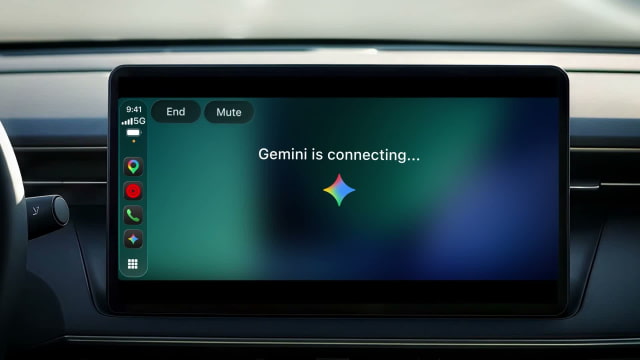
Tapping the Gemini icon on the CarPlay home screen or side rail lets you start a conversation or resume a recent chat. You can interrupt to add a detail, change the subject, or pause the exchange, with the conversation saved automatically to the Gemini app on your iPhone.
With connected Google Workspace apps such as Gmail and Google Calendar, the assistant can review your schedule, summarize unread emails and long threads, and help you work through a reply. It can also help rehearse a presentation, explain a topic, or suggest places to stop along the way.
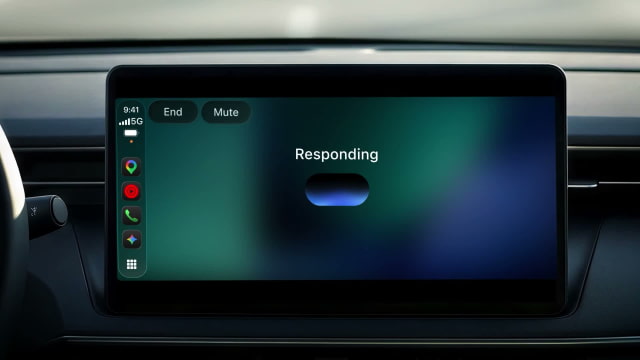
Daily Brief can pull that personal information into a briefing, but the feature must be enabled first. Google says certain personalization features, including Daily Brief, are unavailable to users under 18 and in the European Economic Area and Nigeria.
The standalone app expands on Gemini's earlier arrival in Google Maps navigation on CarPlay. That integration handles navigation-related conversations inside Maps; the new app brings the broader Gemini Live experience to the dashboard, following Apple's support for voice-based AI apps in CarPlay.
To get started, update the Google Gemini app for iPhone, allow microphone access, and use Gemini Live on the phone at least once before connecting it to your car. You can preview the interface in Google's short CarPlay demonstration.