Adobe Updates Photoshop, Premiere, and Lightroom With New AI Editing Tools
Adobe is adding new photo and video editing tools across Creative Cloud, including adjustable lighting in Photoshop, audio separation in Premiere, and expanded Lightroom camera tethering on desktop and iPad. The Adobe MAX 2026 announcements also introduce new Firefly betas and preview local integrations with third-party AI agents.

Photoshop and Lightroom
Photoshop's Relight lets editors add light sources to a scene and adjust their position, color, and brightness non-destructively. Generative Restyle takes a different approach to variations: after describing an edit and converting the result to a layer, users get a custom slider to adjust its intensity without entering another prompt.
For cleanup work, the Remove Tool now detects related elements such as an object's reflection, shadow, or footprints. Quick Compare adds an on-canvas before-and-after slider, while a simplified AI Assisted Editor puts prompting up front with the option to switch back to the full Pro Editor and its layers.
The Photoshop beta app also gains Mockups, Camera Angles, and Generative Recompose for exploring product placements, viewpoints, and aspect ratios. Other beta additions turn text in a flattened image into editable type layers, record the editing process as a timelapse, or remove effects such as haze and lens flare without deleting objects.
Lightroom's updates extend from the shoot to retouching. Camera tethering is improved and expanded on desktop and iPad, while Glow adds adjustable Diffusion and Halation effects. Blemish Removal, previously available on mobile, gains additional controls for professional workflows.
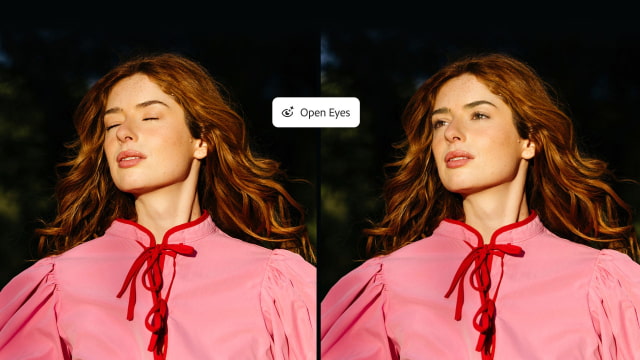
Open Eyes, available in public beta, addresses a familiar problem in portraits: a subject blinking. It uses another photo of the same person from the library to replace closed eyes, with the reference selected manually or found automatically.
Premiere
Premiere brings more generation and cleanup work into the timeline. Its Generative Media tool can produce video, sound effects, soundscapes, and music using context from an edit, with model choices from Firefly and partners including Google, Kling, Runway, and Luma. Color Mode, the app's dedicated color-grading experience, is now generally available.
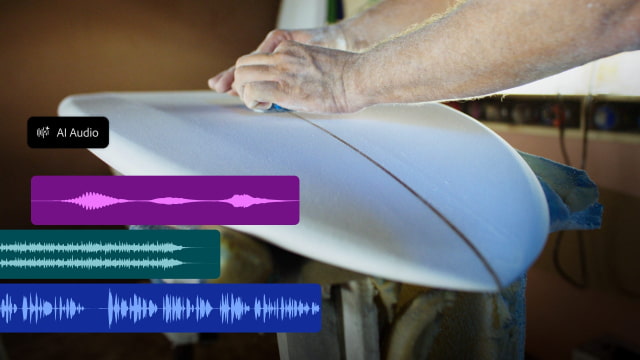
Enhance Audio separates dialogue, music, ambience, and sound effects so they can be mixed independently. Separate Crosstalk puts overlapping speakers onto separate tracks, while Separate Sound Source breaks recordings into individual elements for cleanup.
Generative Remove is arriving in beta for video as well. Editors mask and track an unwanted object, such as a boom microphone or logo, then have Premiere fill the selected area.
Firefly and Creative Agents
Firefly Design, in beta, combines raster, vector, motion, 3D, and print work on one canvas with review and export tools. Firefly Graph, also in beta, combines AI models and Adobe tools into reusable workflows that teams can adjust and share.
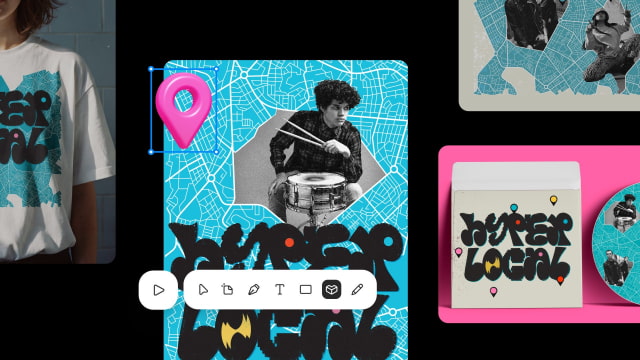
Firefly Builder remains a private-beta preview. It combines prompting with direct editing to create working prototypes of interactive apps, websites, and portfolios.
Elsewhere, Illustrator gets refreshed brushes, styles, patterns, and gradients, plus on-canvas Blend controls. InDesign adds real-time Co-editing in public beta, alongside Flex Layout for resizing text frames and Check Document and Rewrite tools for editorial and accessibility issues.
The company is also expanding the Creative Agent tools introduced in June, with AI Assistant betas across Premiere, Illustrator, InDesign, After Effects, and Frame.io. Separately, upcoming Model Context Protocol (MCP) integrations will let third-party agents operate Photoshop, Illustrator, Premiere, and After Effects locally while keeping native project elements editable. Those integrations are due for Creative Cloud customers in early 2027.
Plans and subscription options are available through Adobe.