Apple has started selling additional AI usage for Creator Studio, with a purchase option now available in Logic Pro for Mac. The packs let subscribers continue using selected intelligence features after exhausting their included monthly allowance.
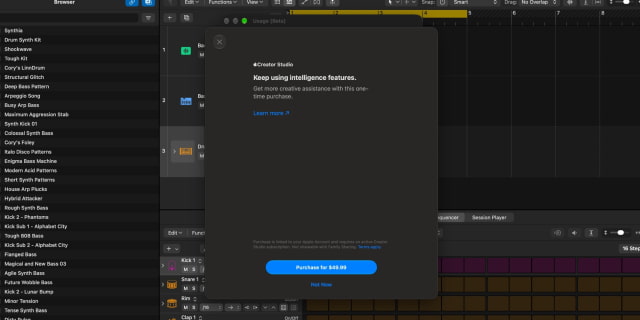
The option is a $49.99 one-time 'intelligence usage pack,' as first reported by 9to5Mac. It is a top-up rather than another recurring subscription, but an active Creator Studio subscription is required.
To buy a pack, open the Logic Pro menu, choose Intelligence Features, select Show Usage, then choose Buy More Usage. Packs are available in eight countries: Brazil, Canada, France, Germany, India, Mexico, the United Kingdom, and the United States.
Purchased usage is consumed only after the regular monthly limit has been reached. Anything left over rolls into subsequent months, but expires 12 months after purchase. Buying a pack does not create an unlimited-use tier.
The packs also differ from the Creator Studio subscription's Family Sharing support. Additional usage belongs only to the Apple Account signed in to iCloud when it was purchased and cannot be shared with family members.
There is no guaranteed number of outputs per pack. Apple's usage-pack terms allow consumption to vary by app, feature, request complexity, and demand on the underlying systems. Purchases are nonrefundable except where required by law.
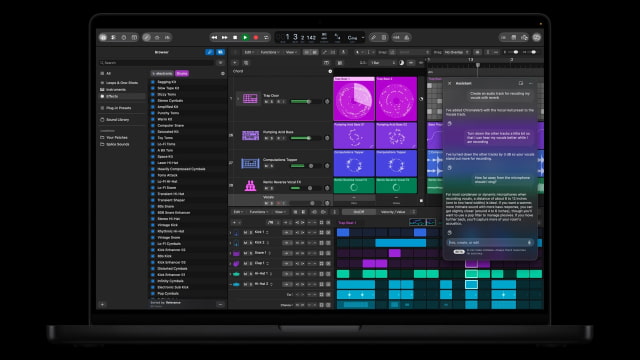
The extra usage applies to selected Creator Studio tools, including Logic Pro's assistant and features for generating images, shapes, presentations, and presenter notes. This is not a general paid tier for Siri or all Apple Intelligence features.
The November Creator Studio update adds AI assistants and other creative tools across the bundle. The standard subscription costs $12.99 per month or $129 per year in the U.S.; usage packs are an optional additional purchase.