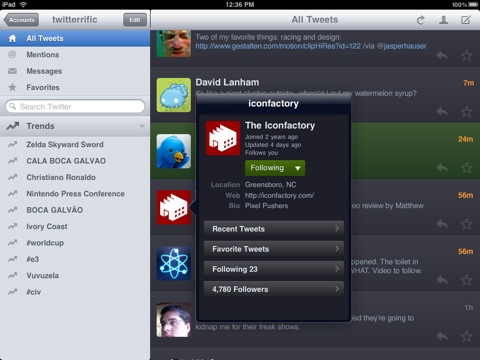
Twitterrific for the iPhone and iPad has been updated with many new features, improvements and bug fixes.
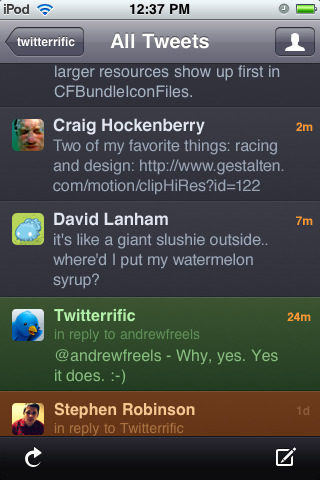
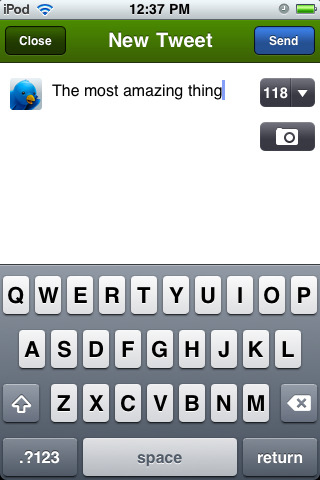
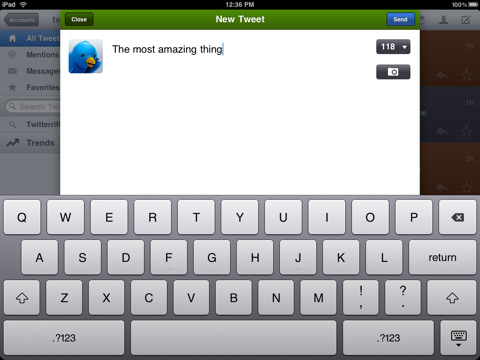
Now a universal app for both iPad & iPhone, Twitterrific is the friendly, award-winning Twitter client that's beautiful to look at easy to use and full of elegant features. Effortlessly read and compose tweets, search Twitter.com, filter message types and much more.
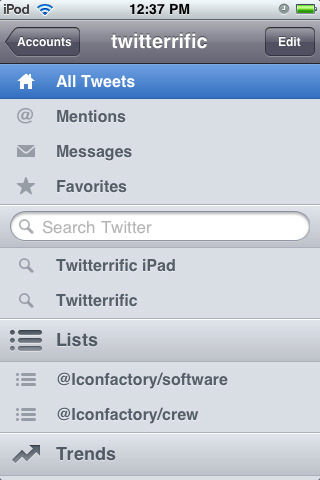
FEATURE LIST: • Universal app for iPhone and iPad • Simple to use, easy to understand • Unified display for replies, re-tweets, direct messages, mentions & more • Create Twitter-based searches & view lists • Browse conversation threads between users • Follow, un-follow and block Twitter users easily • Filter timeline for specific tweet types & trends • Helpful actions including: re-tweet, link shortening, email & tweet translation
ADDITIONAL FEATURES WITH UPGRADE: • Manage additional Twitter accounts • Remove advertising from the timeline
NEW FEATURES: • Timeline shortcuts (all iPhones) - Tap avatar to view profile - Tap & hold for more actions (conversation, translate, etc.) - Double-tap to reply (reply, DM, RT) - Triple-tap to favorite
• Link shortcuts (all iOS 4) - Tap & hold @usernames and #tags to perform actions - Tap & hold web links to perform actions (including Instapaper)
• Links in timeline (iOS 4 with multitasking only)
IMPROVEMENTS: • "Retweet with Comments" now uses "RT @username" format • Uses web page titles as the subject line when emailing links from the mini browser • Tap & hold tweet detail view for copy actions (all iOS 4) • #hashtags now open in popovers when tapped for easy browsing (iPad) • Emoji characters supported in the timeline (iPad) • Increased timeout lengths for Twitter API connections to reduce errors • Added feedback when tapping links (iPad) • 'Restore Purchase' button to re-enable previous in-app upgrades • Graphical tweaks to button appearance & placement throughout • Added inline picture viewing for Mobypicture • Reduced avatar flashing
BUG FIXES: • Fixed a navigation bug that sometimes stranded users in the main timeline • Trends, searches & lists update properly when coming to the foreground (iOS 4) • 'Refresh on Launch' auto-refreshes the timeline on launch - via Settings App • URL schemes work properly when Twitterrific is restored to the foreground • URL's copied with "Copy Link" can be pasted into the body of an email (iPhone) • Fixed problems with "in reply to" & "retweeted by" meta text • Retweet text no longer gets cropped • Fixed several problems with VoiceOver support • Crash issue resolved when viewing large TweetPhoto images • Graphical text fixes in the accounts sidebar
You can download Twitterrific for Twitter from the App Store for free.
Get the iClarified Daily Newsletter
Apple news, rumors, tutorials, price drop alerts, in your inbox every evening, free.
Unsubscribe at any time.
Success!
You have been subscribed.
Add Comment
Would you like to be notified when someone replies or adds a new comment?
Yes (All Threads)
Yes (This Thread Only)
No
Notifications
Would you like to be notified when we post a new Apple news article or tutorial?





![Mac mini With M6 and M5 Pro Review Roundup [Video]](/images/news/102318/102318/102318-160.jpg "Mac mini With M6 and M5 Pro Review Roundup [Video]")
![Apple Releases macOS 27.2 Golden Gate Beta 2 to Developers [Download]](/images/news/102327/102327/102327-160.jpg "Apple Releases macOS 27.2 Golden Gate Beta 2 to Developers [Download]")
![Apple Seeds Second Betas of watchOS 27.2, tvOS 27.2, and visionOS 27.2 to Developers [Download]](/images/news/102324/102324/102324-160.jpg "Apple Seeds Second Betas of watchOS 27.2, tvOS 27.2, and visionOS 27.2 to Developers [Download]")
![Apple Releases iOS 27.2 Beta 2 and iPadOS 27.2 Beta 2 to Developers [Download]](/images/news/102321/102321/102321-160.jpg "Apple Releases iOS 27.2 Beta 2 and iPadOS 27.2 Beta 2 to Developers [Download]")









![Apple Studio Display XDR Hits All-Time Low of $2,969.99 ($329 Off) [Deal]](/images/news/101976/101976/101976-160.jpg "Apple Studio Display XDR Hits All-Time Low of $2,969.99 ($329 Off) [Deal]")
