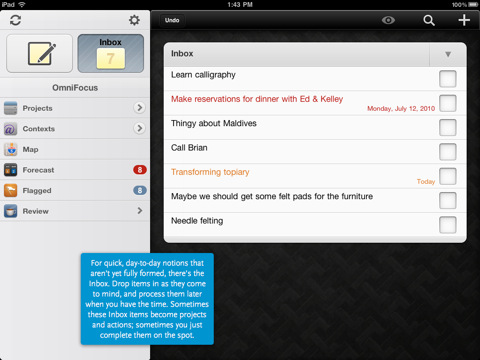
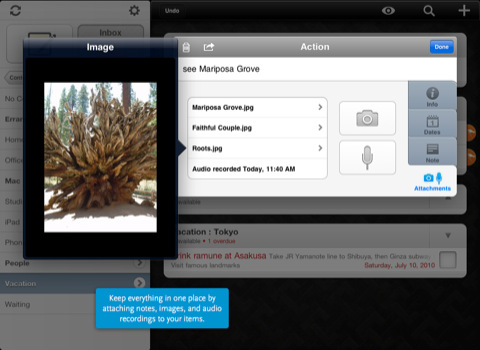
OmniFocus for iPad combines the in-depth task management functionality of a desktop app with the advanced mobile experience of the iPad. It offers flexible viewing options, location-aware task lists, and on-the-fly task entry with voice notes and image attachments.
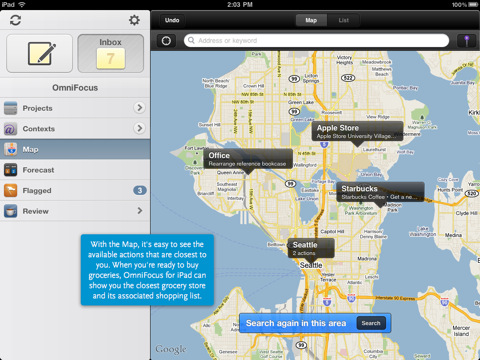
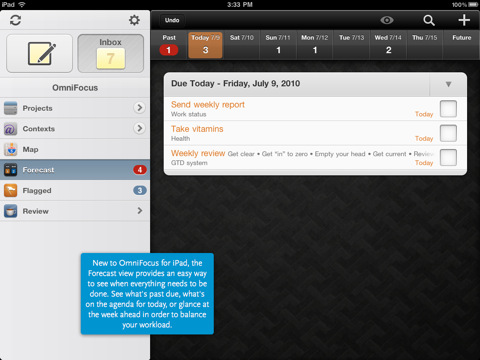
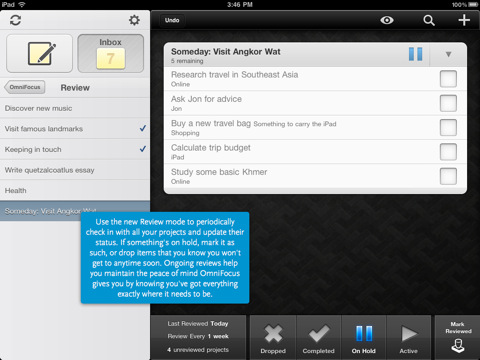
Use OmniFocus for iPad on its own, or sync with OmniFocus for Mac and OmniFocus for iPhone. New to OmniFocus for iPad are task forecasting views, a streamlined built-in review mode, and a simplified Map feature for creating and viewing tasks based on current or assigned locations.
FEATURES: ● Quick Entry for fast, easy task capture ● Task inbox where items can be stored for future processing ● Detailed task options like start and due dates, repeating schedules, and audio note and photo attachments ● Organize tasks into projects and folders, with as much hierarchy as is needed ● Categorize and view tasks by contexts, or work modes (ie, "Phone" for all phone call-related to-dos) ● Subtasks, for breaking large tasks into manageable steps ● Built-in search for locating any task in your database ● Cloud sync: synchronize with OmniFocus for Mac and OmniFocus for iPhone ● Location-based contexts: the Map makes it easy to generate and view tasks based on current or assigned locations ● Forecasts: see a weekly or daily view of all due tasks ● Built-in reviewing that helps you stay current on all your projects ● Free customer support via email or phone
You can purchase OmniFocus for iPad from the App Store for $39.99.
Get the iClarified Daily Newsletter
Apple news, rumors, tutorials, price drop alerts, in your inbox every evening, free.
Unsubscribe at any time.
Success!
You have been subscribed.
Add Comment
Would you like to be notified when someone replies or adds a new comment?
Yes (All Threads)
Yes (This Thread Only)
No
Notifications
Would you like to be notified when we post a new Apple news article or tutorial?









![How To Change Wallpaper on Mac [Video]](/images/tutorials/90512/90512/90512-160.jpg "How To Change Wallpaper on Mac [Video]")
![How To Turn Off Always On Display on iPhone [Video]](/images/tutorials/87524/87524/87524-160.jpg "How To Turn Off Always On Display on iPhone [Video]")





![16-Inch M5 Max MacBook Pro Drops $900 to New Low of $3,499 [Deal]](/images/news/102438/102438/102438-160.jpg "16-Inch M5 Max MacBook Pro Drops $900 to New Low of $3,499 [Deal]")
![Magic Keyboard for iPad Air Drops to $200 on Amazon [Deal]](/images/news/102402/102402/102402-160.jpg "Magic Keyboard for iPad Air Drops to $200 on Amazon [Deal]")
