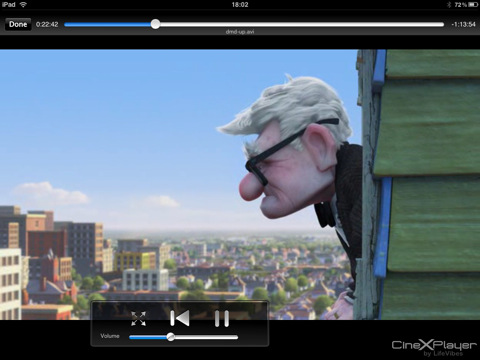
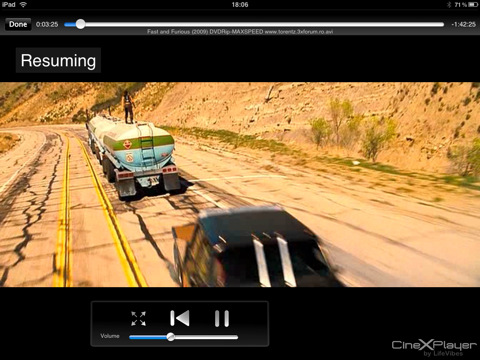
CineXPlayer is a new video player for the iPad that allows you to watch Xvid and DivX movies.
You love to watch your movies anywhere, anytime and take them with you on your iPad. But you realized that some of the most popular movie file formats (such as Xvid) won't synch or play on your iPad ?
Features: ● Transfer your Xvid movies to your device instantly (no conversion needed) ● Play your movies anywhere, anytime - even when you have no Internet connection (in a train, a car, a plane...) ● Enjoy the full quality and cinema experience
What's New In This Version: Added Reset of Resume Points. Some bug fixes
You can download CineXPlayer from the App Store for free.
[via iPadevice]
Get the iClarified Daily Newsletter
Apple news, rumors, tutorials, price drop alerts, in your inbox every evening, free.
Unsubscribe at any time.
Success!
You have been subscribed.
Add Comment
Would you like to be notified when someone replies or adds a new comment?
Yes (All Threads)
Yes (This Thread Only)
No
Notifications
Would you like to be notified when we post a new Apple news article or tutorial?
Yes
No
Comments (7)
Comments are closed for this article.
0
Nt02 - August 6, 2010 at 1:59pm
How would you transfer? iTunes won't send if it isn't in the correct format, right? I use yxflash for the iphone, which works pretty well.
0
Matt - August 6, 2010 at 3:57pm
In iTunes with the iPad connected, click on the APPS tab, scroll down to the CineXPlayer and drag and drop :)
0
fenrry - August 6, 2010 at 5:08pm
Probably he meant "how to transfer the DivX files", I also wonder...
0
groovegsus - August 6, 2010 at 6:56pm
Like he said , once your ipad is connected , clic on it on the left collumn of itunes , after you clip on the top menu "APPLICATIONS" , scroll down , in the bottom part of the page you will see some apps that can syncronize data with iphone , choose Cinexplayer and then push the "ADD files" button and choose the divx you want to have on the ipad.
I'm looking how to remove them after vieuwing
0
RD - August 10, 2010 at 8:53pm
@groovegsus - Jus delete the files from the cinexplayer player app by swiping across n deleting it. I actually uploaded .mkv file by mistake and now the iTunes colum for CinexPlayer app shows it is added, but I cannot see it in ipad app, which means it is sitting there eating space and I cannot delete it. Any help ?
0
Andrew Facherty - September 2, 2010 at 7:29pm
To delete the .mkv file, rename it within iTunes to xxx.avi, and relaunch CineXPlayer. The film now appears in the list... Still doesn't work though, so you can just delete it.











![How To Change Wallpaper on Mac [Video]](/images/tutorials/90512/90512/90512-160.jpg "How To Change Wallpaper on Mac [Video]")
![How To Turn Off Always On Display on iPhone [Video]](/images/tutorials/87524/87524/87524-160.jpg "How To Turn Off Always On Display on iPhone [Video]")





![16-Inch M5 Max MacBook Pro Drops $900 to New Low of $3,499 [Deal]](/images/news/102438/102438/102438-160.jpg "16-Inch M5 Max MacBook Pro Drops $900 to New Low of $3,499 [Deal]")
![Magic Keyboard for iPad Air Drops to $200 on Amazon [Deal]](/images/news/102402/102402/102402-160.jpg "Magic Keyboard for iPad Air Drops to $200 on Amazon [Deal]")
