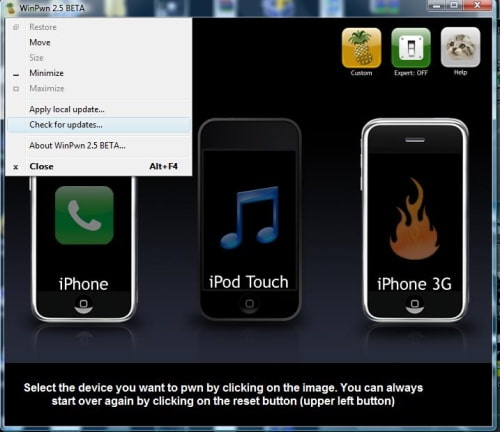
WinPwn 2.5 Beta 2 has been released to fix an error with IPSW creation and QuickPwn.
This update fixes a WinPwn bug which caused the application to crash when building an IPSW for a 2G iPhone. It also fixes a QuickPwn crash bug.
You can download the updated version of WinPwn (winpwn-2.5-BETA_2_Setup.zip download no longer available)
NOTE*: You can also use the update feature in WinPwn to get the latest version.
Get the iClarified Daily Newsletter
Apple news, rumors, tutorials, price drop alerts, in your inbox every evening, free.
Unsubscribe at any time.
Success!
You have been subscribed.
Add Comment
Would you like to be notified when someone replies or adds a new comment?
Yes (All Threads)
Yes (This Thread Only)
No
Notifications
Would you like to be notified when we post a new Apple news article or tutorial?
Yes
No
Comments (7)
Comments are closed for this article.
0
stef - September 2, 2008 at 5:44pm
yay, brilliant. Just unlocked my friend's iPhone using winpwn2.5 beta and everything went smoothly. iPhone is up and running and works fine. Thanks to the creators of this fantastic software. Cheers.
0
Steve Anderson - September 1, 2008 at 2:32pm
problems now my phone reboots when it wants to also in root there is a folder named damaged files
0
Nix - September 1, 2008 at 11:09am
finally...............its impressive i tried it severally last nite and it worked
0
garryutting - September 1, 2008 at 5:47am
Using QuickPwn in expert mode. Still crashes and some times with a Windows msg: Un Handled Exception error. BufferedGraphicsContext - can't be disposed of due to opperation in progress. (PID & TID stated)
Error from WinPwn: Read write protected memory failure, indication that other mem is corrupt.
Is this an indication of a nicely bricked iPhone? Any recommendations?
(Windows XP, iTunes 7.7, several attempts etc. iTunes failsto restore too. 160x errors)
0
Will - September 1, 2008 at 12:23am
I can't display full screen on my widescreen laptop. Therefore unable to click on the thumb-up or thumb-down
0
faruk - August 31, 2008 at 8:20pm
Still doesn't work... :(
Can not create Custom IPSW in Expert mode... Too bad for me...










![How To Change Wallpaper on Mac [Video]](/images/tutorials/90512/90512/90512-160.jpg "How To Change Wallpaper on Mac [Video]")
![How To Turn Off Always On Display on iPhone [Video]](/images/tutorials/87524/87524/87524-160.jpg "How To Turn Off Always On Display on iPhone [Video]")





![16-Inch M5 Max MacBook Pro Drops $900 to New Low of $3,499 [Deal]](/images/news/102438/102438/102438-160.jpg "16-Inch M5 Max MacBook Pro Drops $900 to New Low of $3,499 [Deal]")
![Magic Keyboard for iPad Air Drops to $200 on Amazon [Deal]](/images/news/102402/102402/102402-160.jpg "Magic Keyboard for iPad Air Drops to $200 on Amazon [Deal]")
