Evernote Peek, a learning app designed for the iPad 2 Smart Cover, has been updated with a new Virtual Cover feature to let any iPad utilize the app.
Studying with an iPad has never been more natural. Simply peek under the cover to prepare for a quiz, practice a language or strengthen your memory.
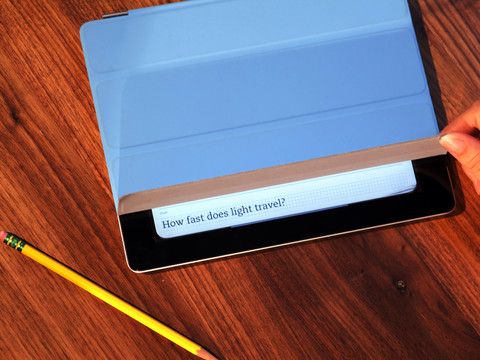
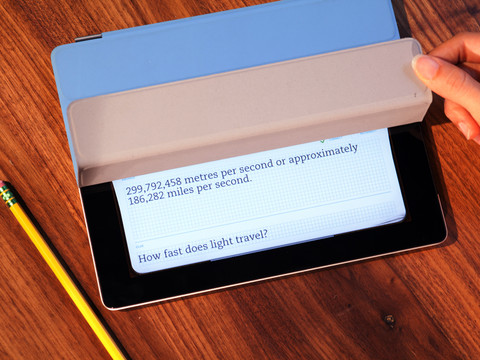
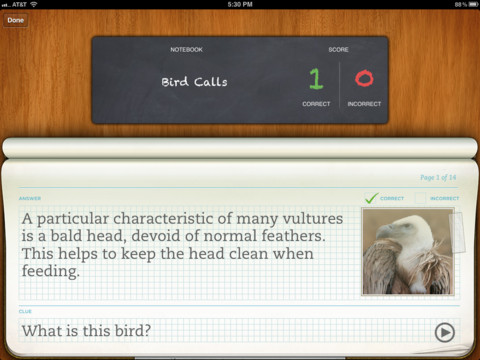
First, choose something to study. Either pick a notebook from your Evernote account or select from the featured publishers. If you have a Smart Cover, then peek under the cover to see the clue, lift the cover higher to see the answer. Close the cover and repeat. If you don't have a Smart Cover, then simply enable the Virtual Cover in Settings. Now, you can swipe and peek on any iPad.
What's New In This Version: - New swipeable Virtual Cover lets you study using any iPad. No Smart Cover required. - Choose from 10 different colors for the Virtual Cover - 5 new notebooks of European trivia provided by VisitEurope.com - Numerous bug fixes and improvements
Using the Virtual Cover - To activate, tap Settings and turn on the Virtual Cover - Select a notebook to study - Pull down on the tab in the top right corner to close the cover - Swipe up to peek, swipe more to see answer, swipe down to close
You can download Evernote Peek from the App Store for free.









![How To Change Wallpaper on Mac [Video]](/images/tutorials/90512/90512/90512-160.jpg "How To Change Wallpaper on Mac [Video]")
![How To Turn Off Always On Display on iPhone [Video]](/images/tutorials/87524/87524/87524-160.jpg "How To Turn Off Always On Display on iPhone [Video]")





![16-Inch M5 Max MacBook Pro Drops $900 to New Low of $3,499 [Deal]](/images/news/102438/102438/102438-160.jpg "16-Inch M5 Max MacBook Pro Drops $900 to New Low of $3,499 [Deal]")
![Magic Keyboard for iPad Air Drops to $200 on Amazon [Deal]](/images/news/102402/102402/102402-160.jpg "Magic Keyboard for iPad Air Drops to $200 on Amazon [Deal]")
