NAVIGON 2.0 has been released for iOS with a flexible maps concept, a refined UI, and more.
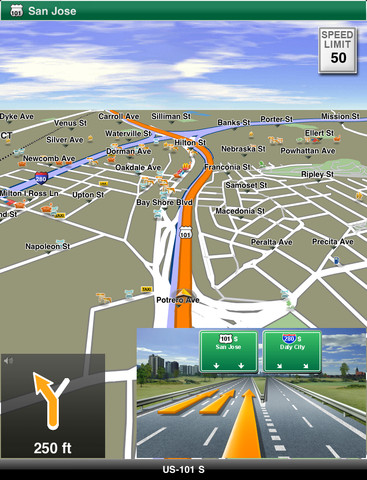
With NAVIGON you can turn your iPhone or iPad into a fully functional mobile navigation system. Thanks to a faithful adaptation of the menu functions, the app fits in seamlessly with the iOS operating concept and can be installed on any iPhone 3GS, iPhone 4, iPhone 4S or iPad device (the navigation function is only available on the iPad WiFi +3G).
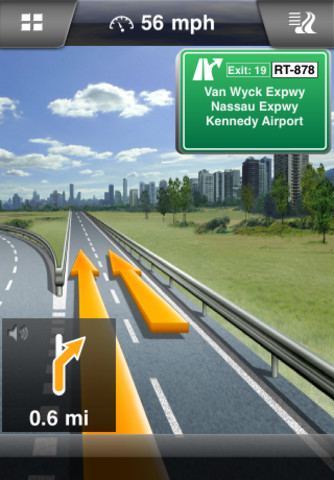
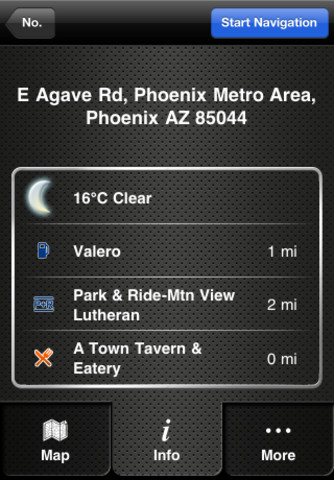
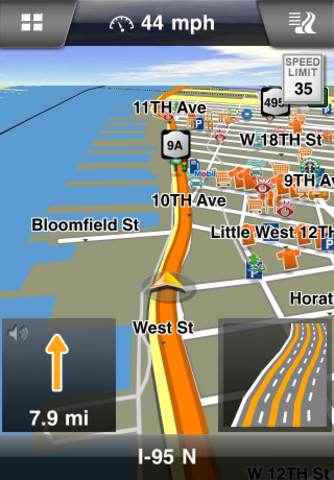
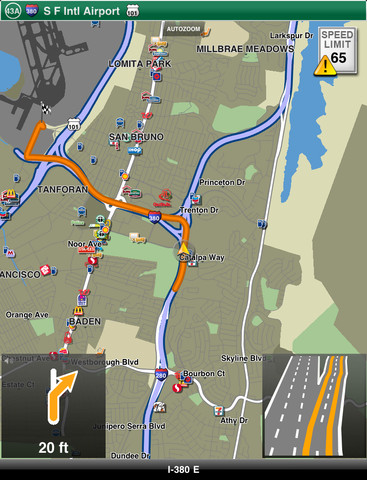
Features: - Simple, intuitive user interface - Can be used in portrait and landscape format - Precise spoken announcements - Intelligent address entry - Lane Assistant Pro - Real Road Sign - Speed Assistant with adjustable audio-visual warning - NAVIGON MyRoutes - Day and night modes for map display (automatic switching) - 2D and 3D map display (bird's-eye view) - Route planning function - Text-to-Speech (voice playback of street names) - Extended Pedestrian Navigation using the iPhone's internal compass - Google Local Search - Reality Scanner for POI searches with Augmented Reality - Coordinate entry - SOS Emergency Help
What's New In This Version: - Fully refined and even easier to use UI - Free map update for all - MyMaps: Install only the maps you need* - Fresh Maps XL: Quarterly map data update (In App Purchase)
* PLEASE NOTE: After installing the app the maps need to be downloaded separately. This requires an internet connection.
You can purchase NAVIGON North America from the App Store for a limited time price $39.99. Note*: NAVIGON is available for other locales as well.
Get the iClarified Daily Newsletter
Apple news, rumors, tutorials, price drop alerts, in your inbox every evening, free.
Unsubscribe at any time.
Success!
You have been subscribed.
Add Comment
Would you like to be notified when someone replies or adds a new comment?
Yes (All Threads)
Yes (This Thread Only)
No
Notifications
Would you like to be notified when we post a new Apple news article or tutorial?
Yes
No
Comments (2)
Comments are closed for this article.
0
Taylor - November 18, 2011 at 6:02am
The nav work great on my iPhone 4 running 4.3.3 I have no complain with it I stop using my car nav becuz of it best nav yet :-))
0
KhantastiK - November 17, 2011 at 10:00pm
Igo is freaking slow. Nothing makes up and much can be compromised for speed on a navigator, agreed the UI is not the best.










![How To Change Wallpaper on Mac [Video]](/images/tutorials/90512/90512/90512-160.jpg "How To Change Wallpaper on Mac [Video]")
![How To Turn Off Always On Display on iPhone [Video]](/images/tutorials/87524/87524/87524-160.jpg "How To Turn Off Always On Display on iPhone [Video]")





![16-Inch M5 Max MacBook Pro Drops $900 to New Low of $3,499 [Deal]](/images/news/102438/102438/102438-160.jpg "16-Inch M5 Max MacBook Pro Drops $900 to New Low of $3,499 [Deal]")
![Magic Keyboard for iPad Air Drops to $200 on Amazon [Deal]](/images/news/102402/102402/102402-160.jpg "Magic Keyboard for iPad Air Drops to $200 on Amazon [Deal]")
