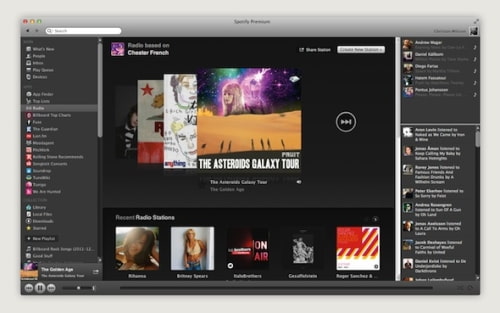
Spotify has announced a new Spotify Radio service that will give you access to unlimited stations and unlimited skips.
You can be the DJ and skip between stations and tracks, or choose a station and just go with the flow. If you like what you hear, you can save the song to a playlist or play it again on demand.
To get started Starting a radio station is easy. Click "Start Artist Radio" at the top of any artist page or just drag a track to "Radio" in the left sidebar. Spotify will make a radio station of similar music. Then sit back. Or dance about. Your station will keep playing music based on your initial choice, it's endless. And there's no limit to the number of stations you can create.
Don't like a track? Skip it. You can skip as many times as you like. It's your radio station.
Spotify plans to roll out this his brand new radio along with Spotify Apps in the next few days. You can download a preview version at the link below...
Get the iClarified Daily Newsletter
Apple news, rumors, tutorials, price drop alerts, in your inbox every evening, free.
Unsubscribe at any time.
Success!
You have been subscribed.
Add Comment
Would you like to be notified when someone replies or adds a new comment?
Yes (All Threads)
Yes (This Thread Only)
No
Notifications
Would you like to be notified when we post a new Apple news article or tutorial?









![How To Change Wallpaper on Mac [Video]](/images/tutorials/90512/90512/90512-160.jpg "How To Change Wallpaper on Mac [Video]")
![How To Turn Off Always On Display on iPhone [Video]](/images/tutorials/87524/87524/87524-160.jpg "How To Turn Off Always On Display on iPhone [Video]")





![16-Inch M5 Max MacBook Pro Drops $900 to New Low of $3,499 [Deal]](/images/news/102438/102438/102438-160.jpg "16-Inch M5 Max MacBook Pro Drops $900 to New Low of $3,499 [Deal]")
![Magic Keyboard for iPad Air Drops to $200 on Amazon [Deal]](/images/news/102402/102402/102402-160.jpg "Magic Keyboard for iPad Air Drops to $200 on Amazon [Deal]")
