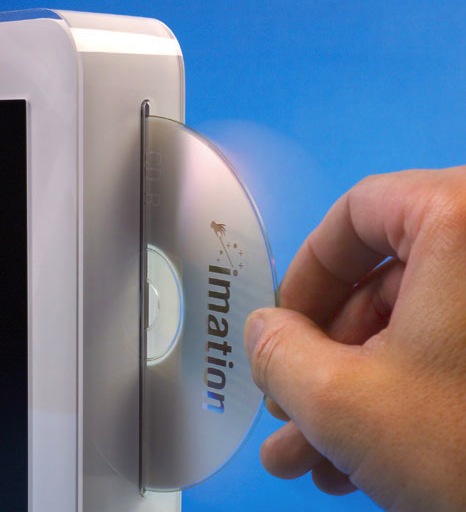
These are instructions on how to eject a CD from your Mac using a PC keyboard or USB mouse. This might be handy if you don't have an Apple keyboard and cannot boot into the operating system.
PC Keyboard Hold down F12 as you restart the computer until the CD ejects itself.
USB Mouse Hold down the left mouse button as you restart the computer until the CD ejects itself.
Get the iClarified Daily Newsletter
Apple news, rumors, tutorials, price drop alerts, in your inbox every evening, free.
Unsubscribe at any time.
Success!
You have been subscribed.
Add Comment
Would you like to be notified when someone replies or adds a new comment?
Yes (All Threads)
Yes (This Thread Only)
No
Notifications
Would you like to be notified when we post a new Apple news article or tutorial?




![John Ternus Set to Put His Own Imprint on Apple's Design Team [Report]](/images/news/101251/101251/101251-160.jpg "John Ternus Set to Put His Own Imprint on Apple's Design Team [Report]")


![Google Unveils Gemini-Powered Home Speaker for $99.99 [Video]](/images/news/101241/101241/101241-160.jpg "Google Unveils Gemini-Powered Home Speaker for $99.99 [Video]")





![AirPods Pro 3 Hit New All-Time Low of $169, Save $80 [Deal]](/images/news/101221/101221/101221-160.jpg "AirPods Pro 3 Hit New All-Time Low of $169, Save $80 [Deal]")
![Apple Watch Ultra 3 Drops to $699.99, Save $99 [Deal]](/images/news/101192/101192/101192-160.jpg "Apple Watch Ultra 3 Drops to $699.99, Save $99 [Deal]")
![Save $50 on Beats Powerbeats Pro 2, Now Just $199.95 [Deal]](/images/news/101182/101182/101182-160.jpg "Save $50 on Beats Powerbeats Pro 2, Now Just $199.95 [Deal]")
![AirPods Pro 3 Drop to New All-Time Low of $179 ($70 Off) [Deal]](/images/news/101156/101156/101156-160.jpg "AirPods Pro 3 Drop to New All-Time Low of $179 ($70 Off) [Deal]")
![Apple Watch Series 11 is Back on Sale for Just $299 [Deal]](/images/news/101081/101081/101081-160.jpg "Apple Watch Series 11 is Back on Sale for Just $299 [Deal]")
