Numbers for iOS has been updated with Retina Display support for the new iPad; as well as, the ability to create and view 3D bar, line, area, and pie charts.
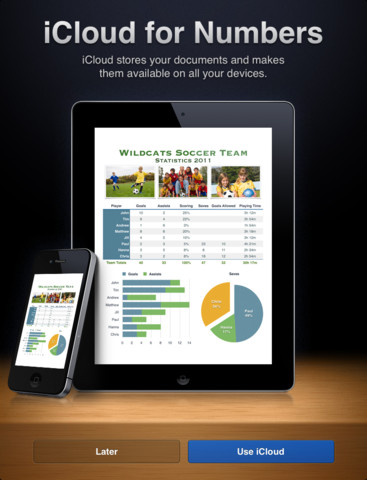
Numbers is the most innovative spreadsheet app ever designed for a mobile device. Built from the ground up for iPad, iPhone, and iPod touch, it lets you make compelling spreadsheets in minutes - with tables, charts, photos, and graphics - using just your fingers. Choose from over 250 easy-to-use functions. Enter data and explore results with sliders, steppers, pop-ups, and intelligent keyboards. Numbers works with iCloud, so your spreadsheets stay up to date across all your iOS devices - automatically. And the Retina display on the new iPad makes everything you do in Numbers even more brilliant.
Get started quickly • Choose from 16 Apple-designed templates including Budget, Travel Planner, and Running Log • View and edit Numbers '09, Microsoft Excel, and CSV files; easily import files from Mail, the web, a WebDAV service, or your Mac or PC using iTunes File Sharing • Use iCloud to start editing your spreadsheet right where you left off on another iOS device • Drag Numbers '09, Excel, or CSV files to icloud.com on your Mac or PC to have them automatically appear on your iOS devices
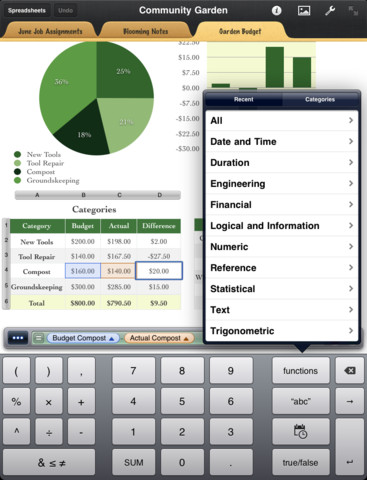
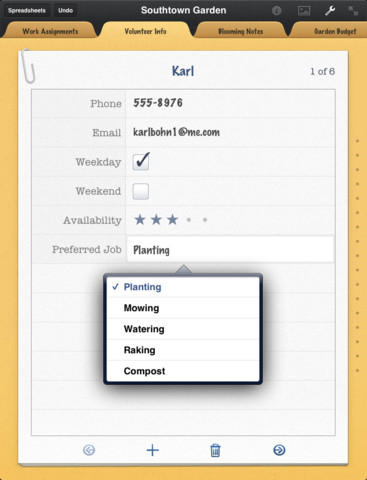
Edit and format data • Organize your data with great-looking tables and charts • Use an intelligent keyboard designed to enter numbers, dates, text, durations, or formulas • Assemble formulas with over 250 functions, including built-in help • Create a form from any table with headers to quickly enter data on the go • Use sliders, steppers, and pop-ups to easily enter data and explore results • Quickly add photos and videos from the Photos app using the Media Browser • Automatically save your spreadsheets as you make changes • Use the undo feature to go back through your previous changes - even the next time you open your spreadsheet
Share your work • Share your work by exporting it as a Numbers '09, Microsoft Excel, or PDF file and sending it via Mail • Adjust how a sheet prints across multiple pages in Print Preview; you can also use Auto Fit • Print your spreadsheets on a wireless printer on your network using AirPrint • Copy spreadsheets to a WebDAV service or directly to your Mac or PC using iTunes File Sharing
What's New In This Version: Numbers 1.6 requires iOS 5.1 software update or later
• Create and view stunning 3D bar, line, area, and pie charts • Numbers 1.6 is enhanced to take advantage of the Retina display on the new iPad • Includes performance improvements
You can purchase Numbers from the App Store for $9.99.










![How To Change Wallpaper on Mac [Video]](/images/tutorials/90512/90512/90512-160.jpg "How To Change Wallpaper on Mac [Video]")
![How To Turn Off Always On Display on iPhone [Video]](/images/tutorials/87524/87524/87524-160.jpg "How To Turn Off Always On Display on iPhone [Video]")





![16-Inch M5 Max MacBook Pro Drops $900 to New Low of $3,499 [Deal]](/images/news/102438/102438/102438-160.jpg "16-Inch M5 Max MacBook Pro Drops $900 to New Low of $3,499 [Deal]")
![Magic Keyboard for iPad Air Drops to $200 on Amazon [Deal]](/images/news/102402/102402/102402-160.jpg "Magic Keyboard for iPad Air Drops to $200 on Amazon [Deal]")
