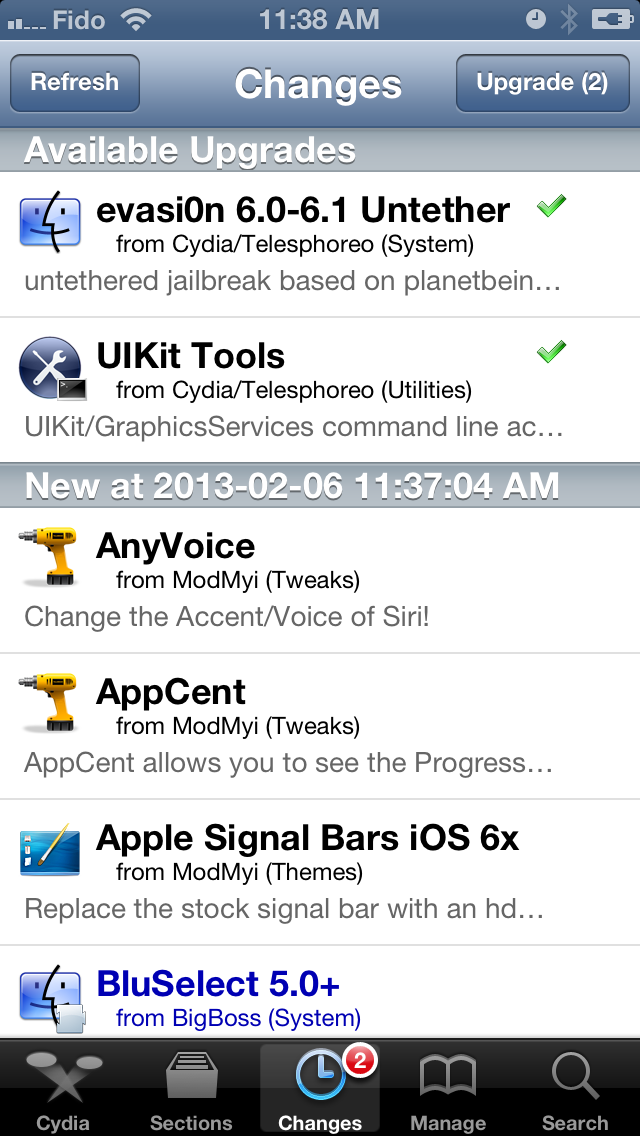
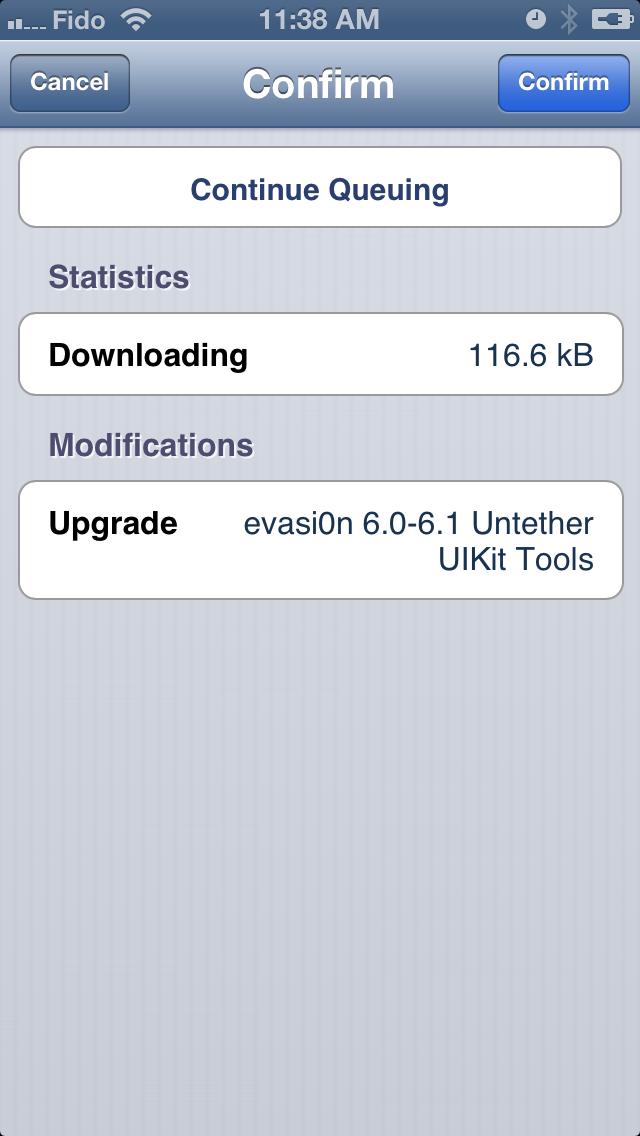
Update: If you are having issues even after updating these packages it appears that App Sync may be cause. Users who have uninstalled AppSync and rebooted are reporting success.
Get the iClarified Daily Newsletter
Apple news, rumors, tutorials, price drop alerts, in your inbox every evening, free.
Unsubscribe at any time.
Success!
You have been subscribed.
Add Comment
Would you like to be notified when someone replies or adds a new comment?
Yes (All Threads)
Yes (This Thread Only)
No
Notifications
Would you like to be notified when we post a new Apple news article or tutorial?
Yes
No
Comments (35)
Comments are closed for this article.
0
Irfan - February 13, 2013 at 12:55pm
I jailbroke my iphone 4 OS 6.1 yesterday. I have up to date version of packages but still weather apps is not working. Also i am not able find AppSync to be removed.
0
mm - February 8, 2013 at 10:12pm
weather app still not working. i have tried installing and uninstalling, mobile terminal, putting UlKit tools and evasion 6.0-6.1. Please fix the bug and put it on the cydia app. it will be so helpful..
0
krux77 - February 7, 2013 at 10:29am
iphone5, ios6.1 - clean install & evasion jb 1.0
after i did the evasi0n update, i have rebooted the phone, weather app still didn't work (no appsync) boot time was faster though.
battery died afterwards and now (after charging) it only boots to apple logo. tried power+home trick but still only get to apple logo on boot. Disconnected from charging and doesn't make a difference, still only gets to apple logo, even after 30 mins waiting.
will restore to 6.1 tonight and redo jb with 1.1.
happy I've decided to not use it with my simcard yet, still using my iphone4 as primary until the iphone5 runs stable for a week on evasi0n.
somehow previous jailbreaks seemed more solid.. although I am happy not to get the hidden apps back everytime a new app is installed (field test etc).
0
NoGoodNick - February 6, 2013 at 10:42pm
Don't be a jerk. It's NOT that simple. We don't the Weather, it's a whole string of things that have broken to varying degrees. And we're not impatiently whining, we're trying to tell people that the supposed Fixes DON'T work, or at least not reliably. I could care less for the weather app, but I'm NOT pleased to lose both my messaging AND FaceTime, not to mention all those things that I haven't found to be wrong yet. BTY, maybe YOU didn't pay for the JB, but I did. I don't mind rewarding people who produce useful tools, but don't criticize me for freeloading when YOU'RE the one doing the freeloading and have NO problems!
0
Lite lot - February 6, 2013 at 11:54pm
I did contribute to the team so get it straight and if your problems are so great the fix is easy RESTORE IN ITUNES problem solved
0
NoGoodNick - February 7, 2013 at 2:27am
Actually, I'm willing to wait. I was just trying to explain the problem to others who didn't understand what was going on (you know, the whole purpose of an information sharing site). However, if they can't come up with a better fix, I may have to restore both my devices and try jailbreaking them again, with the hopes that if I apply the fixes in the correct order they MIGHT work this time. But my issue was that the Fixes WEREN'T solid fixes and that the problems still existed in many cases.
0
NoGoodNick - February 6, 2013 at 10:38pm
I have 2 different problems with the JB, none of which have been "Fixed". on my iPhone 5, the Weather app quits as soon as it starts, but I can still message. However on my iPad 3, the Weather app is GONE (nowhere to be found), I can't use Messager or use FaceTime. I've tired applying each Fix, I've uninstalled, reinstalled, shut down and rebooted multiple times, and neither one has gotten any better. I don't care about the weather app, as TWC works fine, but I don't like losing basic iOS functionality!
0
Moon - February 6, 2013 at 11:01pm
Do you remember using the Weather app on your i
0
Cj - February 6, 2013 at 9:52pm
The updates fixed my Weather App issue on Iphone 4 CDMA iOS. 6.1. It also boots faster.
0
PeterH - February 6, 2013 at 7:35pm
Vaniart,
According to the text for the evasi0n package:
Uninstalling this package will unjailbreak your device. It will reboot in a bizarre state similar to tethered devices rebooted without using an external tool, but it will not be able to be booted tethered so you will have to restore it with iTunes.
From that I would say you need to back up, restore to stock 6.1 and the jailbreak again.
To all the others who are complaining that it is taking too long for the evasi0n team to fix your weather app, feel free to use iTunes to restore to 6.1 and pay for all of the cracked apps you downloaded from your favorite warez site.
0
vnevse - February 6, 2013 at 7:34pm
In Notifications you still can check the weather (weather.app). In my situation I didn't set up my home town but I enjoy Cupertino weather ))
0
vnevse - February 6, 2013 at 7:27pm
To ALL who had problem(s) with Weather App and another - I suggest to white a message to Evad3rs through Cydia-> evasion 6.0-6.1 Untether->Author->describe your problem. Also your letter will include cydia.log and dpkgl.log
0
vidmas - February 6, 2013 at 7:23pm
does not working yet :( for me. iphone 4s
0
Big_guns170 - February 6, 2013 at 7:20pm
I uninstall AppSync and still not working the Weather and now FaceTime not working
0
mohamed mesbah - February 6, 2013 at 6:50pm
messages not working boooooooooooooom
0
joekilledme - February 6, 2013 at 6:31pm
i updated...weather app still isnt working. no issues with messages or facetime.i understand the importance of having a fully functioning iphone but give them some time to work out the kinks. in the meantime i suggest downloading TWC free which is 100X better than the operating system weather app. =) ive come to realize that this jailbreak requires extreme patience.
0
Genti - February 6, 2013 at 5:32pm
For those of you that are still having issues with the weather app, planetbeing (one of the hackers behind the evais0n jailbreak) says that you most likely have appsync installed. You need to delete appsync and then the weather app will work. Cheers.
0
NoGoodNick - February 6, 2013 at 7:36pm
That's simply NOT the case. Many of us have tried each of the fixes, removed all versions of AppSync, rebooted multiple times, and its STILL problematic. Messages seems OK and I haven't tried FaceTime yet.
0
asm - February 6, 2013 at 5:31pm
Fixed my weather app (4S 6.1)...rebooted twice just to make sure
0
muyong - February 6, 2013 at 5:23pm
It's not working.
0
Reboot Time - February 6, 2013 at 5:19pm
Let gives some reboot time figures to the jailbreak team!
iDevice : iPad3/iPad3,3_6.1_10B141_Restore.
Without jailbreak : 20seconds. With evasi0n (com.evad3rs.evasi0n_0.2-3_iphoneos-arm.deb) : 47 seconds to boot an iPad 3
What about you folks ?
0
apple iphone - February 6, 2013 at 5:19pm
didn't fix the weather app
0
Vaniart - February 6, 2013 at 5:09pm
Updated it..didn't work..then I re-installed it..nothing again.. and i tried to remove it completely and then install it, not via updating it.. now the cydia icon is missing!! I rebooted the device twice and i can't get cydia back...Is there any way to get cydia back or I have to jailbreak again the device?










![How To Change Wallpaper on Mac [Video]](/images/tutorials/90512/90512/90512-160.jpg "How To Change Wallpaper on Mac [Video]")
![How To Turn Off Always On Display on iPhone [Video]](/images/tutorials/87524/87524/87524-160.jpg "How To Turn Off Always On Display on iPhone [Video]")





![16-Inch M5 Max MacBook Pro Drops $900 to New Low of $3,499 [Deal]](/images/news/102438/102438/102438-160.jpg "16-Inch M5 Max MacBook Pro Drops $900 to New Low of $3,499 [Deal]")
![Magic Keyboard for iPad Air Drops to $200 on Amazon [Deal]](/images/news/102402/102402/102402-160.jpg "Magic Keyboard for iPad Air Drops to $200 on Amazon [Deal]")
