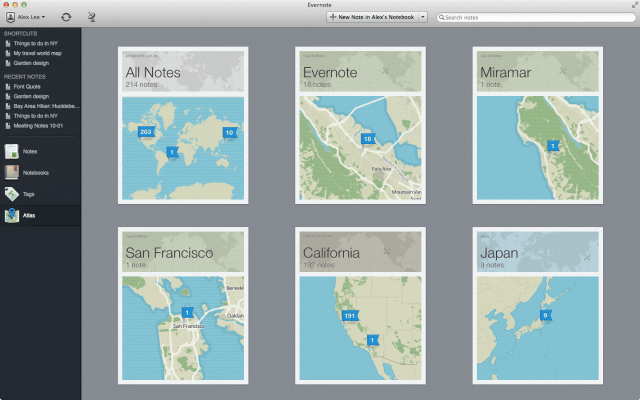
Evernote for Mac has been updated with a newly redesigned menu bar helper called Quick Note.
Evernote helps millions worldwide remember anything and everything that happens in their lives. Use Evernote to take notes, save interesting web pages, create to-dos and shopping lists, attach images and PDFs, and so much more. Then, watch as it all instantly synchronizes from your Mac to your smartphone, tablet and the Web, allowing you to find your memories at any time from anywhere.
Key Features: ● Create text, web-clips and PDF notes ● Auto-synchronize notes among every computer and phone you use ● Evernote magically makes printed and handwritten text within images searchable ● Share your notebooks with friends and colleagues ● Easily upgrade to Evernote Premium using Mac In-App Purchase
What's New In This Version: This update addresses a security issue that requires you to reset your password. Details on blog.evernote.com
New Features - New Premium feature: Evernote search now works with your office documents - Re-designed menu bar Helper called Quick Note: Create a note any time by clicking the helper or CMD+CTRL+N - New redesigned welcome window - Mult-select Tags in the Sidebar by CMD-clicking
Other Improvements - Fixed URL pasting issues - Business Trash deletion issues are resolved - Improved speed of large paste operations - Evernote window no longer steals focus - Miscellaneous bug and stability fixes
You can download Evernote from the App Store for free.









![How To Change Wallpaper on Mac [Video]](/images/tutorials/90512/90512/90512-160.jpg "How To Change Wallpaper on Mac [Video]")
![How To Turn Off Always On Display on iPhone [Video]](/images/tutorials/87524/87524/87524-160.jpg "How To Turn Off Always On Display on iPhone [Video]")





![16-Inch M5 Max MacBook Pro Drops $900 to New Low of $3,499 [Deal]](/images/news/102438/102438/102438-160.jpg "16-Inch M5 Max MacBook Pro Drops $900 to New Low of $3,499 [Deal]")
![Magic Keyboard for iPad Air Drops to $200 on Amazon [Deal]](/images/news/102402/102402/102402-160.jpg "Magic Keyboard for iPad Air Drops to $200 on Amazon [Deal]")
