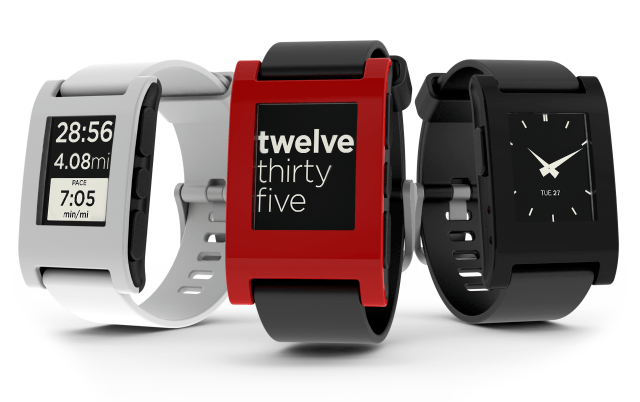
Pebble has announced a new version of PebbleOS for its SmartWatch that brings an improved Notification UI, Set Time UI, and more.
What's New in PebbleOS v1.11: ● Improved Notification UI ● Allows multiple notifications to be viewed if they arrive within a short time frame ● Improved Set Time UI ● Added the option of showing your current speed (as oppossed to your pace) in the RunKeeper application. ● Swapped next and previous track buttons in the music application. ● Added the Simplicity watchface. ● Removed the Fuzzy Time watchface (it is available through the watchapp library).
Bug Fixes ● Fixed a few issues where the bluetooth module would consume too much power. ● Fixed an issue where rounded rects drawn with graphics_fill_rect did not handle being clipped properly. ● Sped up text rendering when some of the text layer is clipped off the screen. ● Fixed a bug where the vibrating motor would get stuck on. ● Fixed a crash when changing windows, most commonly seen in the set time and set alarm UIs. ● Fixed an issue where SMS messages on iOS would be incorrectly shown as an email with a very long subject line.
More details at the link below. You can purchase the Pebble smart watch here (Pebble site no longer available) for $150.
Get the iClarified Daily Newsletter
Apple news, rumors, tutorials, price drop alerts, in your inbox every evening, free.
Unsubscribe at any time.
Success!
You have been subscribed.
Add Comment
Would you like to be notified when someone replies or adds a new comment?
Yes (All Threads)
Yes (This Thread Only)
No
Notifications
Would you like to be notified when we post a new Apple news article or tutorial?









![How To Change Wallpaper on Mac [Video]](/images/tutorials/90512/90512/90512-160.jpg "How To Change Wallpaper on Mac [Video]")
![How To Turn Off Always On Display on iPhone [Video]](/images/tutorials/87524/87524/87524-160.jpg "How To Turn Off Always On Display on iPhone [Video]")





![16-Inch M5 Max MacBook Pro Drops $900 to New Low of $3,499 [Deal]](/images/news/102438/102438/102438-160.jpg "16-Inch M5 Max MacBook Pro Drops $900 to New Low of $3,499 [Deal]")
![Magic Keyboard for iPad Air Drops to $200 on Amazon [Deal]](/images/news/102402/102402/102402-160.jpg "Magic Keyboard for iPad Air Drops to $200 on Amazon [Deal]")
