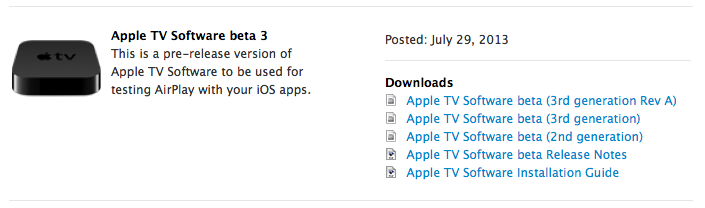
Apple has released a new seed of the Apple TV 5.4 firmware to developers.
Notes • You can now use an iOS 7 device to set up an Apple TV after restoring or resetting all settings. (iPhone 4 and iPad 2 are not supported.)
Fixed in Seed 3 • Apple TV may not connect to the Internet on first boot after an iTunes Restore when using Ethernet. • Music playback may skip over tracks when AirPlay is engaged. • AirPlay of audio from the Music app may fail to start up properly. • Attempting to delete a station in iTunes Radio may cause Apple TV to crash. • Switching between Apple IDs may cause music libraries to fail to load. • Audio volume may increase dramatically during AirPlay. • When using AirPlay to send music to Apple TV, advancing to the next track may fail. • You may notice these issues when fast-forwarding 3rd party content: -- Audio continues to play while video is fast-forwarding. -- Resuming playback after fast-forwarding can result in a temporarily stuck video frame. • Apple TV may become sluggish or unresponsive immediately after signing in to an iTunes Store account. • iTunes Match or Purchased music content may not be listed alphabetically. Use Search as an alternative for finding content.
Developers can download the new firmware from the link below...









![How To Change Wallpaper on Mac [Video]](/images/tutorials/90512/90512/90512-160.jpg "How To Change Wallpaper on Mac [Video]")
![How To Turn Off Always On Display on iPhone [Video]](/images/tutorials/87524/87524/87524-160.jpg "How To Turn Off Always On Display on iPhone [Video]")





![16-Inch M5 Max MacBook Pro Drops $900 to New Low of $3,499 [Deal]](/images/news/102438/102438/102438-160.jpg "16-Inch M5 Max MacBook Pro Drops $900 to New Low of $3,499 [Deal]")
![Magic Keyboard for iPad Air Drops to $200 on Amazon [Deal]](/images/news/102402/102402/102402-160.jpg "Magic Keyboard for iPad Air Drops to $200 on Amazon [Deal]")
