The Unity framework for mobile game developers has been updated with iOS 7 game controller support.
One of the biggest and most exciting of Apple’s initiatives is the standardization of game controllers for iOS-based platforms. So we’re happy to tell you that, in addition to several important bug fixes for Xcode 5 / iOS 7 (Build&Run, WebCamTexture and status bar), Apple Controller support is included with 4.2.2!
Here's a few answers to common questions:
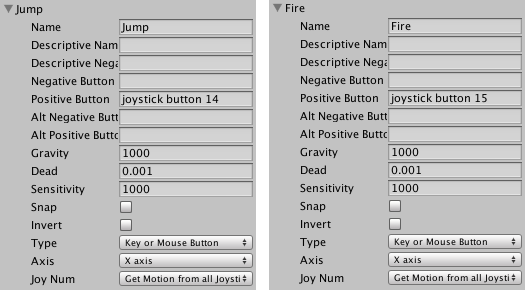
Q: Will there be a separate iOS-specific API for iOS Game Controllers in Unity? A: iOS Game Controller support plugs directly into the standard Unity Input API.
Q: The Game Controller API is part of iOS 7, does that imply that games supporting this API will only run on iOS 7 and later? A: No, Unity takes care of it. The Game Controller framework is loaded dynamically by Unity iOS runtime only if it is available. For older iOS versions it will just return an empty list of controllers.
Q: Can I release my game with a controller-only input scheme? A: No, Apple documentation explicitly states that controller input must be optional and your game should be playable without them.
Q: Where can I read more about Game Controllers and the Unity Input API? A: The Unity Input manual is available from our manual page and Apple Game Controller documentation is here.
So far two controllers have been revealed, the ClamCase GameCase and the Logitech GamePad, but neither is released as of yet. More details on implementing support for game controllers can be found at the link below.
[via Jay]
Get the iClarified Daily Newsletter
Apple news, rumors, tutorials, price drop alerts, in your inbox every evening, free.
Unsubscribe at any time.
Success!
You have been subscribed.
Add Comment
Would you like to be notified when someone replies or adds a new comment?
Yes (All Threads)
Yes (This Thread Only)
No
Notifications
Would you like to be notified when we post a new Apple news article or tutorial?









![How To Change Wallpaper on Mac [Video]](/images/tutorials/90512/90512/90512-160.jpg "How To Change Wallpaper on Mac [Video]")
![How To Turn Off Always On Display on iPhone [Video]](/images/tutorials/87524/87524/87524-160.jpg "How To Turn Off Always On Display on iPhone [Video]")





![16-Inch M5 Max MacBook Pro Drops $900 to New Low of $3,499 [Deal]](/images/news/102438/102438/102438-160.jpg "16-Inch M5 Max MacBook Pro Drops $900 to New Low of $3,499 [Deal]")
![Magic Keyboard for iPad Air Drops to $200 on Amazon [Deal]](/images/news/102402/102402/102402-160.jpg "Magic Keyboard for iPad Air Drops to $200 on Amazon [Deal]")
