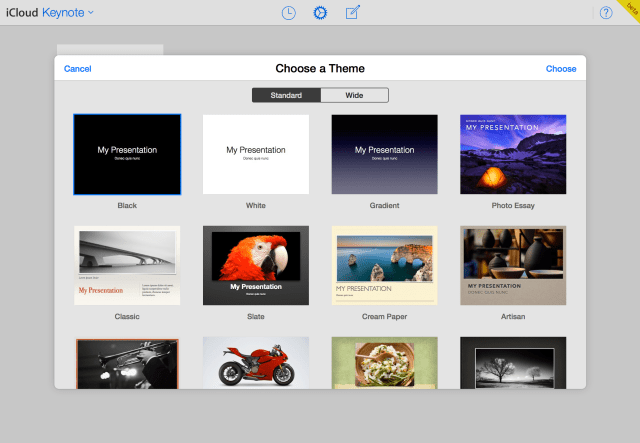
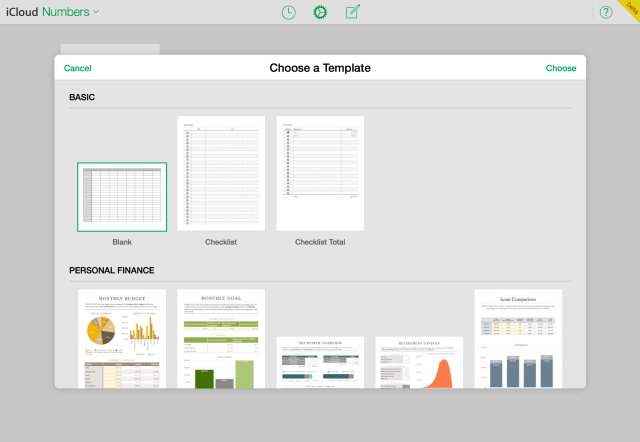
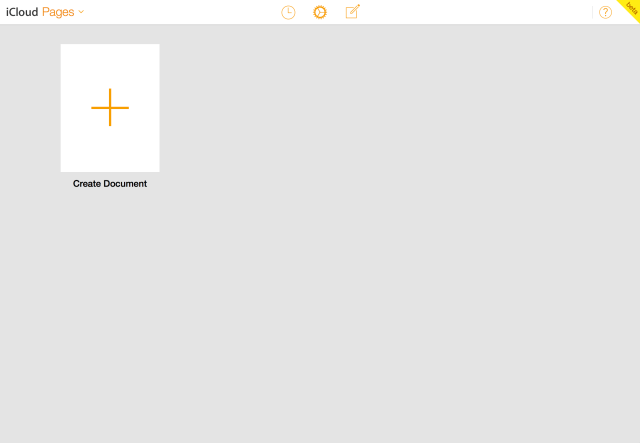
Apple has updated its iWork for iCloud apps with a flat iOS 7 style design. Both the template chooser and library feature the flat design; however, the editor has yet to be updated. You can access the apps by visiting http://www.icloud.com.
In addition to the new look, Pages, Numbers, and Keynote received some new features.
What's New In Pages for iCloud ● Add passwords and share password protected documents ● View a list of documents others have shared with you ● Insert, edit, and format floating tables ● Rich formatting of text in table cells ● Insert page numbers, page counts, and footnotes ● Style anchored and inline images, shapes, and text boxes, ● Keyboard shortcuts for precise rotating, resizing, and repositioning of objects ● Support for editing endnotes in imported documents ● Improved VoiceOver support for body text and document manager ● Bug fixes and stability improvements
What's New In Numbers for iCloud ● Add password and share password protected spreadsheets ● View a list of spreadsheets others have shared with you ● Flow text into adjacent cells ● Rich formatting of text in table cells ● Keyboard shortcuts for precise rotating, resizing, and repositioning of objects ● Improved VoiceOver support for document manager ● Bug fixes and stability improvements
What's New In Keynote for iCloud ● Add password and share password protected presentations ● View a list of presentations others have shared with you ● Keyboard shortcuts for precise rotating, resizing, and repositioning of objects ● Insert, edit and format floating tables ● Rich formatting of text in table cells ● Improved VoiceOver support for document manager ● Bug fixes and stability improvements




![Pro Photographer Austin Mann Tests iPhone 18 Pro Camera [Video]](/images/news/102297/102297/102297-160.jpg "Pro Photographer Austin Mann Tests iPhone 18 Pro Camera [Video]")

![Apple Releases Xcode 27.1 Beta With iPhone Duo SDKs and Simulator [Download]](/images/news/102276/102276/102276-160.jpg "Apple Releases Xcode 27.1 Beta With iPhone Duo SDKs and Simulator [Download]")
![Apple Shares 'new trick' Shot on iPhone 18 Pro Ad Featuring ROSÉ [Video]](/images/news/102273/102273/102273-160.jpg "Apple Shares 'new trick' Shot on iPhone 18 Pro Ad Featuring ROSÉ [Video]")









![Apple Studio Display XDR Hits All-Time Low of $2,969.99 ($329 Off) [Deal]](/images/news/101976/101976/101976-160.jpg "Apple Studio Display XDR Hits All-Time Low of $2,969.99 ($329 Off) [Deal]")
