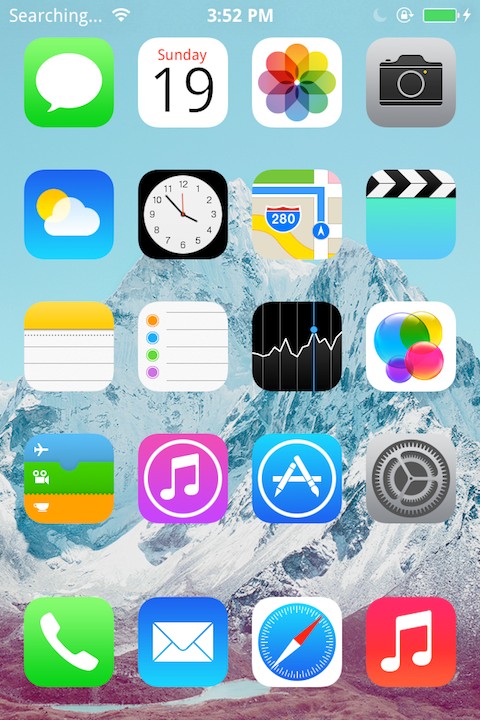
HideMy7 is a tweak from CPDigitalDarkroom that lets you hide UI elements in iOS 7.
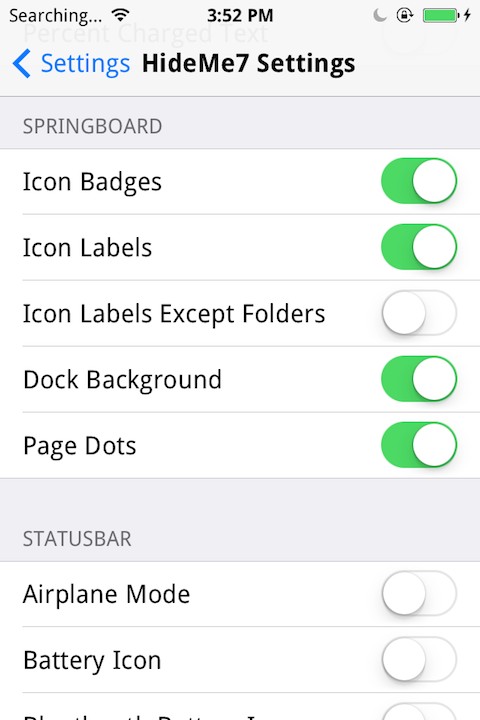
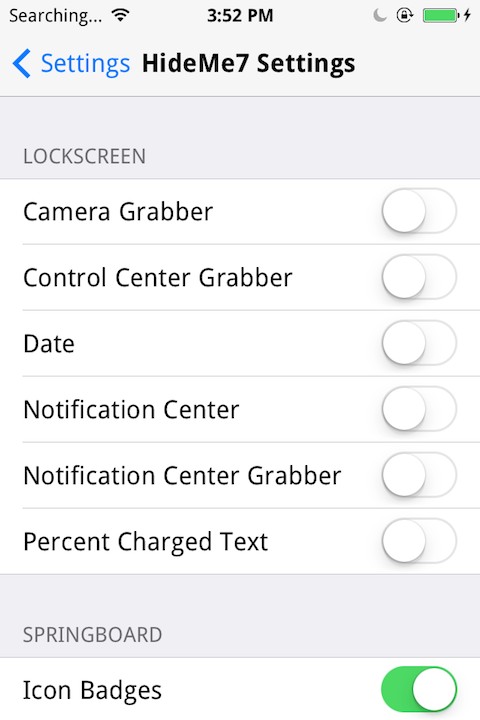
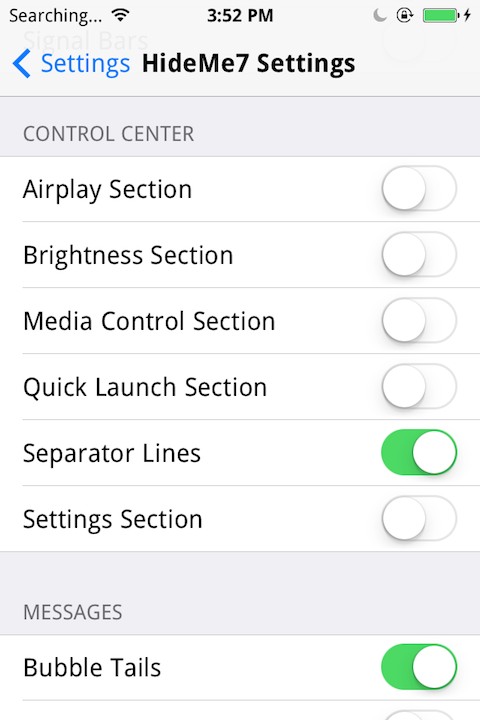
HideMe7 is a one-stop-shop for hiding UI elements without the need to have half a dozen different tweaks installed. HideMe7 comes with a new preference panel which makes it easy to quickly disable/re-enable many different UI elements which you may or may not find annoying. Requests to hide more UI elements are accepted and welcome.
Current included features include: LockScreen - Camera Grabber - Control Center Grabber - Date - Notification Center - Notification Center Grabber - Percent Charged Text
Status Bar - Airplane Mode - Battery Icon - Bluetooth Batter Icon - Do Not Disturb - Battery Percent - Location Services - Bluetooth - Carrier - No Service/Searching - Data Networks - Clock - Double Height - Signal Bars
Control Center - Airplay Section - Brightness Section - Media Control Section - Quick Launch Section - Separator Lines - Settings Section
Messages - Bubble Tails - Recipient Title In Convo - Message Type - More Messages To Load - Progress Indicator - Center Timestamp
You can purchase HideMy7 for $0.99 from the Cydia Store.
Get the iClarified Daily Newsletter
Apple news, rumors, tutorials, price drop alerts, in your inbox every evening, free.
Unsubscribe at any time.
Success!
You have been subscribed.
Add Comment
Would you like to be notified when someone replies or adds a new comment?
Yes (All Threads)
Yes (This Thread Only)
No
Notifications
Would you like to be notified when we post a new Apple news article or tutorial?
Yes
No
Comments (6)
Comments are closed for this article.
0
huskar - July 29, 2014 at 6:43am
It's not hide Airplane icon status bar :(
0
Carsten - January 24, 2014 at 7:27pm
Yup! Only thing it needs is a hide slide to unlock toggle. Al other tweaks for that don't work on ip5s ios7. Hope it gets that in a future update. Hiding the battery and signalbars don't work for me nore the pull nc toggle. The rest works fine for me
0
BryanG - January 24, 2014 at 1:56am
Needs "slide to unlock" toggle...
0
Kqqe - January 23, 2014 at 11:25pm
What font is that?
0
KLC3 - January 23, 2014 at 11:59pm
How do you send a request to hide an element? You should be able to hide the annoying rotation lock icon!!!!
0
Great! - January 24, 2014 at 1:03am
Install cccontrol and turn off the rotation lock icon. Whilst you are at it, customise the theme.





![Pro Photographer Austin Mann Tests iPhone 18 Pro Camera [Video]](/images/news/102297/102297/102297-160.jpg "Pro Photographer Austin Mann Tests iPhone 18 Pro Camera [Video]")

![Apple Releases Xcode 27.1 Beta With iPhone Duo SDKs and Simulator [Download]](/images/news/102276/102276/102276-160.jpg "Apple Releases Xcode 27.1 Beta With iPhone Duo SDKs and Simulator [Download]")
![Apple Shares 'new trick' Shot on iPhone 18 Pro Ad Featuring ROSÉ [Video]](/images/news/102273/102273/102273-160.jpg "Apple Shares 'new trick' Shot on iPhone 18 Pro Ad Featuring ROSÉ [Video]")









![Apple Studio Display XDR Hits All-Time Low of $2,969.99 ($329 Off) [Deal]](/images/news/101976/101976/101976-160.jpg "Apple Studio Display XDR Hits All-Time Low of $2,969.99 ($329 Off) [Deal]")
