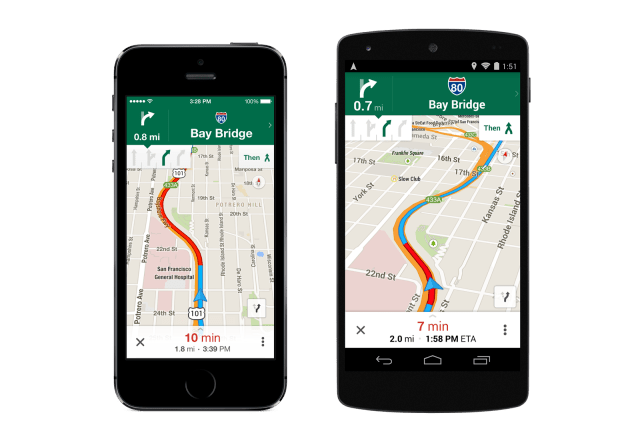
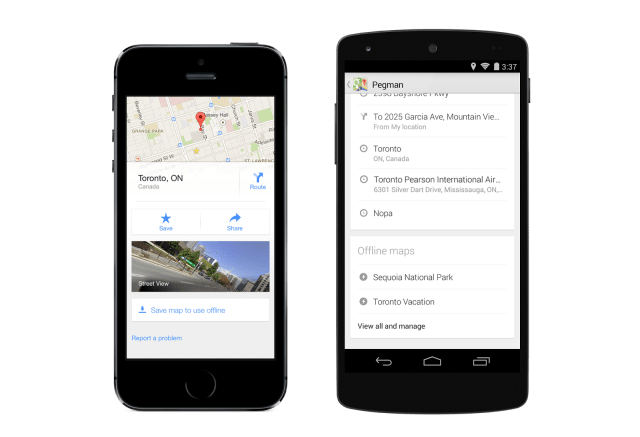
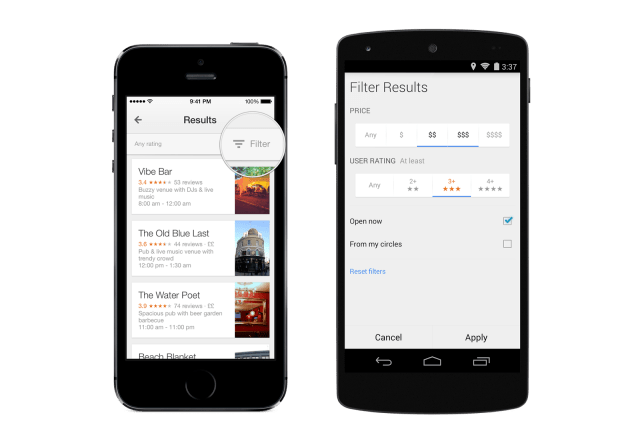
The Google Maps app has received a major update bringing new lane guidance for turn-by-turn navigation, the ability to save offline maps to a custom list, filtered search results, and more.
The Google Maps app for iPhone and iPad makes navigating your world faster and easier. Find the best spots in town and the information you need to get there.
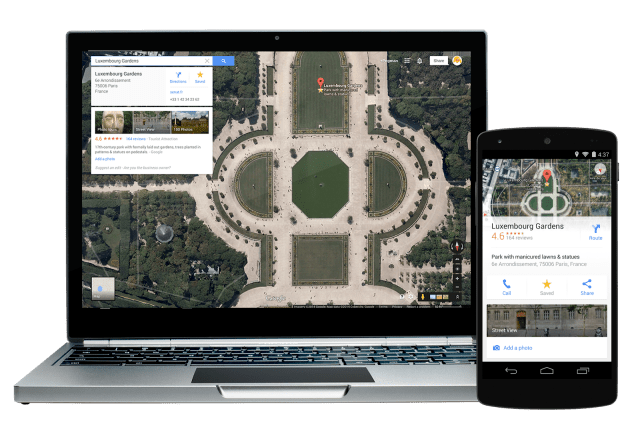
Features: • Comprehensive, accurate maps in 220 countries and territories • Voice-guided GPS navigation for driving, biking, and walking • Transit directions and maps for over 2,800 cities • Live traffic conditions, incident reports, and automatic rerouting to find the best route • Detailed information on more than 100 million places • Street View and indoor imagery for restaurants, museums, and more
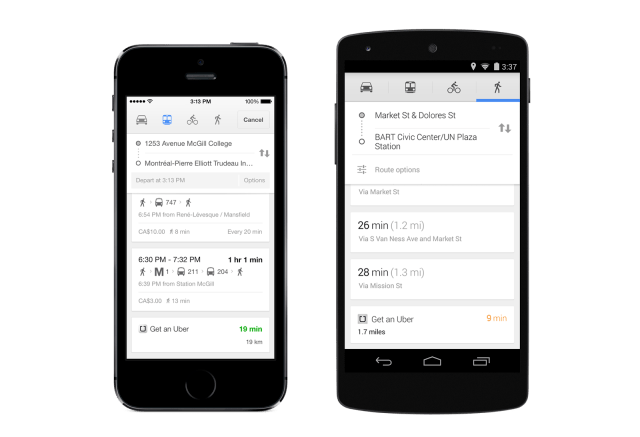
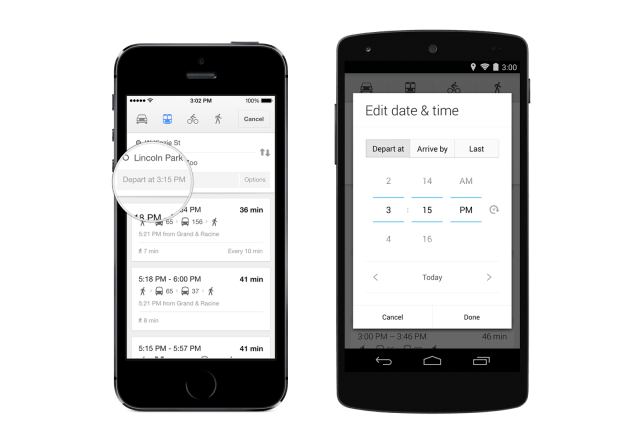
What's New In This Version: New features • Turn-by-turn navigation now gives lane guidance and quick access to route overview (US and Canada only) • View travel time, distance, and estimated arrival all at once in navigation mode (US only) • Save offline maps to a custom list for when you're traveling or have a slow connection • Transit results now display total walking time of your trip and the next scheduled bus or train • Filter search results for restaurants, bars and hotels by rating, price, opening hours, and more (US only) • Sign in to see your “Places to review” list from recently saved or searched-for places • If you have the Uber app installed, open it right from Google Maps when comparing route options
Things you’ve been asking for • Access your iPhone or iPad contacts directly from the Google Maps app • Tap and hold anywhere on the map to drop a pin, save and share that location • Search without typing using Google Voice Search • Scale bar to estimate distances on the map
You can download Google Maps from the App Store for free.
Apple news, rumors, tutorials, price drop alerts, in your inbox every evening, free.
Unsubscribe at any time.
Success!
You have been subscribed.
Add Comment
Would you like to be notified when someone replies or adds a new comment?
Yes (All Threads)
Yes (This Thread Only)
No
Notifications
Would you like to be notified when we post a new Apple news article or tutorial?
Yes
No
Comments (10)
Comments are closed for this article.
0
johnstol - May 11, 2014 at 4:22pm
Sadly you still cannot download a customised map for use offline.
It only downloads the bare map without any additions made by the user.
I would have thought it easy to do and many have asked for it.
0
gamerscul9870 - May 11, 2014 at 7:46pm
Yeah, MAJOR update.
0
Janek Tauram - May 9, 2014 at 5:27am
updated, but no saving maps there.
0
Paul - May 7, 2014 at 2:12pm
Save maps for later link does not appear from me. I search for Toronto ON & then it shows up. I can't get it to work in japan, so I guess it's not worldwide.
0
justabrake - May 7, 2014 at 2:17am
I'd be more impress if I could put this on my NUvl GPS
0
gamerscul9870 - May 6, 2014 at 7:21pm
I don't mind lane guidance even though I always stayed on track with apple maps.
0
Marcelete - May 6, 2014 at 5:13pm
It's working Now !
0
Marcelete - May 6, 2014 at 4:54pm
No upad te for me yet :/
0
Mike - May 6, 2014 at 4:43pm
When is this update coming out? Later today or what?
0
iClarified - May 6, 2014 at 5:06pm
It's out already but likely still propagating across Apple's servers. We don't post that it's out unless it really is. Keep trying!











![How To Change Wallpaper on Mac [Video]](/images/tutorials/90512/90512/90512-160.jpg "How To Change Wallpaper on Mac [Video]")
![How To Turn Off Always On Display on iPhone [Video]](/images/tutorials/87524/87524/87524-160.jpg "How To Turn Off Always On Display on iPhone [Video]")





![16-Inch M5 Max MacBook Pro Drops $900 to New Low of $3,499 [Deal]](/images/news/102438/102438/102438-160.jpg "16-Inch M5 Max MacBook Pro Drops $900 to New Low of $3,499 [Deal]")
![Magic Keyboard for iPad Air Drops to $200 on Amazon [Deal]](/images/news/102402/102402/102402-160.jpg "Magic Keyboard for iPad Air Drops to $200 on Amazon [Deal]")
