Apple has just made OS X Yosemite available to download on the Mac App Store.
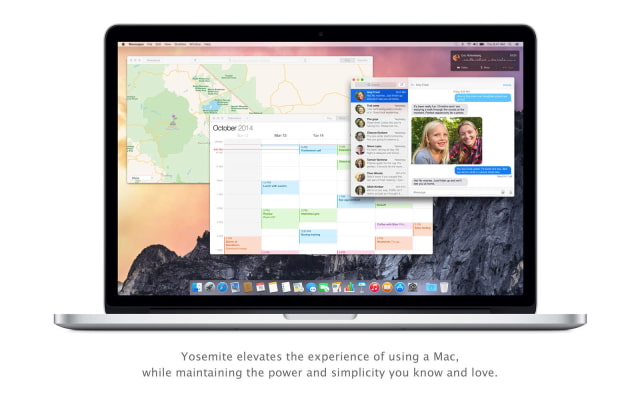
Upgrade your Mac to OS X Yosemite and you’ll get an elegant design that’s both fresh and familiar. The apps you use every day will have powerful new features. And your Mac, iPhone, and iPad will work together in amazing new ways. You’ll also get the latest technology and the strongest security. It’s like getting a whole new Mac — for free.
Here's what's new in OS X Yosmite:
A fresh look for your Mac • The Dock has a sleek new design with instantly recognizable icons. • A beautiful new system font is crisp and easy to read. • Translucency gives you a sense of what’s in, or behind, your window. • Streamlined toolbars free up space for your content.
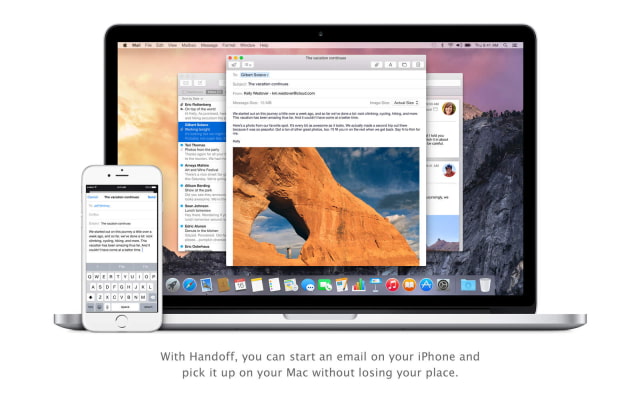
Handoff. Pick up where you left off. • Start an activity on your Mac and finish it on your iPhone or iPad — or vice versa. • Use Handoff with Mail, Safari, Pages, Numbers, Keynote, Maps, Messages, Reminders, Calendar, Contacts, and other apps.
iPhone calls. Now on your Mac. • Make and receive calls on your Mac even when your iPhone is in the next room. • Just click a phone number you see in Contacts, Calendar, Messages, Spotlight, or Safari to make a call.
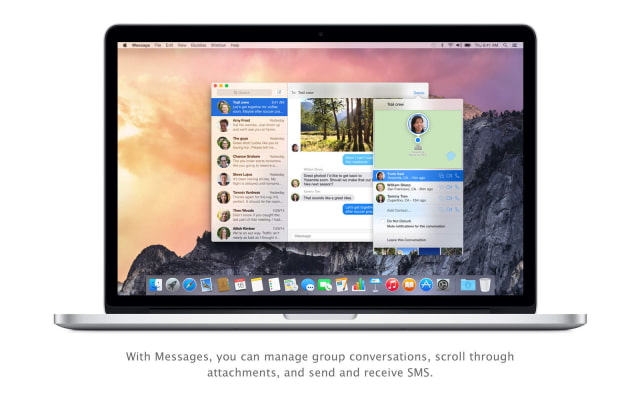
SMS. Those green text messages on your iPhone? They’re now on your Mac, too. • All of your messages now appear on all of your devices. • Send and receive SMS text messages right from your Mac.
Instant Hotspot gives you the Internet anywhere. • Easily activate the personal hotspot on your iPhone right from your Mac. • Connect to your personal hotspot without taking your iPhone out of your pocket or bag.
AirDrop. Now between Mac and iOS devices, too. • Share files to another Mac or to an iOS device, even when you don’t have an internet connection.
New Today view in Notification Center. • Handy widgets give you quick access to up-to-the-minute calendar, weather, and stock information. • Add widgets from the Mac App Store.
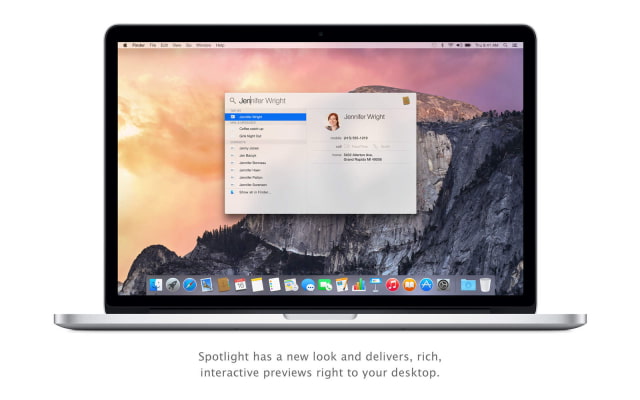
Spotlight. Now even brighter. • Spotlight has a new design that delivers rich, interactive previews to your desktop. • Get results from your Mac and from Wikipedia, news, Maps, movies, iTunes, and more. • Convert currencies and units of measure right in Spotlight.
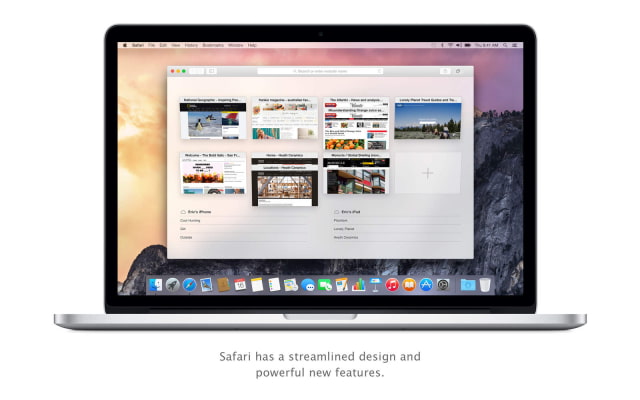
Safari is sleeker and smarter. • Favorites view makes your favorite websites easily accessible. • Spotlight suggestions provide handy information snippets from Wikipedia, Maps, and more when you search. • Advanced energy-saving technologies let you watch Netflix for up to three hours longer.
New features in Mail. • Markup lets you fill out and sign a PDF form or annotate an image without leaving Mail. • Mail Drop lets you send messages of up to 5GB without worrying about whether they’ll get through.
Enhancements to Messages. • Give titles to your ongoing group conversations to make them easier to find. • Add participants to a group conversation — no need to start a new one. • Start a screen sharing session right from a conversation.
iCloud Drive. Any kind of file. On all your devices. • Store any file in iCloud and access it from your Mac, iPhone, iPad, or even a Windows PC. • iCloud Drive is built right into Finder and lets you organize files any way you want. • See files from your iOS apps right on your Mac.
Family Sharing makes it easy for your family to enjoy your content. • Up to six members of a family can share iTunes, iBooks, and App Store purchases without sharing accounts. • Parents can approve kids' purchase and free download requests with Ask to Buy.
Please note that some features may require iOS 8 or iOS 8.1
*Handoff requires an iOS device running iOS 8. *iPhone calls require an iPhone running iOS 8. *SMS requires an iPhone running iOS 8.1. *Instant Hotspot requires an iPhone or iPad with cellular connectivity running iOS 8.1.
You can download OS X Yosemite from the App Store for free.
Get the iClarified Daily Newsletter
Apple news, rumors, tutorials, price drop alerts, in your inbox every evening, free.
Unsubscribe at any time.
Success!
You have been subscribed.
Add Comment
Would you like to be notified when someone replies or adds a new comment?
Yes (All Threads)
Yes (This Thread Only)
No
Notifications
Would you like to be notified when we post a new Apple news article or tutorial?
Yes
No
Comments (31)
Comments are closed for this article.
0
Avais Hussain - October 17, 2014 at 10:31pm
Battery life is terrible. An hour less use on Average.. For Apple this is bad.
0
lepaka - October 17, 2014 at 4:37am
what about SERVER? did Apple silent erase the SERVER app?
0
ecastillo - October 17, 2014 at 4:55am
Dude, that can be done with another app called OS X Server, take a look at this link :) https://itunes.apple.com/us/app/os-x-server/id883878097?l=es&mt=12
0
lepaka - October 17, 2014 at 5:22am
it's exactly what i am looking for, now i see it, another Apple bug around. if you search it by name "OS X Server" you get it, if you enter in the category "Apps Made by Apple" you don't get it! nevertheless it is there :)
1
GR - October 17, 2014 at 1:42am
Hey iClarified, it's time to change to dots in the "i's" on your logo to reflect the new flatter circles!!! DO it now!
0
alwynispat - October 16, 2014 at 11:35pm
Does anyone know if the features to connect to your phone requires Wifi or bluetooth or both to be enabled?
0
lemon4611 - October 17, 2014 at 12:06am
they are active and you can configure them in facetime
0
alwynispat - October 17, 2014 at 12:41am
Yup saw that.. But it seems that the phone feature requires WiFi to be enabled.
0
Nitin - October 16, 2014 at 11:16pm
Downloading in 4 minutes flat
0
lemon4611 - October 16, 2014 at 11:07pm
Amazing !!! Downloaded and updated my copy of ML in less than 20 minutes.
0
borat - October 16, 2014 at 10:41pm
how to update from 10.10 beta?
0
lemon4611 - October 16, 2014 at 11:09pm
Do that from the restore mode. Once in restore select install fresh copy.....
0
borat - October 17, 2014 at 8:32am
Will installing a fresh copy remove/delete my existing files?
0
StumpyG - October 16, 2014 at 10:05pm
Still not here in my part of the UK
0
Drdwd - October 16, 2014 at 9:54pm
Done!
0
john q - October 16, 2014 at 9:42pm
download is stuck at 27 mb
0
john q - October 16, 2014 at 9:55pm
got a message "failed to download"
0
rgm1956 - October 16, 2014 at 9:40pm
Working here in the Pacific Northwest, USA.
0
Iamevl - October 16, 2014 at 9:31pm
Mines on the way. UK here
0
Lees - October 16, 2014 at 9:31pm
It just started downloading for me!
0
elm - October 16, 2014 at 9:31pm
it can be downloaded now...
0
Aliena_Serenity - October 16, 2014 at 9:25pm
Whenever I try to download it, it says "Temporarily unavailable".
0
Elchepr - October 16, 2014 at 9:24pm
Don't rush remember what happened in iOS 8.0.1.
0
Simon - October 16, 2014 at 9:23pm
Not available in the UK
0
Maca - October 16, 2014 at 9:15pm
It isn't: This item is temporarily unavailable. Try again later.
0
sikdaz - October 16, 2014 at 9:15pm
I don't see it yet
0
yezzir - October 16, 2014 at 9:13pm
I don't see it!!!!!
0
rgm1956 - October 16, 2014 at 9:16pm
Go to App Store and search on Yosemite. You should be presented with a graphic for it. However, if you try to download it, you get a message telling you that the item is not available for download yet.
0
Maca - October 16, 2014 at 9:17pm
Here is link: https://itunes.apple.com/WebObjects/MZStore.woa/wa/viewSoftware?id=915041082&mt=12











![How To Change Wallpaper on Mac [Video]](/images/tutorials/90512/90512/90512-160.jpg "How To Change Wallpaper on Mac [Video]")
![How To Turn Off Always On Display on iPhone [Video]](/images/tutorials/87524/87524/87524-160.jpg "How To Turn Off Always On Display on iPhone [Video]")




![16-Inch M5 Max MacBook Pro Drops $900 to New Low of $3,499 [Deal]](/images/news/102438/102438/102438-160.jpg "16-Inch M5 Max MacBook Pro Drops $900 to New Low of $3,499 [Deal]")
![Magic Keyboard for iPad Air Drops to $200 on Amazon [Deal]](/images/news/102402/102402/102402-160.jpg "Magic Keyboard for iPad Air Drops to $200 on Amazon [Deal]")
![13-Inch M5 MacBook Air With 1TB Drops to $1,449 on Amazon [Deal]](/images/news/102345/102345/102345-160.jpg "13-Inch M5 MacBook Air With 1TB Drops to $1,449 on Amazon [Deal]")
