

The YouTube app for iOS has been updated with a new Dark Theme.
To enable the dark mode, tap the Account icon at the top right, choose Settings, then toggle the Dark Theme switch on.
Take a look at a few screenshots below.
You can download YouTube from the App Store for free.
Download
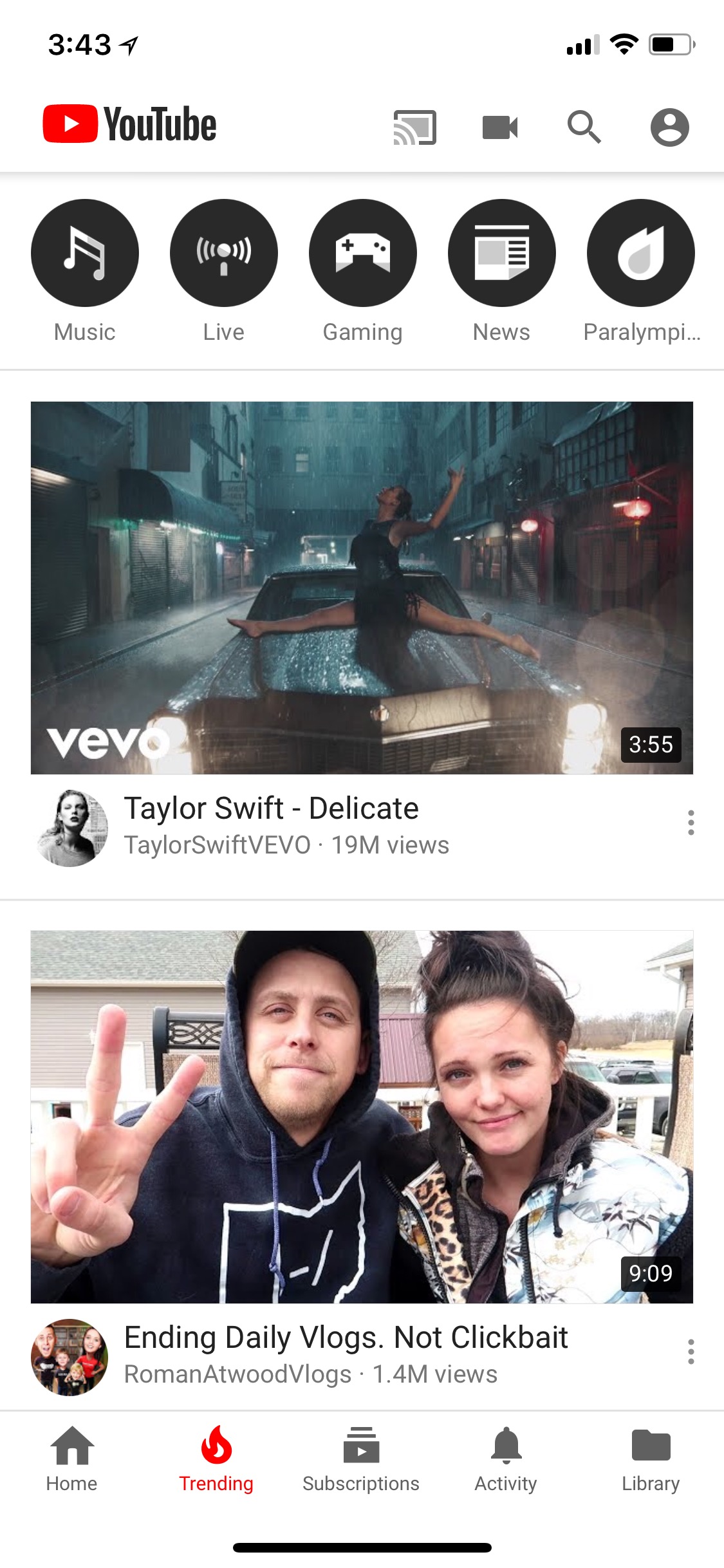
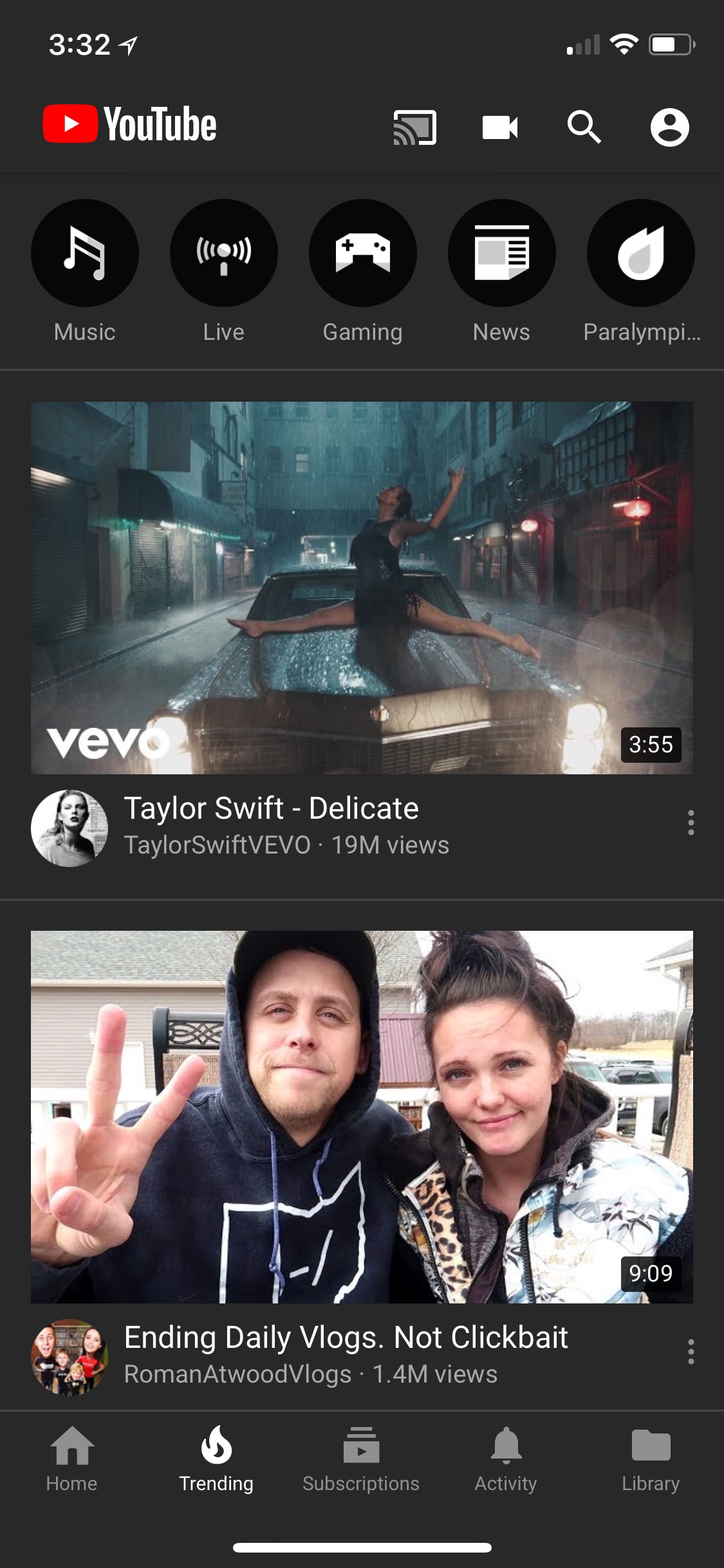
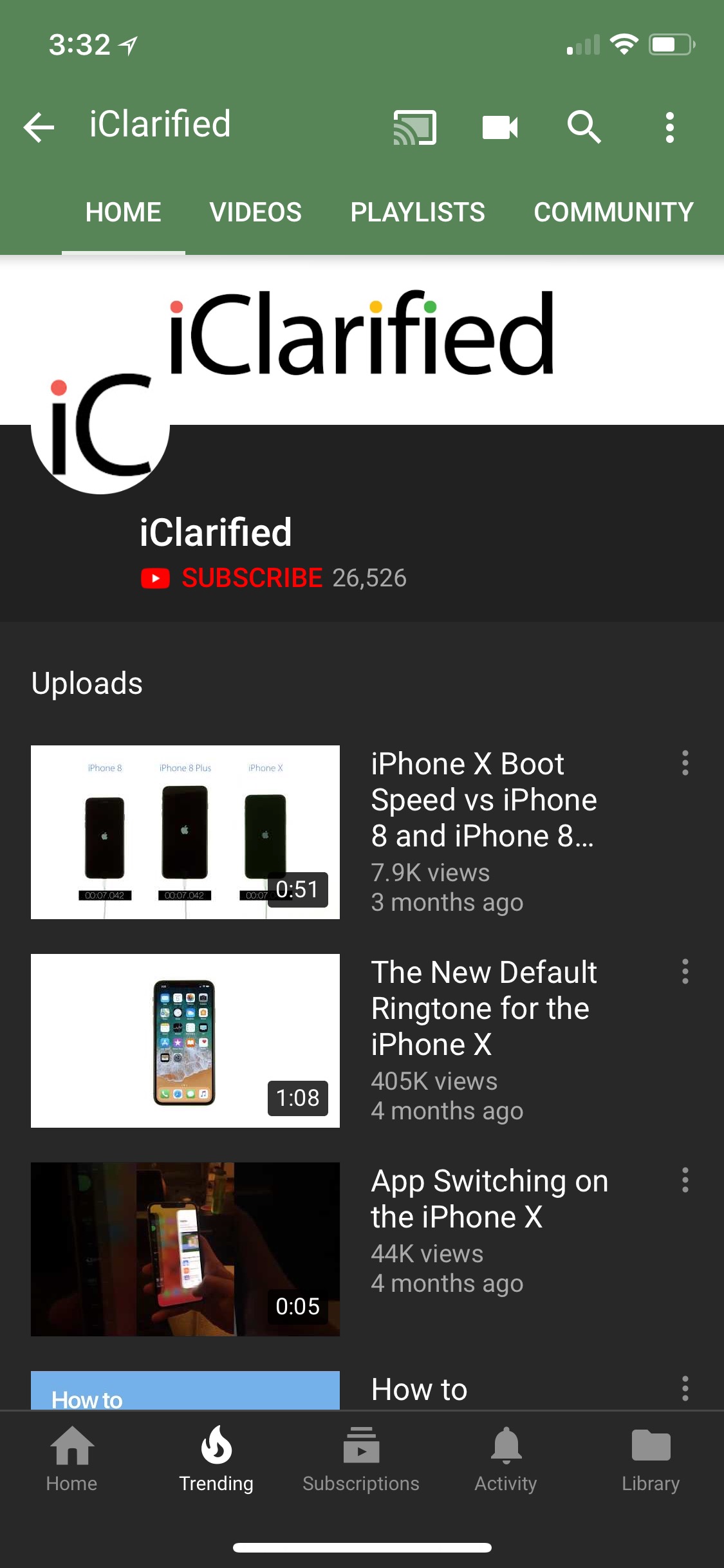
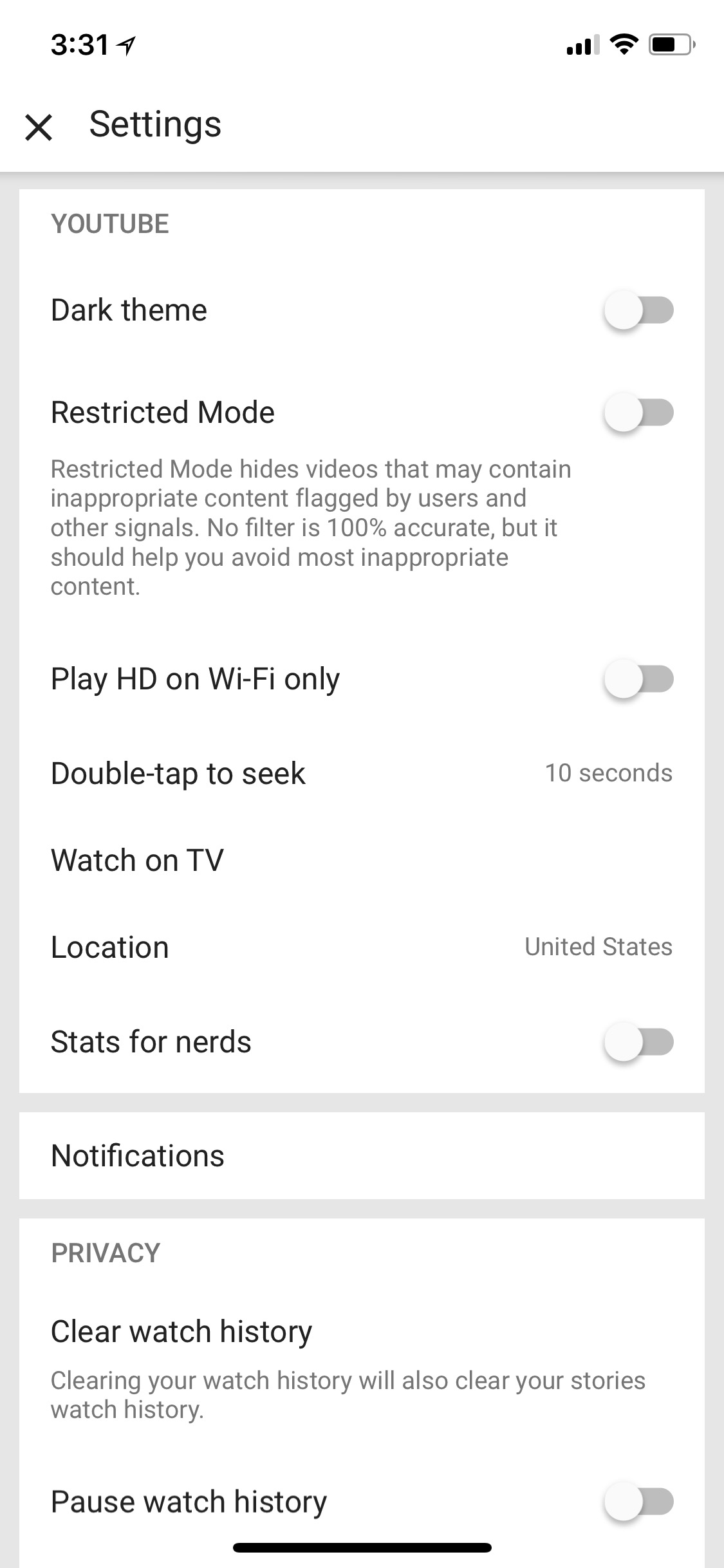
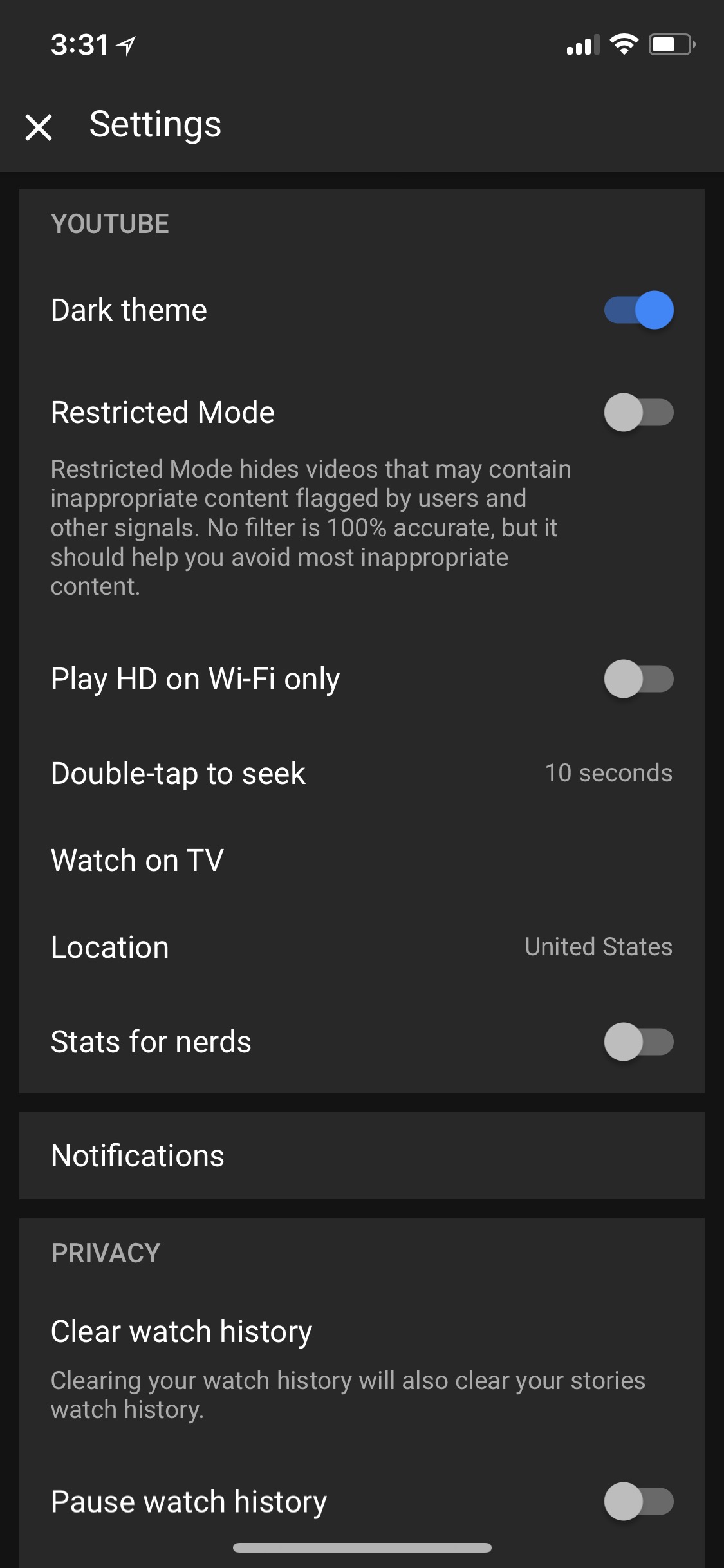
To enable the dark mode, tap the Account icon at the top right, choose Settings, then toggle the Dark Theme switch on.
Take a look at a few screenshots below.
You can download YouTube from the App Store for free.
Download




![Mac mini With M6 and M5 Pro Review Roundup [Video]](/images/news/102318/102318/102318-160.jpg "Mac mini With M6 and M5 Pro Review Roundup [Video]")
![Apple Releases macOS 27.2 Golden Gate Beta 2 to Developers [Download]](/images/news/102327/102327/102327-160.jpg "Apple Releases macOS 27.2 Golden Gate Beta 2 to Developers [Download]")
![Apple Seeds Second Betas of watchOS 27.2, tvOS 27.2, and visionOS 27.2 to Developers [Download]](/images/news/102324/102324/102324-160.jpg "Apple Seeds Second Betas of watchOS 27.2, tvOS 27.2, and visionOS 27.2 to Developers [Download]")
![Apple Releases iOS 27.2 Beta 2 and iPadOS 27.2 Beta 2 to Developers [Download]](/images/news/102321/102321/102321-160.jpg "Apple Releases iOS 27.2 Beta 2 and iPadOS 27.2 Beta 2 to Developers [Download]")









![Apple Studio Display XDR Hits All-Time Low of $2,969.99 ($329 Off) [Deal]](/images/news/101976/101976/101976-160.jpg "Apple Studio Display XDR Hits All-Time Low of $2,969.99 ($329 Off) [Deal]")
