Google has released a new 'Google Tasks' app for the iPhone.
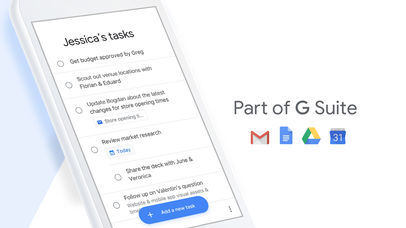
Get more done with Google Tasks. Manage, capture, and edit your tasks from anywhere, at anytime, with to-dos that sync across all your devices. Integrations with Gmail and Google Calendar help you get tasks done—faster.
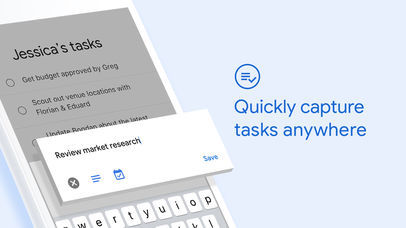
Quickly capture tasks anywhere • Create task lists with your most important to-dos • View, edit, and manage tasks on the go, from any device • Manage tasks created in Gmail or Calendar on the web from your mobile device
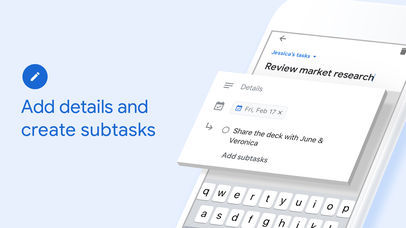
Add details and create subtasks • Break down your tasks to subtasks • Add details about the work you need to focus on • Edit details about any task as your work progresses
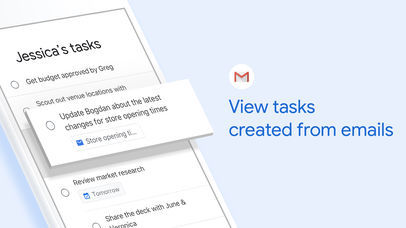
View tasks created from emails • Create a task directly from an email in Gmail • View your tasks in the side panel of Gmail • Trace a task back to its source email
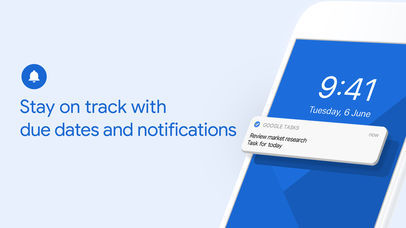
Stay on track with due dates and notifications • Set a due date for every task to help you achieve your goals • Organize your tasks by date or prioritize using drag-and-drop • Receive due date notification reminders to keep your tasks on track
Part of G Suite • Bring Google's suite of powerful, intelligent apps to your business • Leverage Google’s AI to bring data insights and analysis to every employee • Connect with your team seamlessly using one suite: Gmail, Tasks, Calendar & more
You can download Google Tasks from the App Store for free.









![How To Change Wallpaper on Mac [Video]](/images/tutorials/90512/90512/90512-160.jpg "How To Change Wallpaper on Mac [Video]")
![How To Turn Off Always On Display on iPhone [Video]](/images/tutorials/87524/87524/87524-160.jpg "How To Turn Off Always On Display on iPhone [Video]")





![16-Inch M5 Max MacBook Pro Drops $900 to New Low of $3,499 [Deal]](/images/news/102438/102438/102438-160.jpg "16-Inch M5 Max MacBook Pro Drops $900 to New Low of $3,499 [Deal]")
![Magic Keyboard for iPad Air Drops to $200 on Amazon [Deal]](/images/news/102402/102402/102402-160.jpg "Magic Keyboard for iPad Air Drops to $200 on Amazon [Deal]")
