![How To Find Your iPhone IMEI Number [Video]](/images/tutorials/83557/404197/404197-64.png "How To Find Your iPhone IMEI Number [Video]")
Your iPhone's IMEI is the 15-digit number that identifies it on cellular networks. Carriers ask for it to unlock an iPhone or to block one that has been lost or stolen, and you can find it in Settings, with a code in the Phone app, on the box, or from another device when your iPhone isn't with you.
iPhones that support Dual SIM list a second number, IMEI2, because each line has its own IMEI.
We checked each method below on an iPhone 18 Pro Max running iOS 27.
Where to Find the IMEI on iPhone
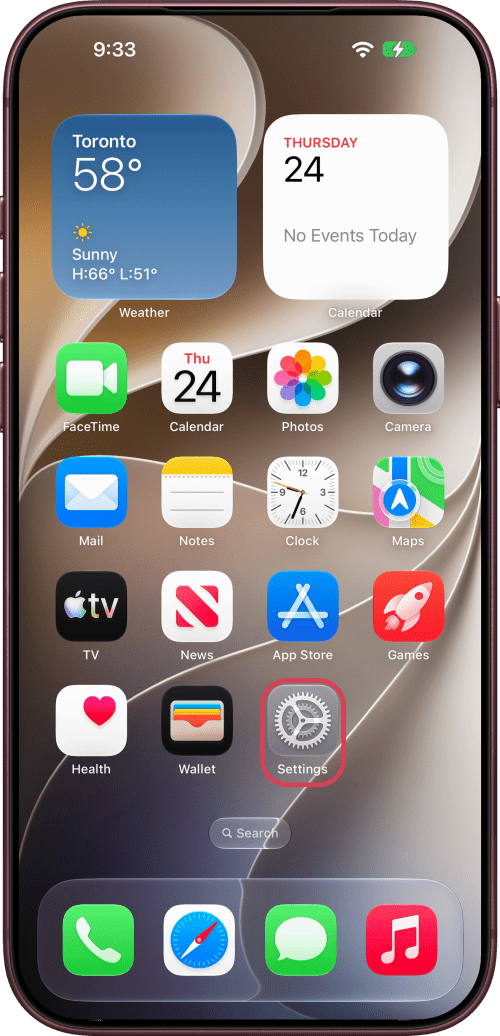
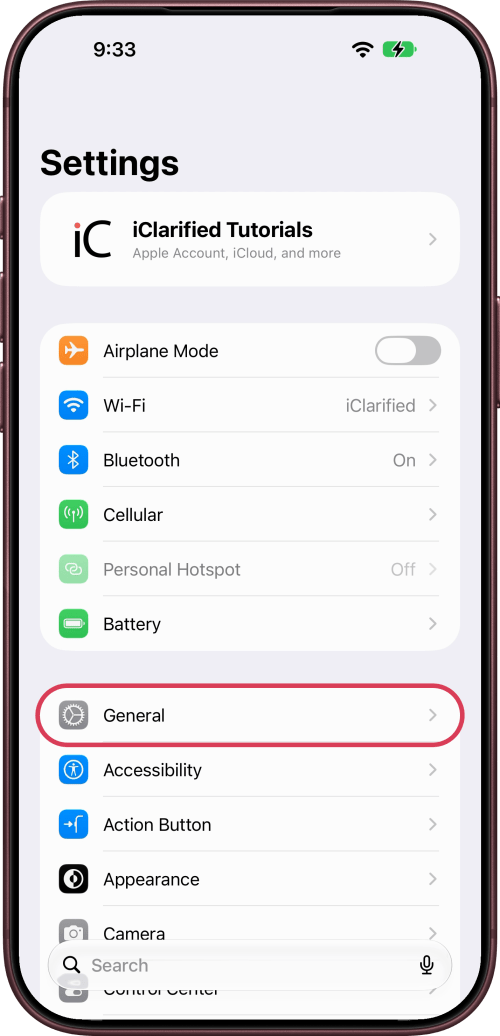
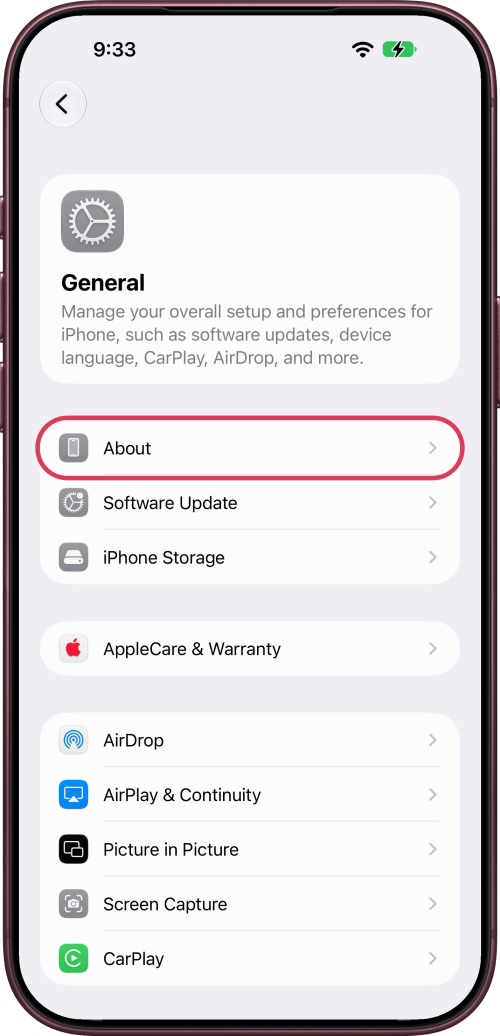
Step One: Open About in Settings
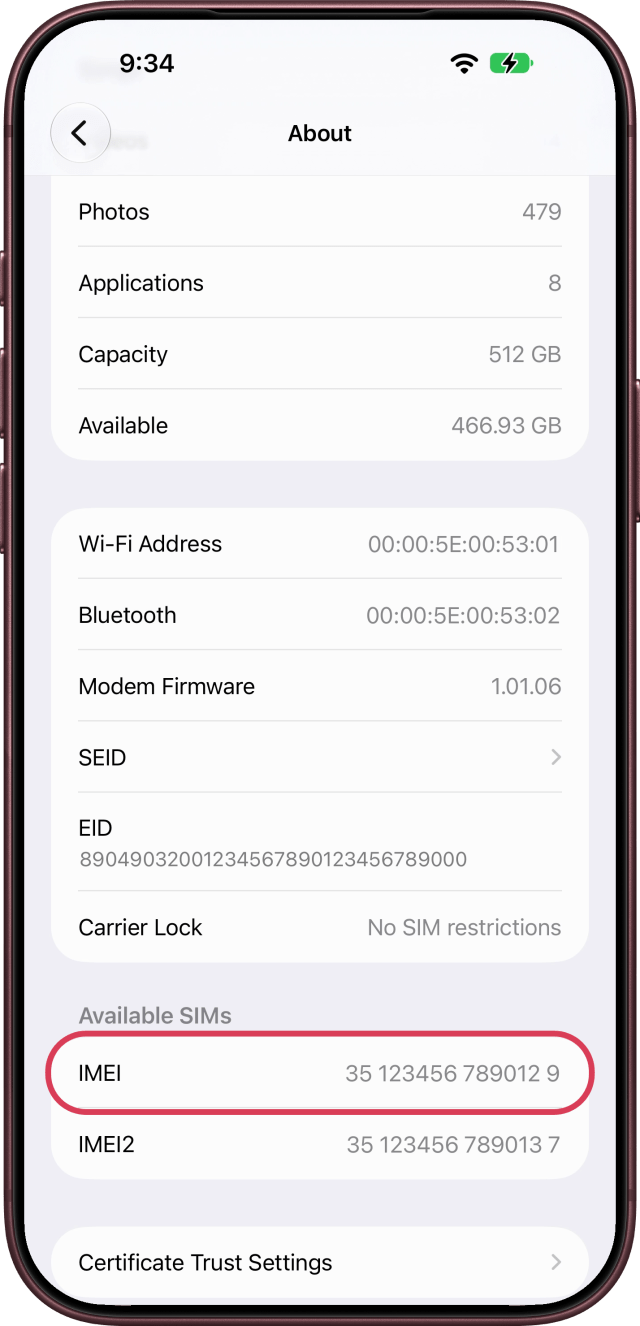
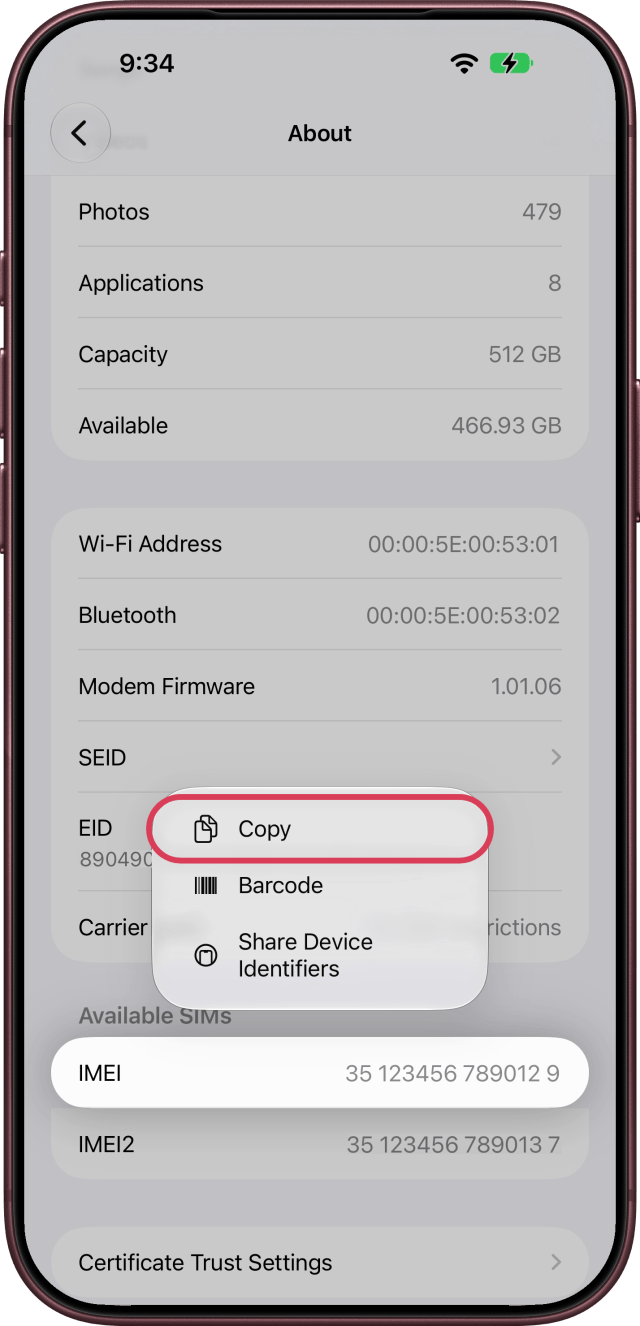
Open Settings, tap General, then About. Scroll down to IMEI under Available SIMs. The same screen also lists your Serial Number and EID.
Step Two: Copy Your IMEI
Touch and hold IMEI, then tap Copy, so you can paste the number wherever your carrier asks for it.
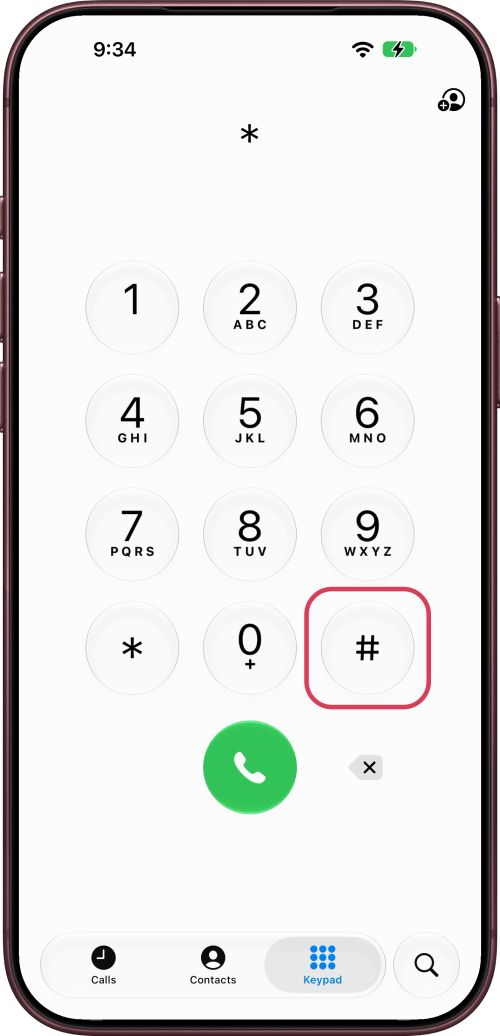
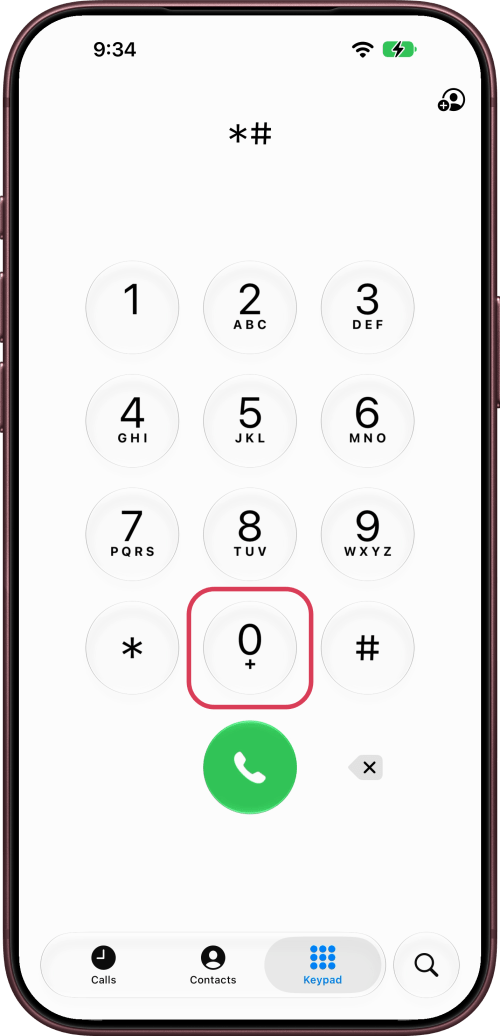
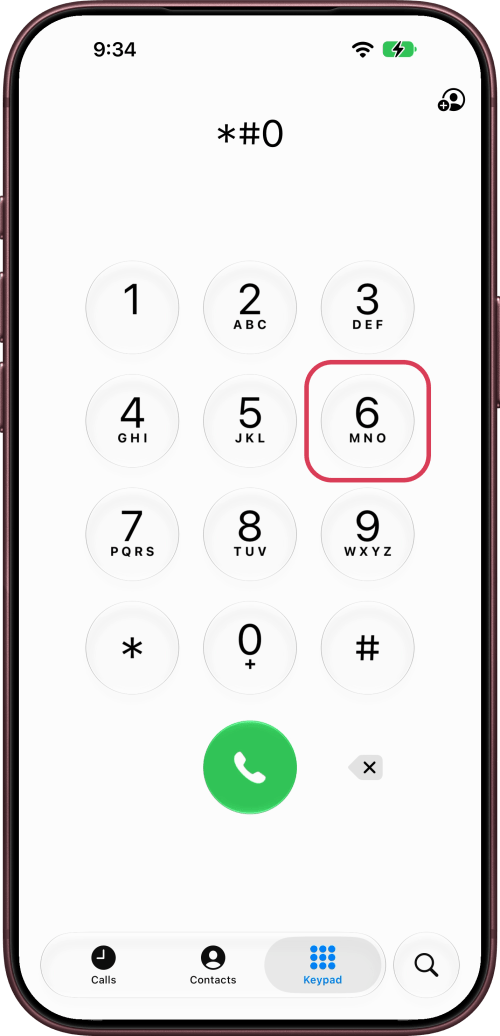
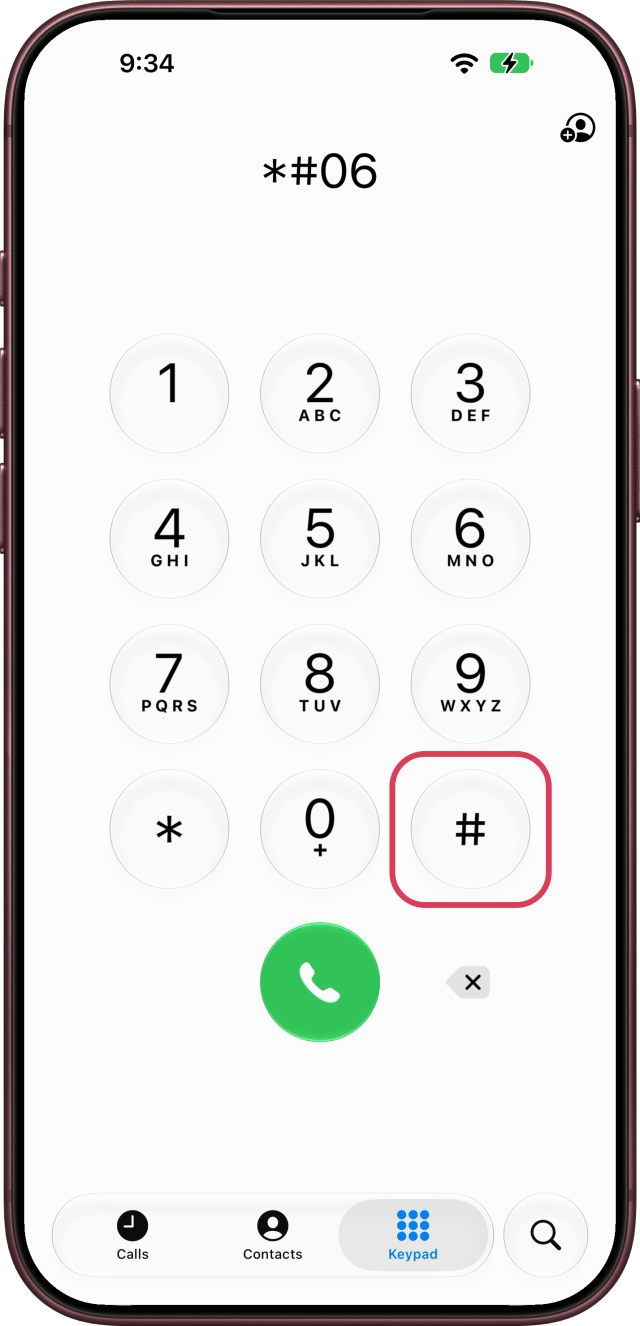
Step Three: Dial *#06#
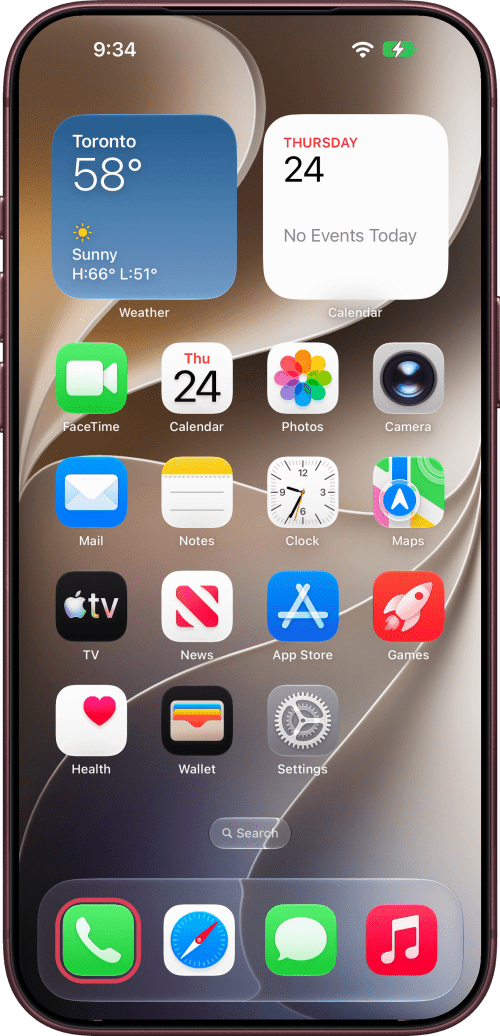
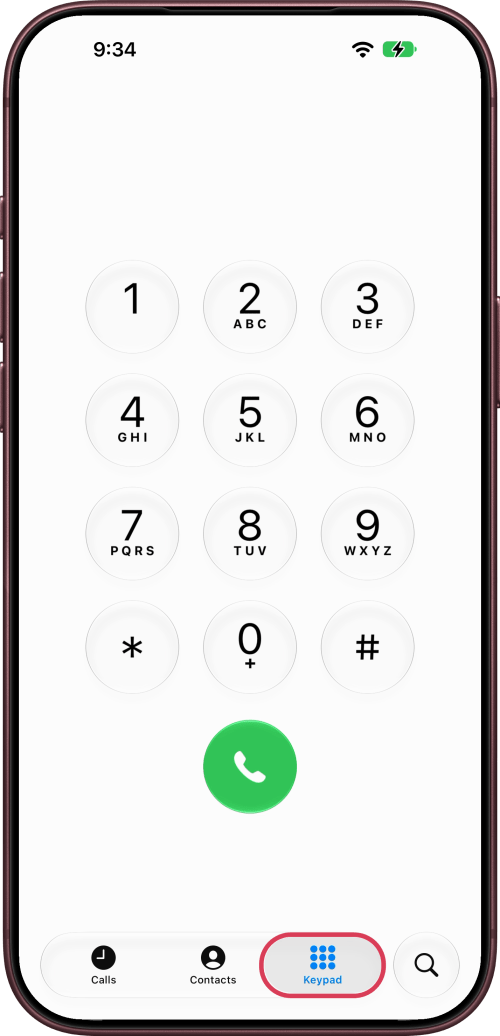
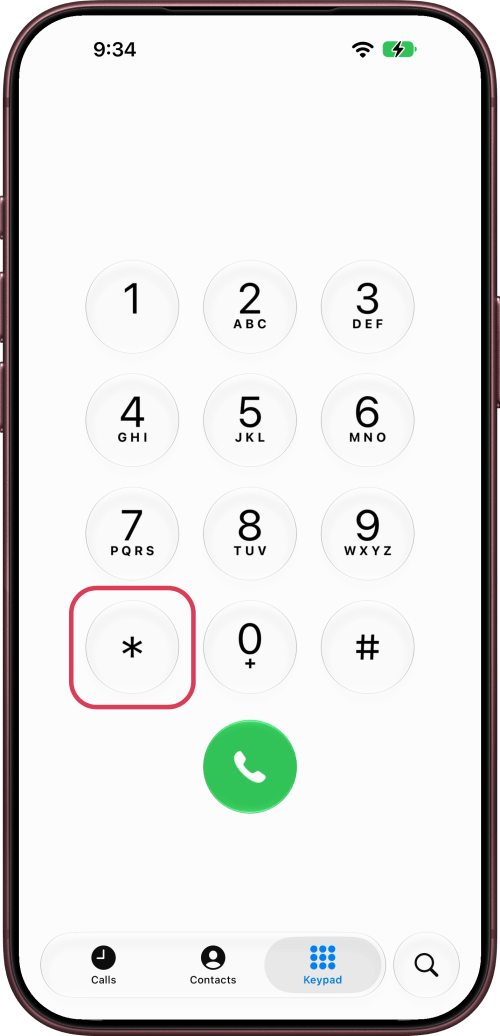
Open the Phone app, tap Keypad, and dial *#06#. A Share Device Identifiers sheet opens right away with your EID, IMEI and IMEI2, each with a barcode your carrier can scan. No call is made.
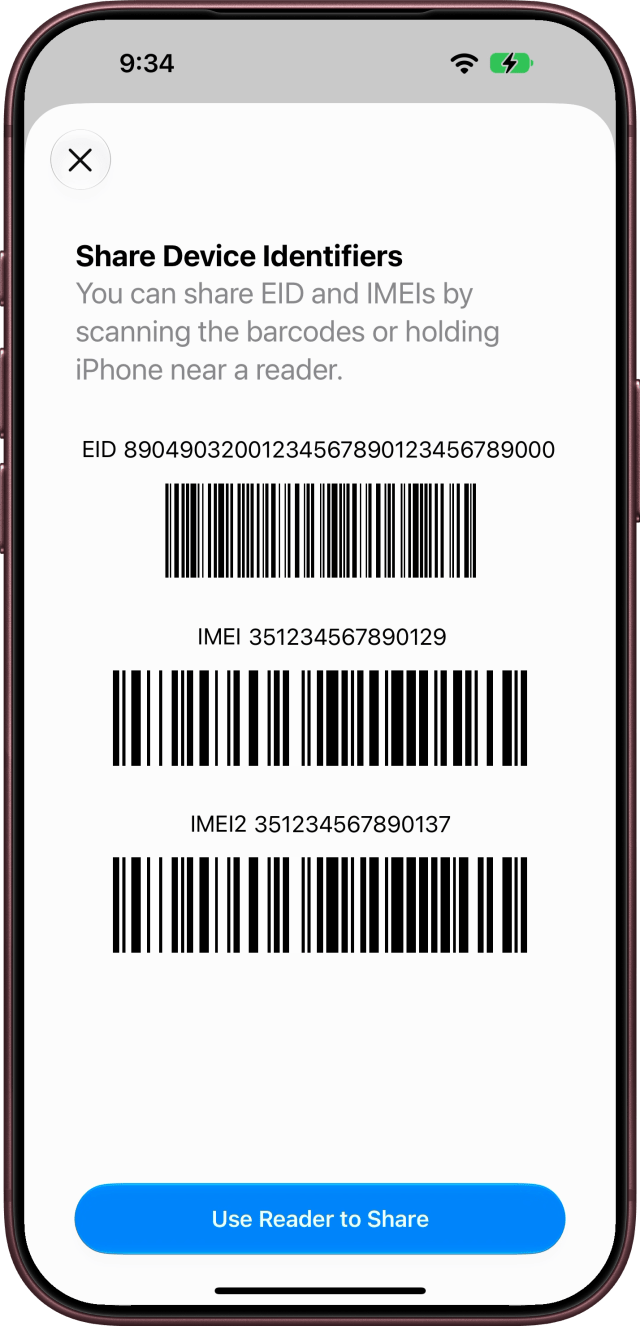
Step Four: Check a New iPhone Before Setup
On an iPhone that isn't set up yet, tap the Info button in the bottom-right corner of the Hello screen. It lists the SN, EID, IMEI and IMEI2.
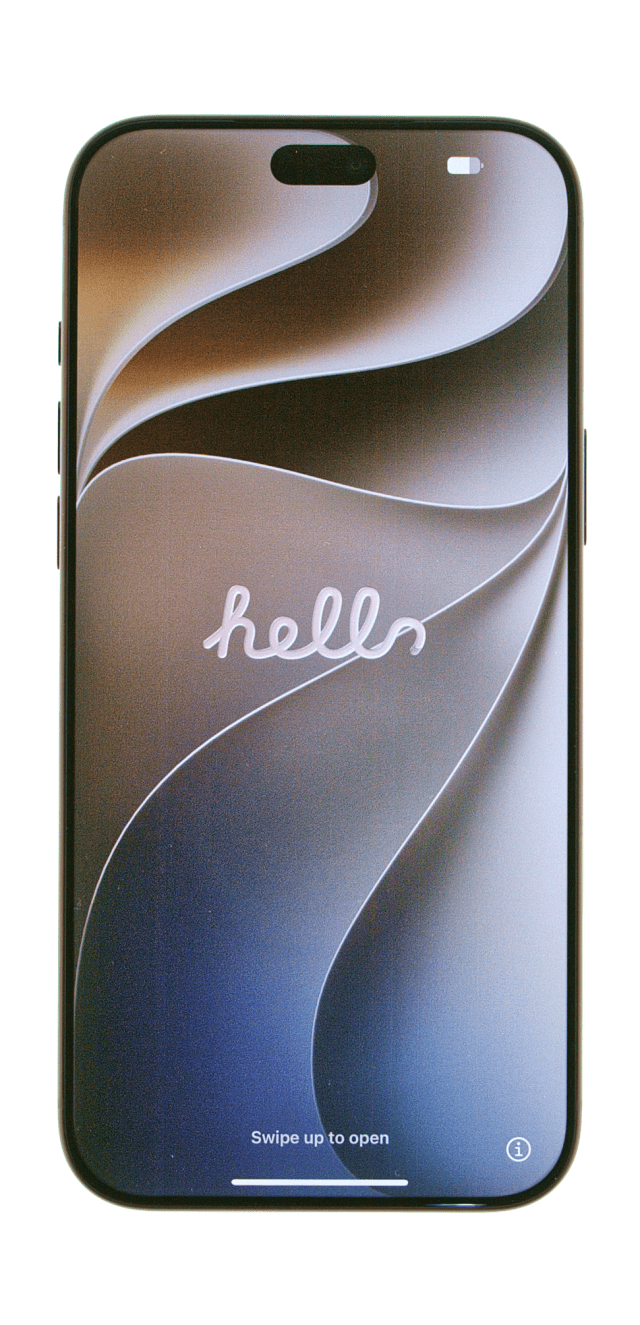
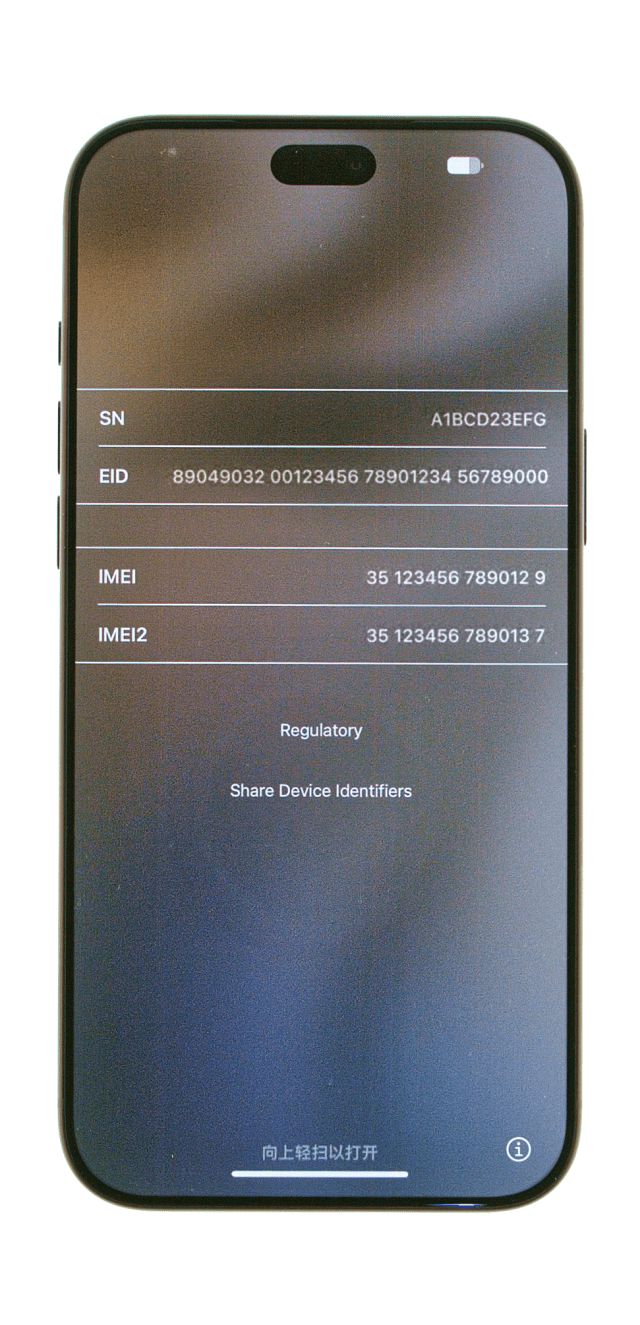
Step Five: Use Another iPhone or iPad
If your iPhone isn't with you, open Settings on another iPhone or iPad signed in to your Apple Account. Tap your name, scroll down to your devices, and choose your iPhone. Its IMEI is on the Device Info screen, with its Serial Number.
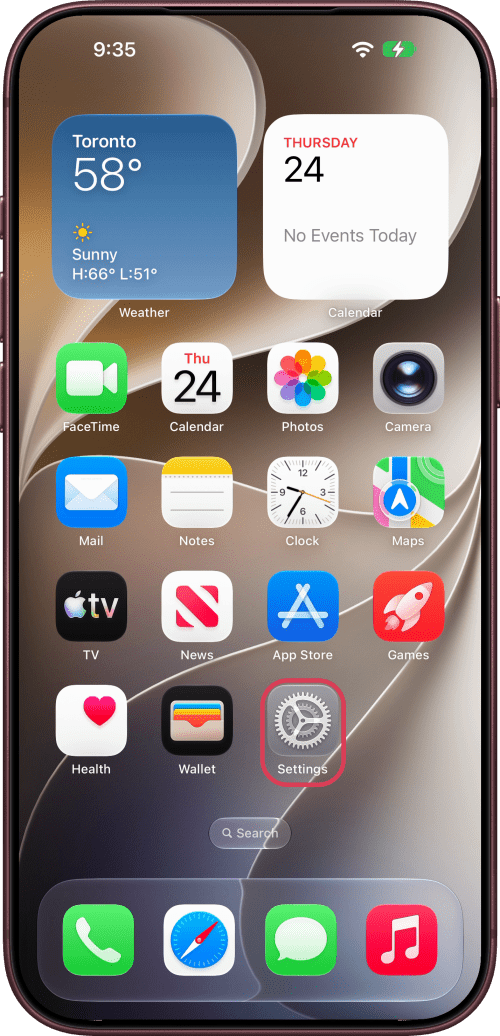
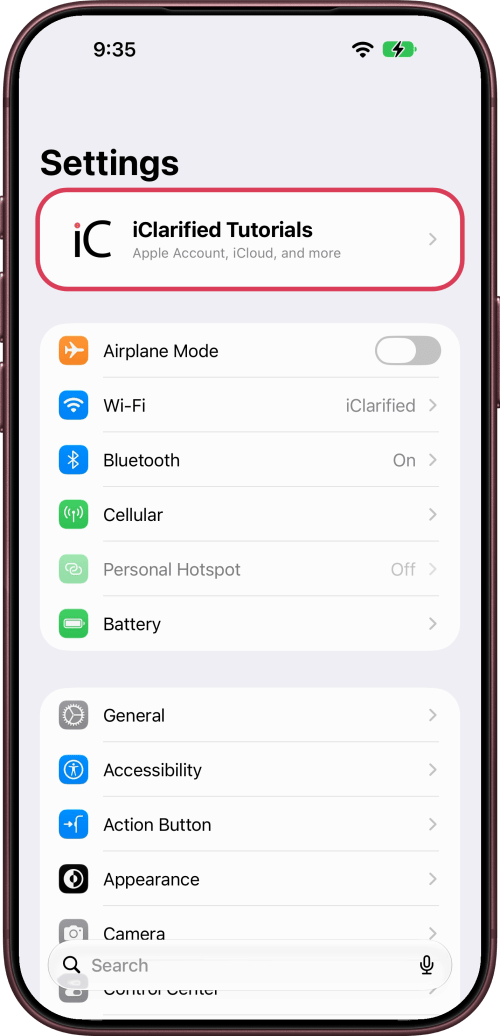
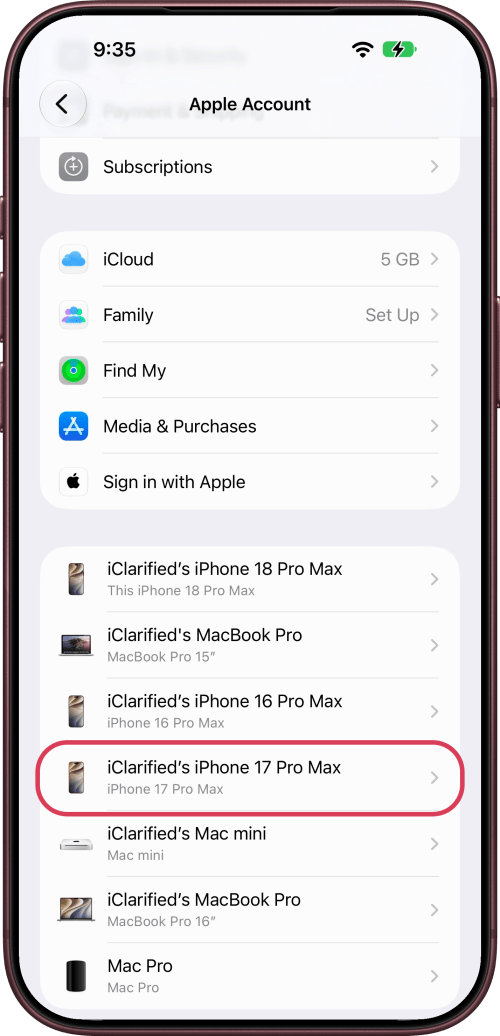
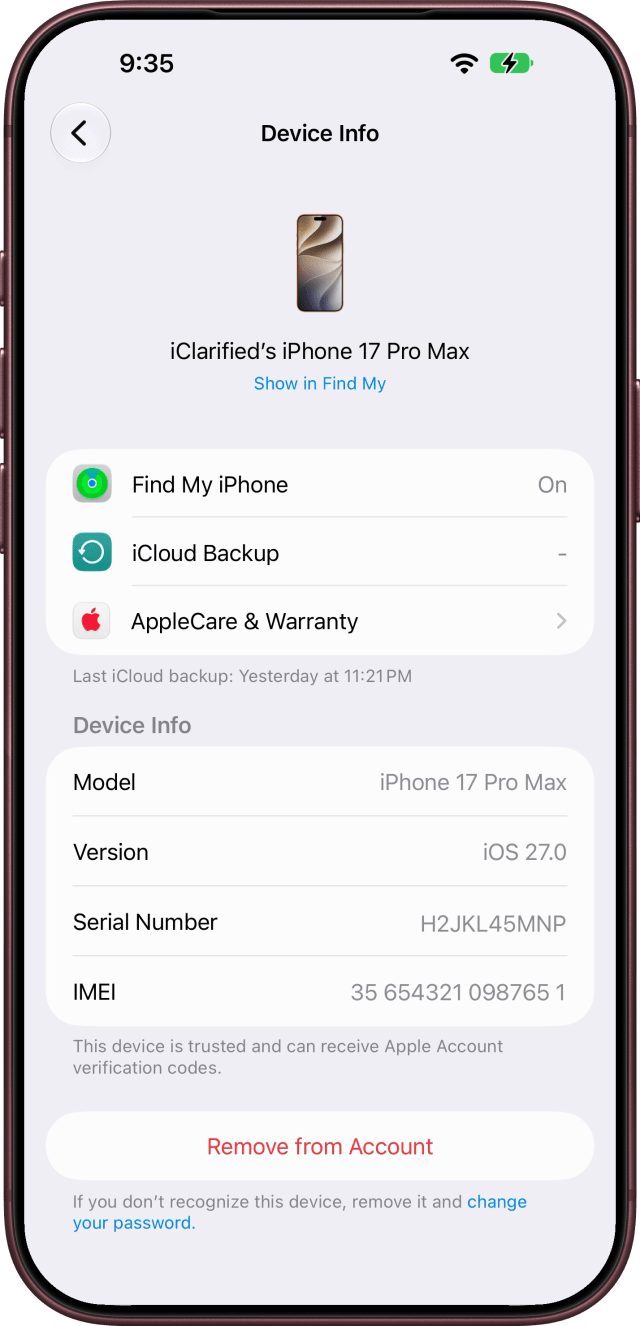
Other Places to Find It
The IMEI is printed on the barcode label on your iPhone's original box.
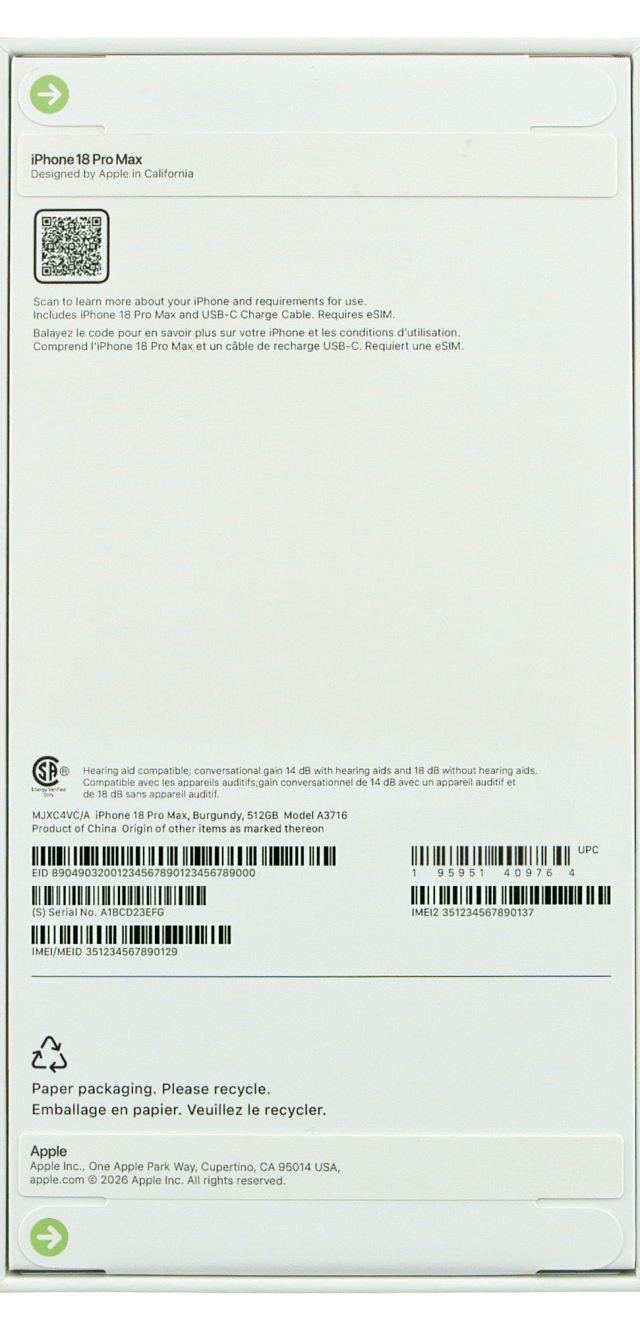
You can also sign in at account.apple.com, choose Devices, and select your iPhone. On a Mac, connect your iPhone, select it in the Finder, and click the details under its name until the IMEI appears.
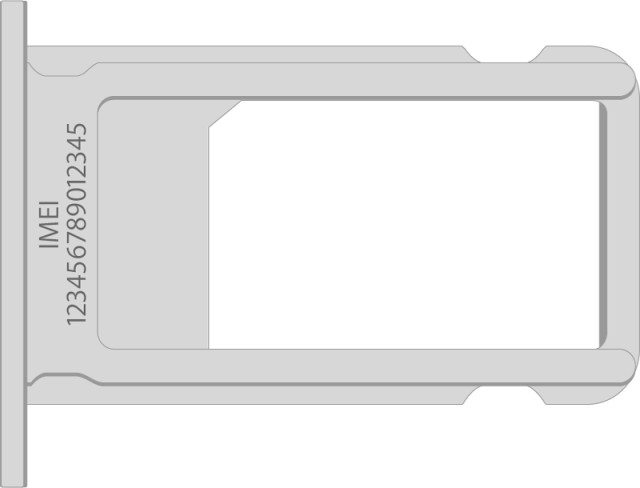
On iPhone 7 through iPhone 13, the IMEI is also printed on the SIM tray. iPhone 14 models and later don't have an IMEI engraving.


![Apple Highlights Child Safety and Screen Time Controls in New Ad [Video]](/images/news/102393/102393/102393-160.jpg "Apple Highlights Child Safety and Screen Time Controls in New Ad [Video]")






![How To Find Your iPhone IMEI Number [Video]](/images/tutorials/83557/83557/83557-160.jpg "How To Find Your iPhone IMEI Number [Video]")

![Magic Keyboard for iPad Air Drops to $200 on Amazon [Deal]](/images/news/102402/102402/102402-160.jpg "Magic Keyboard for iPad Air Drops to $200 on Amazon [Deal]")
![13-Inch M5 MacBook Air With 1TB Drops to $1,449 on Amazon [Deal]](/images/news/102345/102345/102345-160.jpg "13-Inch M5 MacBook Air With 1TB Drops to $1,449 on Amazon [Deal]")