Apple has released iBooks, its new application to download and read books on the iPad.
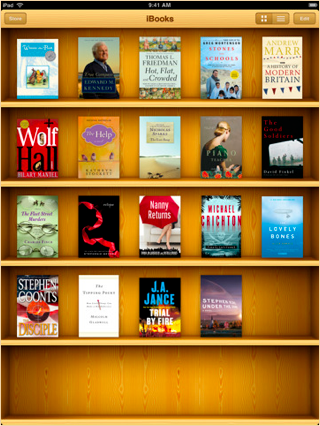
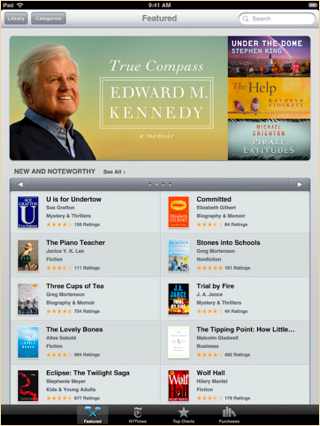
iBooks includes the iBookstore, where you can download the latest best-selling books or your favorite classics – day or night. Browse your library on a beautiful bookshelf, tap a book to open it, flip through pages with a swipe or a tap, and bookmark your favorite passages.
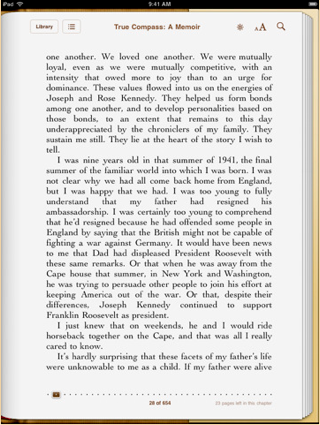
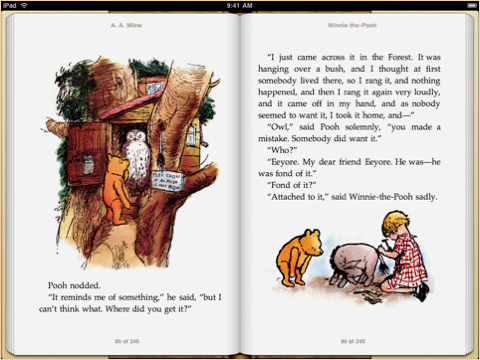
Features: • Enjoy a complimentary copy of the beautifully illustrated classic, Winnie-the-Pooh by A. A. Milne. • Download many of your favorite books from the included iBookstore. • Read a free sample of any book on the iBookstore before making it part of your collection. • Reorder your books on your bookshelf or browse them in a list sorted by title, author, or category. • Easily adjust your screen brightness to find the perfect lighting for any environment. • Change the font size and pick from five included type faces to make your books more comfortable to read. • Find a word, character, or phrase anywhere in your book with the built-in search feature. • Quickly find a specific page using the page navigator at the bottom of every page. • Highlight your favorite passages with the built-in bookmarking feature. • Add books in the industry-standard ePub electronic book format to iTunes and sync them to iPad. • iBooks supports amazing accessibility features in iPad, such as speaking the words on a given page.
Requirements: • You must own an iPad to use iBooks. • The iBookstore is only available to customers in the United States. • An iTunes Store account is required to download from the iBookstore. • iBooks only supports books published in the ePub electronic book format. • To add ePub documents from outside the iBookstore to iBooks, they must be DRM-free and synced to iPad using iTunes 9.1 or later.
You can download iBooks from the App Store for free.









![How To Change Wallpaper on Mac [Video]](/images/tutorials/90512/90512/90512-160.jpg "How To Change Wallpaper on Mac [Video]")
![How To Turn Off Always On Display on iPhone [Video]](/images/tutorials/87524/87524/87524-160.jpg "How To Turn Off Always On Display on iPhone [Video]")





![16-Inch M5 Max MacBook Pro Drops $900 to New Low of $3,499 [Deal]](/images/news/102438/102438/102438-160.jpg "16-Inch M5 Max MacBook Pro Drops $900 to New Low of $3,499 [Deal]")
![Magic Keyboard for iPad Air Drops to $200 on Amazon [Deal]](/images/news/102402/102402/102402-160.jpg "Magic Keyboard for iPad Air Drops to $200 on Amazon [Deal]")
