![How To Stop Spam Calls on iPhone [Video]](/images/tutorials/102405/484470/484470-64.png "How To Stop Spam Calls on iPhone [Video]")
Spam calls almost always come from numbers you haven't saved. Your iPhone can send every call from an unsaved number straight to voicemail, so it never rings, and still list the call in Recents so you can call back.
We set this up on an iPhone 18 Pro Max running iOS 27.
How to Silence Unknown Callers on iPhone
Step One: Open Phone in Settings
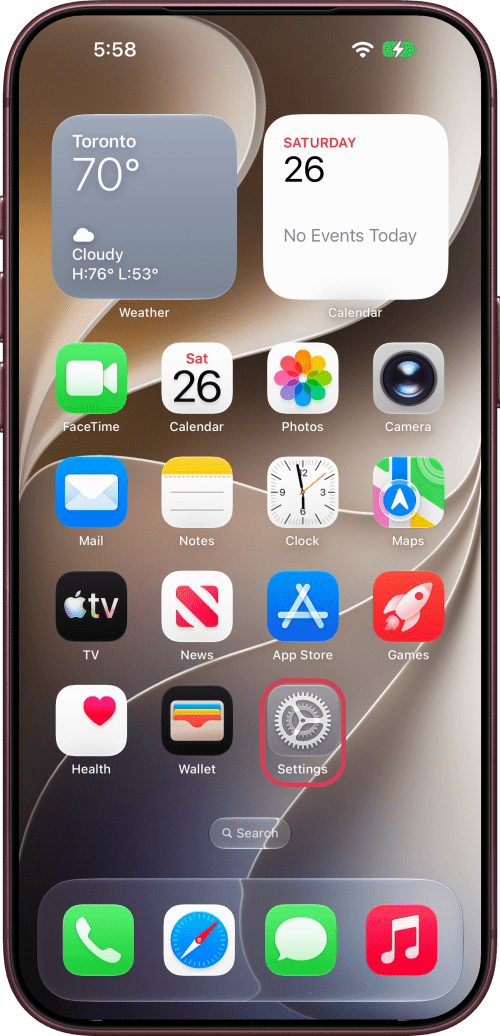
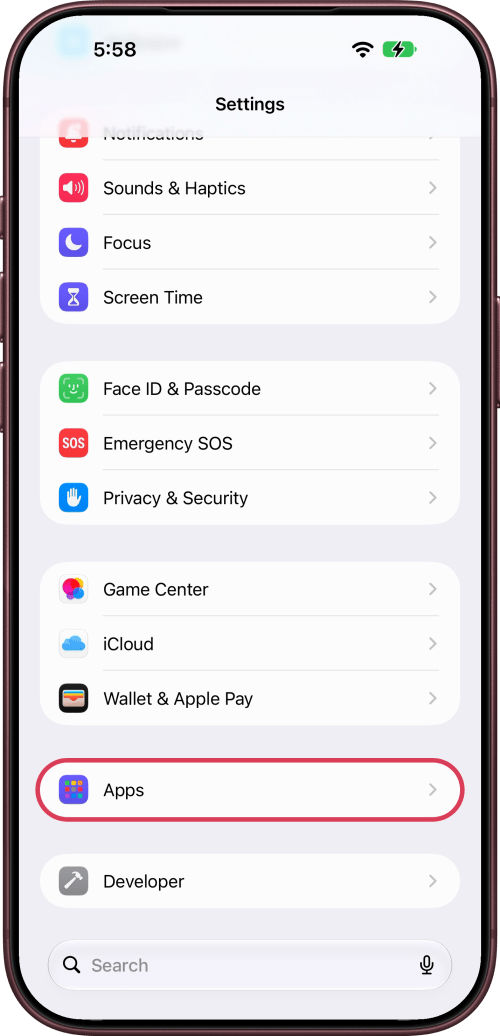
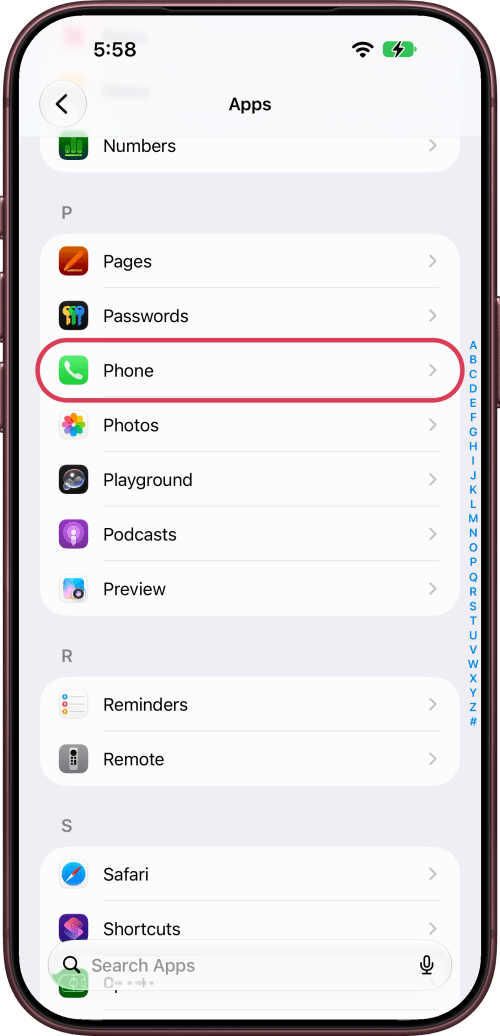
Open Settings, scroll down and tap Apps, then tap Phone.
Step Two: Choose Silence
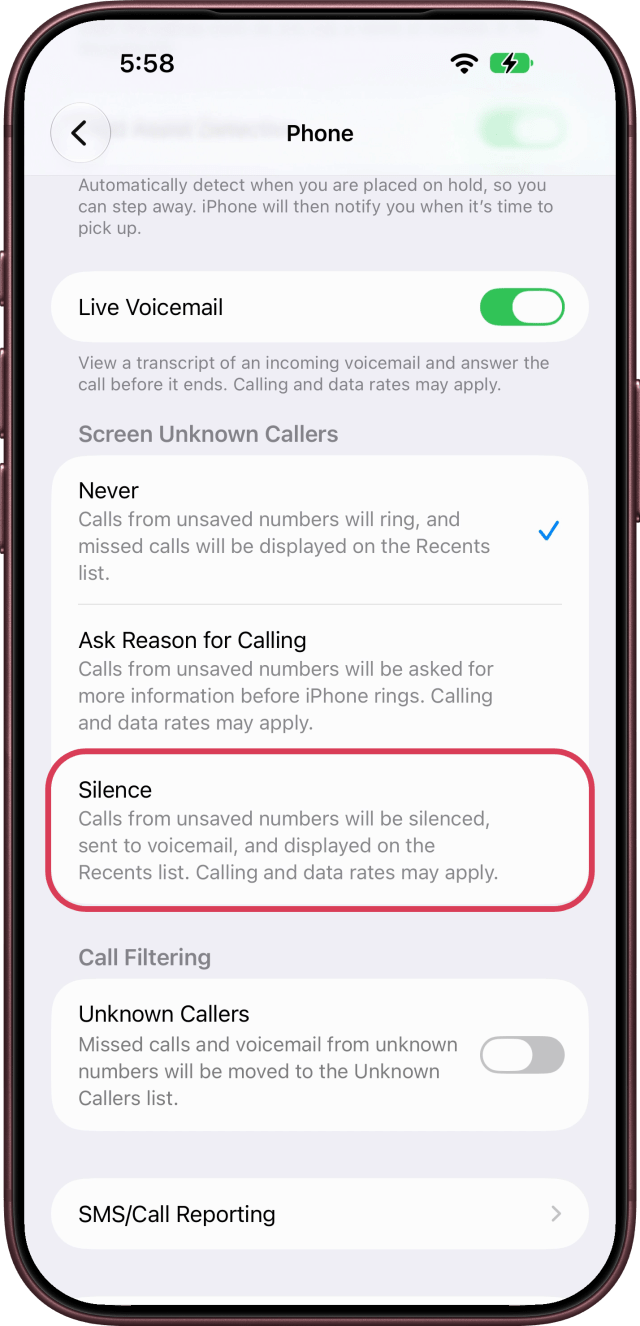
Scroll down to Screen Unknown Callers and choose Silence. Calls from numbers that aren't in your contacts now go to voicemail without ringing, and they still show up in Recents.
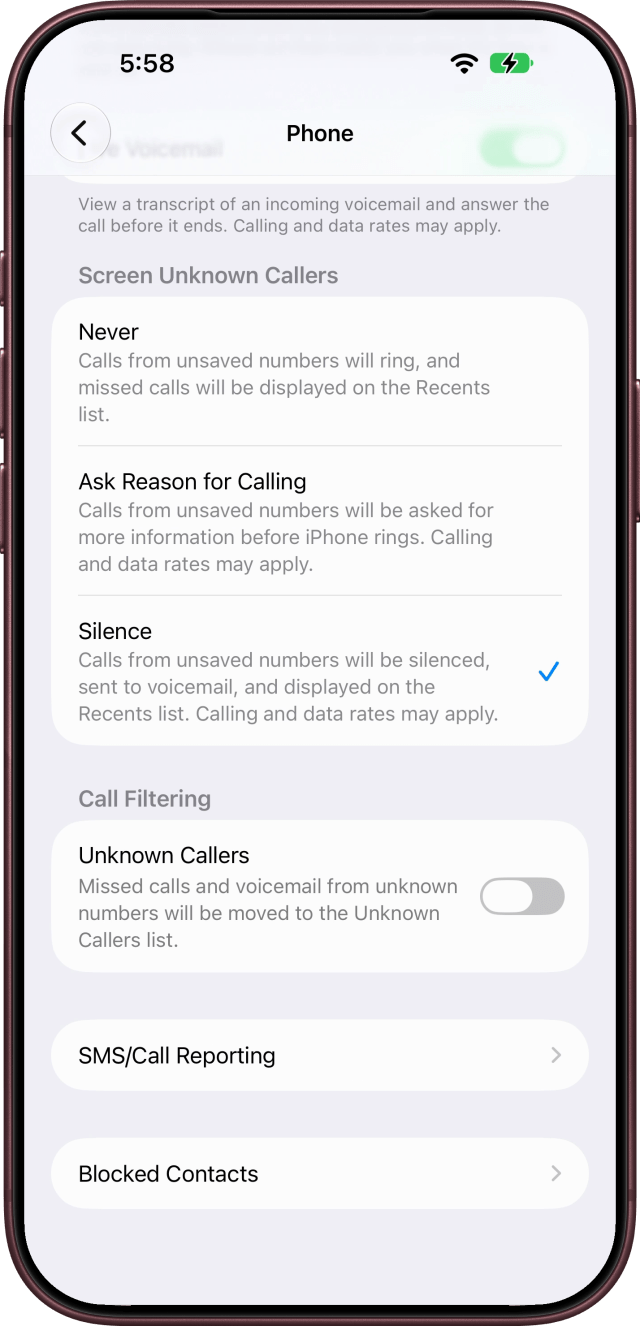
Save the numbers you can't miss, like your doctor's office or your child's school, to Contacts so their calls still ring.
Other Options
Ask Reason for Calling, the middle option, has your iPhone ask callers why they're calling before it rings, so you can decide whether to answer.
Under Call Filtering, turn on Unknown Callers to move missed calls and voicemails from unknown numbers to their own list in the Phone app.
To let every call ring again, choose Never.
Calls aren't screened while you're roaming, and calling emergency services turns call screening off for 24 hours.








![How To Find Your iPhone IMEI Number [Video]](/images/tutorials/83557/83557/83557-160.jpg "How To Find Your iPhone IMEI Number [Video]")


![Magic Keyboard for iPad Air Drops to $200 on Amazon [Deal]](/images/news/102402/102402/102402-160.jpg "Magic Keyboard for iPad Air Drops to $200 on Amazon [Deal]")
![13-Inch M5 MacBook Air With 1TB Drops to $1,449 on Amazon [Deal]](/images/news/102345/102345/102345-160.jpg "13-Inch M5 MacBook Air With 1TB Drops to $1,449 on Amazon [Deal]")