Apple TV Adds Sign Language Interpretation Starting November 13
The Apple TV app is adding sign language interpretation for supported movies on November 13, launching alongside the global streaming premiere of Being Heumann. The feature will offer American Sign Language (ASL) and British Sign Language (BSL).
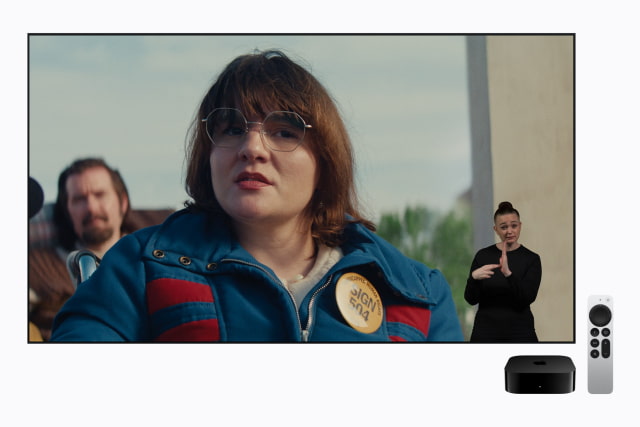
F1 will also offer interpretation, with Way of the Warrior Kid and Greyhound gaining support later this year. Additional Apple Original titles will follow, rather than the option being available across the entire catalog at launch.
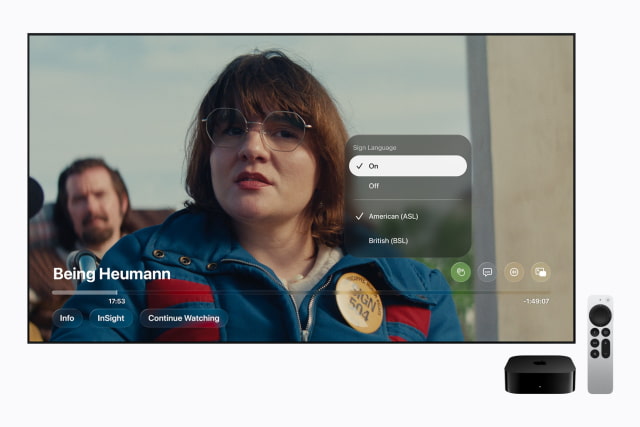
Supported titles will carry a Sign Language icon. After enabling the feature in Apple TV app settings, viewers can press the Sign Language button during playback to turn on interpretation. Searches such as "with ASL" will help find compatible titles, and a new Movies & Shows with American Sign Language collection will bring them together in one place.
The feature requires iOS 27.2, iPadOS 27.2, macOS 27.2, tvOS 27.2, or visionOS 27.2 or later. It will also be available on supported third-party devices running the latest version of the Apple TV app.
Deaf and native signers helped design and test the experience, with performances tailored to each film. Daniel Durant, who appears in Being Heumann, directed its sign language interpretation. "Bringing this experience to life required a lot of care to ensure every translation captured the emotion and meaning of the story," Durant said.
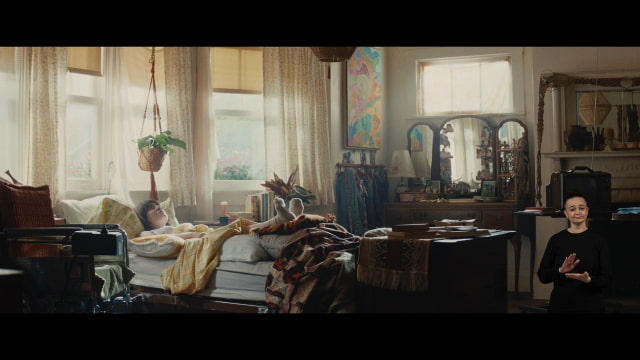
Directed by Siân Heder and starring Ruth Madeley, Being Heumann follows disability rights activist Judy Heumann and the more than 100 protesters who staged a sit-in in San Francisco in 1977. It is Heder's second collaboration with Apple Original Films after CODA. Apple released the film's official trailer in October, and viewers can now add the movie to their Apple TV watchlist.