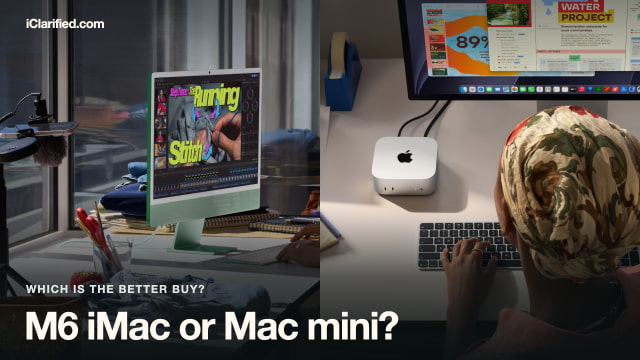
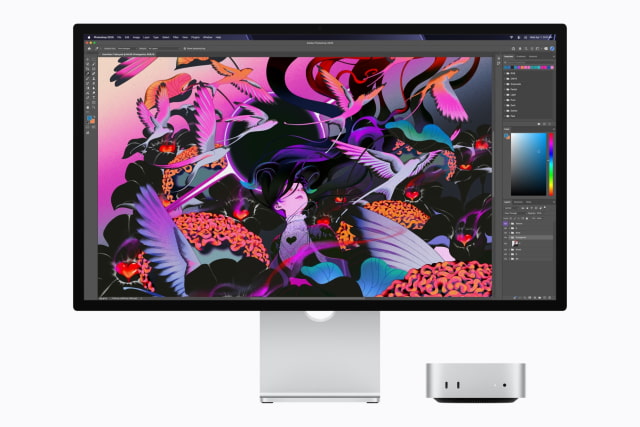
If you already have a monitor you like, the $779 M6 Mac mini is the desktop we'd buy. But what if you're starting with an empty desk? The blue 24-inch M6 iMac is $1,424, and that includes the screen, speakers, webcam, keyboard, and mouse.
We priced a complete Mac mini setup on Amazon with an LG 27-inch 4K monitor, a keyboard and mouse, and a webcam. It comes to $1,110.21 before tax and shipping, $313.79 less than the blue iMac. The mini gives you a larger screen for the money; the iMac's display is sharper.
The Screen Is the Biggest Reason to Choose an iMac
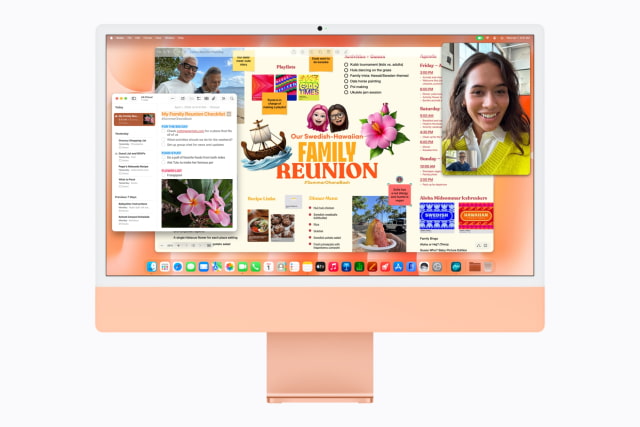
The iMac's 24-inch 4.5K Retina display packs 218 pixels per inch, so even small type looks crisp. It supports P3 color and reaches 500 nits of brightness.
The question is whether 24 inches is enough. If you spend the day with a spreadsheet beside a browser window, you might prefer a 27-inch screen or an ultrawide. With the mini, you can choose either.
The 27-inch LG UltraFine in our setup is physically larger than the iMac's display. Its 4K panel has about 163 pixels per inch, compared with 218 on the iMac.
What's Already on Your Desk?
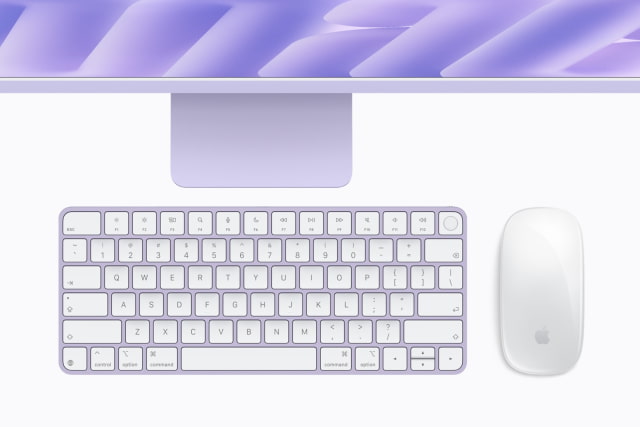
The iMac's 12MP Center Stage camera can keep you in frame as you move. The microphones and six speakers are built in, and the matching Magic Keyboard and Magic Mouse come in the box. Touch ID is included with the four-port iMac and optional on the two-port model.
Apple packs just the computer and a power cord with the Mac mini. It has a speaker, but no built-in camera or microphone. If your monitor has both, you're set for calls; otherwise, a webcam with a built-in mic takes care of both jobs.
One advantage of buying a monitor separately shows up years later: you can replace the mini and leave the rest of your desk alone.
Ports You Can Reach From the Front
Plug a drive or card reader into the front of the mini and you won't have to reach around the display. Those two USB-C ports run at up to 10Gb/s. The three faster Thunderbolt 4 ports are on the back, alongside HDMI.
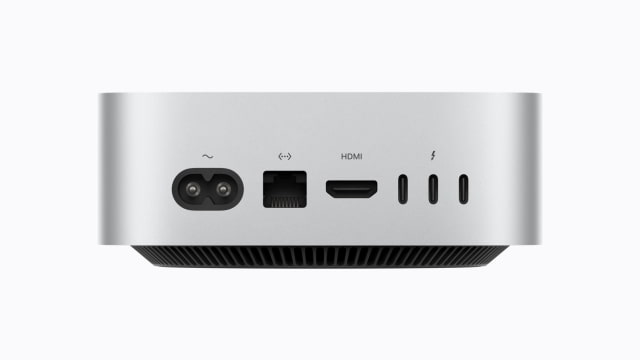
The iMac keeps its USB-C connections on the back: two on the 10-core model and four on the 12-core version, all with Thunderbolt 4. Neither desktop has USB-A or an SD card slot built in, but the mini's HDMI port can connect a compatible monitor or TV without a USB-C video adapter.
For a three-screen desk, the mini can drive three external monitors. The four-port iMac can run two external 6K screens at 60Hz alongside its own display. The two-port iMac supports one external monitor.
Both desktops have Wi-Fi 7 and Bluetooth 6. The mini includes 2.5Gb Ethernet and offers a 10Gb upgrade. The iMac has 2.5Gb Ethernet included on the four-port model and optional on the two-port version.
The Base Mac mini Already Has the 12-Core M6
The least expensive M6 Mac mini has a 12-core CPU and a 12-core GPU. The entry iMac has 10 of each. To get the same core counts in Apple's all-in-one, you need the four-port iMac. All three start with 16GB of memory and a 256GB SSD.
Both the M6 mini and the four-port iMac can be ordered with up to 32GB of memory and 2TB of storage. The two-port iMac tops out at 24GB and 1TB. If you need more than 32GB, the separate M5 Pro Mac mini offers up to 64GB and adds Thunderbolt 5.
Our 10-core vs. 12-core iMac guide covers what Apple's $200 upgrade adds at list price. If you're replacing an older mini, see what changed from the M4 to the M6 Mac mini.
What a Complete Mac mini Setup Costs
On November 29, Amazon listed the 16GB/256GB M6 Mac mini for $779 and the blue 10-core iMac for $1,424. That's a $645 difference before you put anything else on the desk.
For the mini, we picked the LG 27-inch UltraFine 4K monitor, Logitech Pebble 2 keyboard and mouse, and Logitech Brio 100 webcam. The LG supplies the speakers, and the webcam doubles as a microphone for calls.
| Item | Amazon U.S., Nov. 29 |
|---|---|
| M6 Mac mini, 16GB/256GB | $779.00 |
| LG UltraFine 27-inch 4K (27UP850K-W) | $259.99 |
| Logitech Pebble 2 keyboard and mouse | $47.48 |
| Logitech Brio 100 webcam | $23.74 |
| Speakers and USB-C cable | Included with LG monitor |
| Complete Mac mini setup (before tax and shipping) | $1,110.21 |
| Blue 10-core M6 iMac, 16GB/256GB | $1,424.00 |
| Savings with the Mac mini setup | $313.79 |
Buying all four items new on Amazon brings the mini to $1,110.21 before tax and shipping. That's $313.79 less than the blue 10-core iMac. The LG connects to the mini with the USB-C cable in the box. Plug the webcam into the monitor's USB-A port and pair the keyboard and mouse over Bluetooth; there's no hub or adapter to add.
Already have a monitor, keyboard, and mouse? Adding just the Brio for calls puts the mini at $802.74. If you have a webcam too, all you need is the $779 Mac.
M6 iMac vs. M6 Mac mini Specifications
| Feature | M6 iMac | M6 Mac mini |
|---|---|---|
| US retail baseline | 2-port: $1,499; 4-port: $1,699 | $899 |
| CPU | 2-port: 10 cores; 4-port: 12 cores | 12 cores: 2 super, 4 performance, 6 efficiency |
| GPU | 2-port: 10 cores; 4-port: 12 cores | 12 cores |
| Starting memory / SSD | 16GB memory; 256GB SSD | 16GB memory; 256GB SSD |
| Memory choices | 2-port: 16/24GB; 4-port: 16/24/32GB | 16GB, 24GB, 32GB |
| SSD capacity limit | 2-port: up to 1TB; 4-port: up to 2TB | 256GB, 512GB, 1TB, 2TB |
| Memory bandwidth | Up to 170GB/s | 16GB: 153GB/s; 24/32GB: 170GB/s |
| Built-in display | 24-inch 4.5K; 23.5-inch actual diagonal | Separate monitor required |
| Camera | 12MP Center Stage; Desk View | Separate camera required |
| Audio | Six speakers; three-mic array | Built-in speaker; no built-in mic |
| Thunderbolt | Two or four Thunderbolt 4 ports | Three rear Thunderbolt 4 ports |
| Front USB | No front USB ports | Two front USB-C, up to 10Gb/s |
| Other connectors | 3.5mm jack; no built-in HDMI | HDMI; 3.5mm headphone jack |
| External displays | 2-port: one 6K/60Hz; 4-port: two 6K/60Hz or one 8K/60Hz | Up to three; two 6K/60Hz plus one 5K/60Hz (4K/60Hz via HDMI) |
| Ethernet | 2.5Gb: optional on 2-port; included on 4-port | 2.5Gb Ethernet; 10Gb option |
| Wireless | Wi-Fi 7; Bluetooth 6; Thread | Wi-Fi 7; Bluetooth 6; Thread |
| Keyboard and mouse | 2-port: Touch ID optional; 4-port: included | Keyboard and mouse sold separately |
| Dimensions / stand | 54.7 × 46.1 cm; 14.7cm stand depth | 12.7 × 12.7 × 5.0 cm |
| Weight | 2-port: 4.42kg; 4-port: 4.44kg | 0.67kg |
Which One Would We Buy?
For a shared desk where 24 inches is the right size, we'd buy the two-port iMac. Its sharper screen, camera that keeps you in frame, and single power cord are worth the premium if the whole family will use it. We'd spend more on the four-port iMac ($1,613 in blue) for a second external screen or more than 24GB of memory.
If you already own a good monitor, keep it and buy the Mac mini. And if 24 inches feels cramped, the mini with the 27-inch LG saves you $313.79 today. You can keep the display when you replace the Mac.
Track the 10-core iMac, 12-core iMac, or M6 Mac mini to see how today's offers compare with past prices. The Mac Price Tracker lists current offers from tracked retailers.
As an Amazon Associate, iClarified earns from qualifying purchases.