These are instructions on how to rotate a movie or video clip using QuickTime Pro.
Step One
Launch QuickTime by clicking its icon in the dock or from Applications:Utilities.

Step Two
Select Open File.. from the File Menu
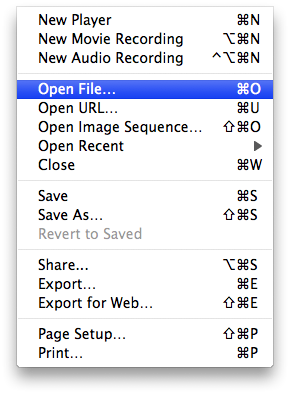
Step Three
Select your video using the file finder dialog then click the Open button
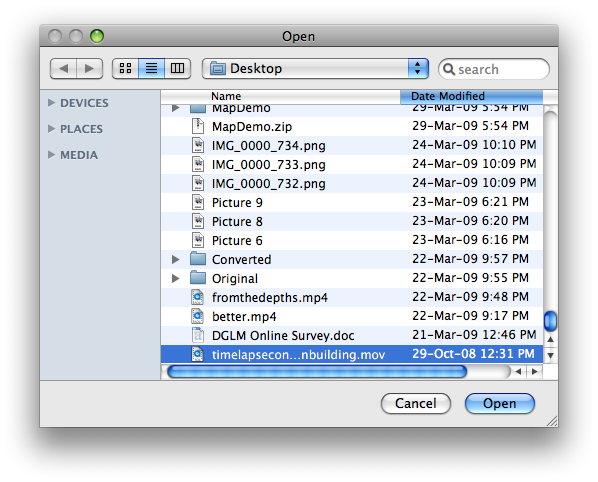
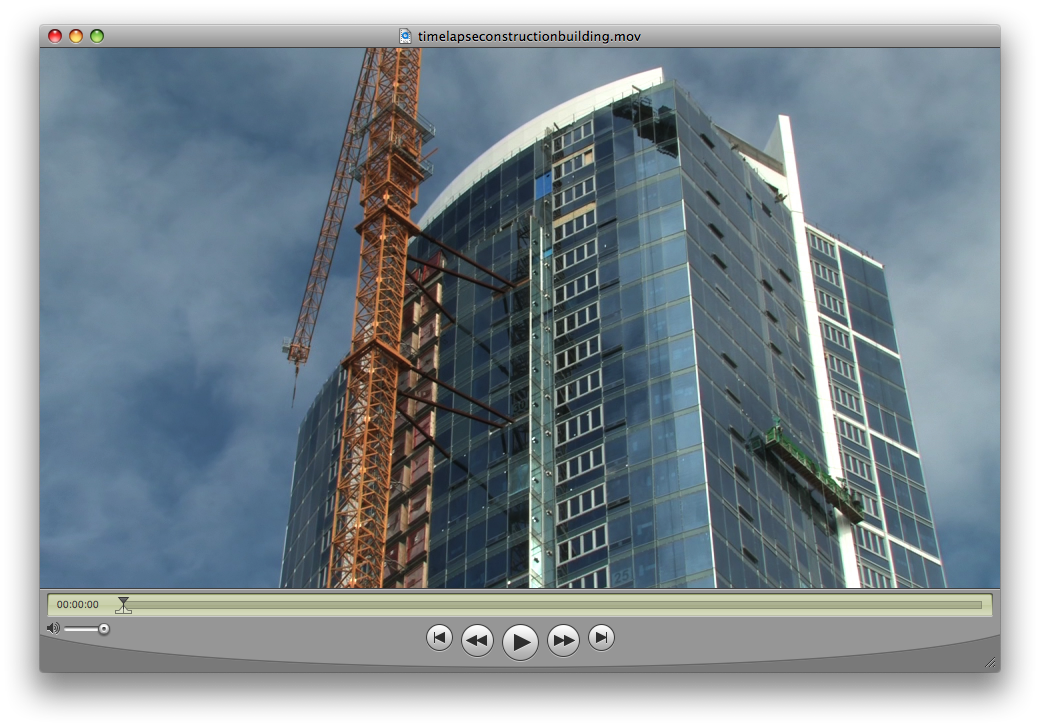
Step Four
Select Show Movie Properties from the Window Menu
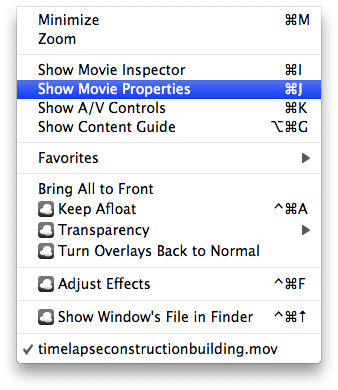
Step Five
Select Video Track from the list of tracks
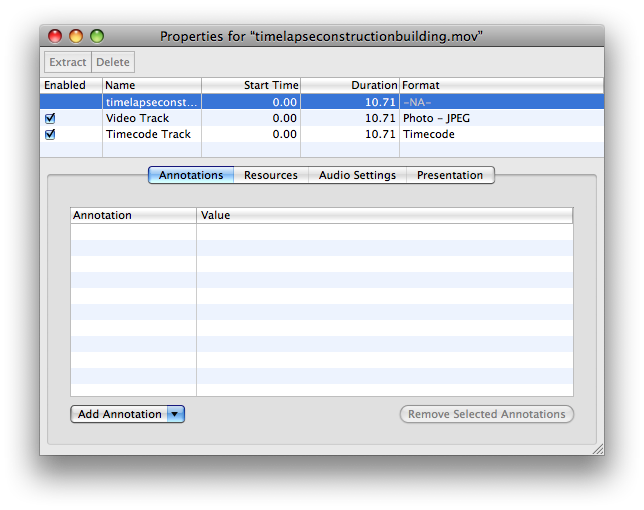
Step Six
Click one of the rotate icons that appears below

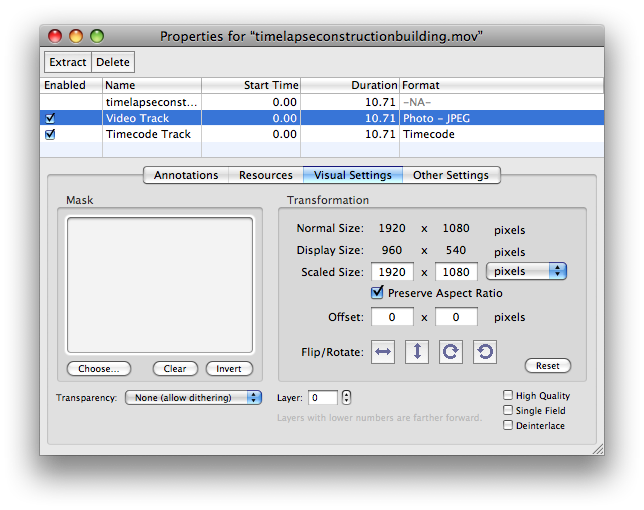
Step Seven
Notice your video clip has now been rotated...
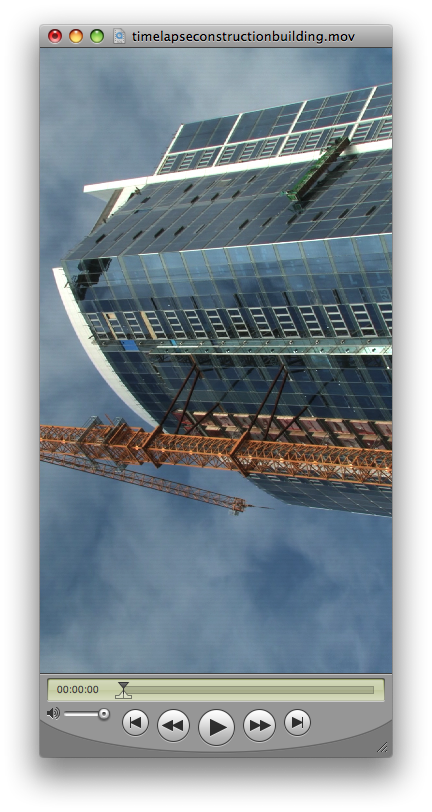
Step Eight
Select Save As from the File Menu.
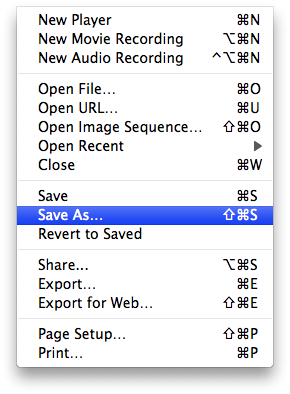
Step Nine
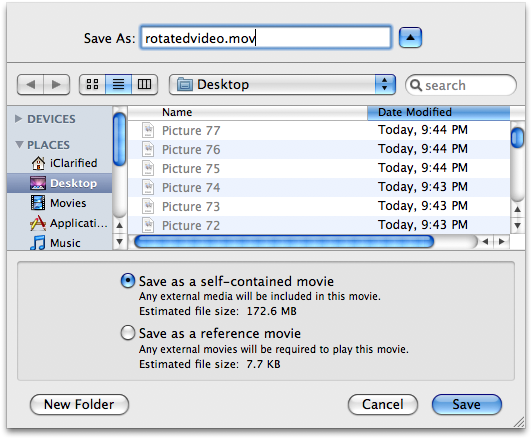
Make sure Save as a self-contained movie is selected, enter a name for the rotated clip and click the Save button.
Step One
Launch QuickTime by clicking its icon in the dock or from Applications:Utilities.
Step Two
Select Open File.. from the File Menu
Step Three
Select your video using the file finder dialog then click the Open button
Step Four
Select Show Movie Properties from the Window Menu
Step Five
Select Video Track from the list of tracks
Step Six
Click one of the rotate icons that appears below
Step Seven
Notice your video clip has now been rotated...
Step Eight
Select Save As from the File Menu.
Step Nine
Make sure Save as a self-contained movie is selected, enter a name for the rotated clip and click the Save button.


![Apple Debuts 'Matchbox The Movie' Trailer Starring John Cena and Jessica Biel [Video]](/images/news/101593/101593/101593-160.jpg "Apple Debuts 'Matchbox The Movie' Trailer Starring John Cena and Jessica Biel [Video]")
![Apple Watch Series 12, Ultra 4 Enter Late Testing Ahead of Launch [Report]](/images/news/101590/101590/101590-160.jpg "Apple Watch Series 12, Ultra 4 Enter Late Testing Ahead of Launch [Report]")
![Apple Shares First 'Neuromancer' Teaser, Sets January 22, 2027 Premiere [Video]](/images/news/101588/101588/101588-160.jpg "Apple Shares First 'Neuromancer' Teaser, Sets January 22, 2027 Premiere [Video]")
![Apple Smart Glasses Now Targeted for WWDC 2027 Reveal [Report]](/images/news/101587/101587/101587-160.jpg "Apple Smart Glasses Now Targeted for WWDC 2027 Reveal [Report]")
![Apple TV Shares 'Dark Matter' Season 2 Trailer [Video]](/images/news/101584/101584/101584-160.jpg "Apple TV Shares 'Dark Matter' Season 2 Trailer [Video]")