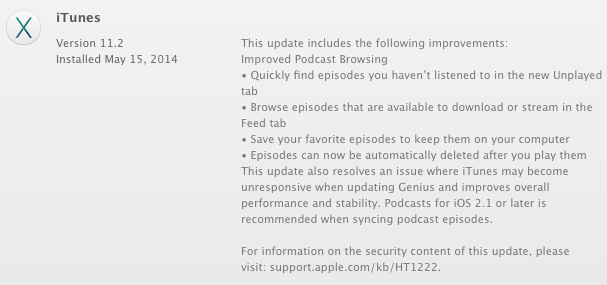
Apple has released an update for iTunes that brings improvements to its podcast browsing system. Specifically, you can quickly find episodes you haven't listened to in the new unplayed tab. You can also browse episodes that are available to download or stream in the feed tab. Finally, you can save your favorite episodes to keep them on your computer and opt to have them automatically deleted after you play them. Improved Podcast Browsing ● Quickly find episodes you haven't listened to in the new Unplayed tab ● Browse episodes that are available to download or stream in the Feed tab ● Save your favorite episodes to keep them on your computer ● Episodes can now be automatically deleted after you play them
This update also resolves an issue where iTunes may become unresponsive when updating Genius and improves overall performance and stability. Podcasts for iOS 2.1 or later is recommended when syncing podcast episodes.
For information on the security content of this update, please visit: https://support.apple.com/en-us/100100
iTunes 11.2 also brings bug fixes that help improve system stability.
You can download the update through software update on the Mac App Store.
Get the iClarified Daily Newsletter
Apple news, rumors, tutorials, price drop alerts, in your inbox every evening, free.
Unsubscribe at any time.
Success!
You have been subscribed.
Add Comment
Would you like to be notified when someone replies or adds a new comment?
Yes (All Threads)
Yes (This Thread Only)
No
Notifications
Would you like to be notified when we post a new Apple news article or tutorial?
Yes
No
Comments (4)
Comments are closed for this article.
0
greentur - May 16, 2014 at 5:11pm
Thevmaxer, don't. It will take away your jailbreak.
0
thevmaxer - May 16, 2014 at 12:11pm
Is it safe to update to iTunes 11.2 with a jailbroken iPhone?
0
gamerscul9870 - May 16, 2014 at 2:04pm
Always
0
MUKAI - May 15, 2014 at 8:28pm
Hopefully this update or "bug fixes" fix the music syncing problem where it gets stuck on waiting for changes to apply. Then nothing syncs. I really hate Apple for doing this. Ever since I got my 5S I've been having this problem.







![Beats 360 Headphones Debut With Swappable Cushions, IPX4 Rating for $349.99 [Video]](/images/news/102342/102342/102342-160.jpg "Beats 360 Headphones Debut With Swappable Cushions, IPX4 Rating for $349.99 [Video]")







![13-Inch M5 MacBook Air With 1TB Drops to $1,449 on Amazon [Deal]](/images/news/102345/102345/102345-160.jpg "13-Inch M5 MacBook Air With 1TB Drops to $1,449 on Amazon [Deal]")




