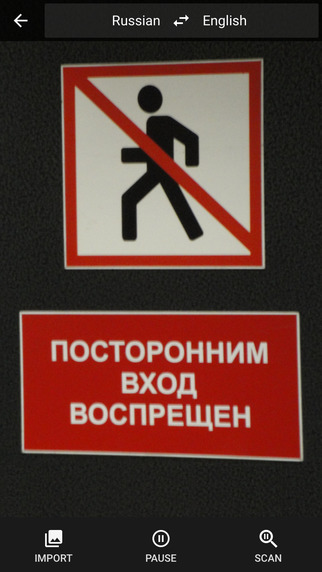
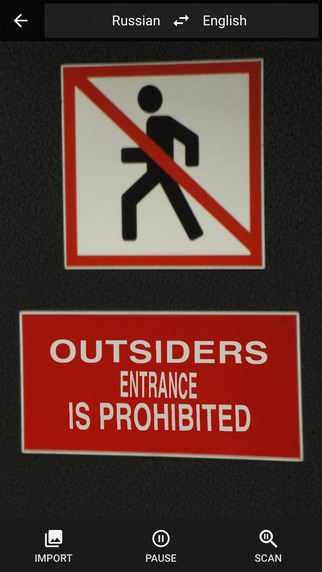
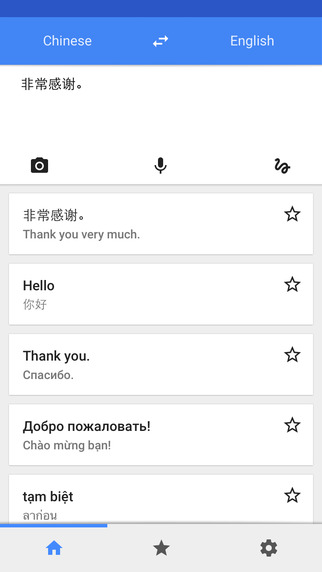
Google has released an updated version of its Google Translate app for iOS that brings Word Lens, Camera Mode, and automatic language detection in speech/conversation mode.
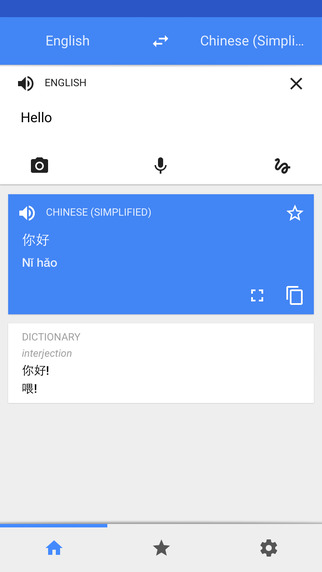
Features: • Translate 90 languages • Converse naturally and let Google translate • Translate with your voice, camera, keyboard or handwriting • Star your favorite translations for quick access even when you’re offline • View dictionary results for single words or phrases
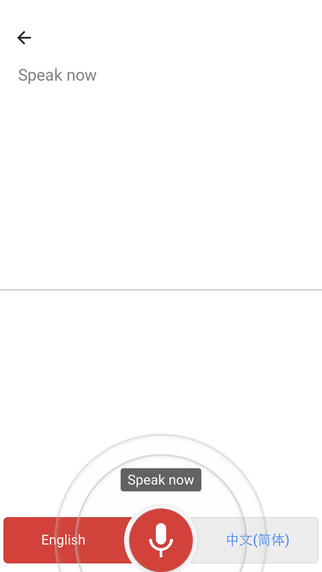
What's New In This Version: • Word Lens: Just point your camera to a sign or text and the Translate app will instantly translate the text, even without Internet/data connection. Currently available in: English ↔ French, English ↔ German, English ↔ Italian, English ↔ Portuguese, English ↔ Russian, English ↔ Spanish. • Camera Mode: Snap a photo, highlight the text, and get a translation. Currently available in 36 languages. • Automatic language detection in speech/conversation mode - start translating with speech input and Translate will recognize which of the two languages is being spoken, allowing you to have a more fluid conversation with another person.
You can download Google Translate from the App Store for free.
Apple news, rumors, tutorials, price drop alerts, in your inbox every evening, free.
Unsubscribe at any time.
Success!
You have been subscribed.
Add Comment
Would you like to be notified when someone replies or adds a new comment?
Yes (All Threads)
Yes (This Thread Only)
No
Notifications
Would you like to be notified when we post a new Apple news article or tutorial?
Yes
No
Comments (5)
Comments are closed for this article.
0
DrMSW - January 30, 2016 at 4:13am
Please add point-n-translate for HEBREW as soon as possible.
0
Wellington Pinho - January 15, 2015 at 3:11pm
Translation from English into Portuguese is very bad.
0
NoGoodNick - January 15, 2015 at 7:36am
That's great. I often have things I find on the Internet (images) that I want translated, but I don't know or have the proper keyboards to type them. Even for surfing the web, this will be a big leap forward (hint: don't tell me if the functionality was already there and I just didn't realize it).










![How To Change Wallpaper on Mac [Video]](/images/tutorials/90512/90512/90512-160.jpg "How To Change Wallpaper on Mac [Video]")
![How To Turn Off Always On Display on iPhone [Video]](/images/tutorials/87524/87524/87524-160.jpg "How To Turn Off Always On Display on iPhone [Video]")





![16-Inch M5 Max MacBook Pro Drops $900 to New Low of $3,499 [Deal]](/images/news/102438/102438/102438-160.jpg "16-Inch M5 Max MacBook Pro Drops $900 to New Low of $3,499 [Deal]")
![Magic Keyboard for iPad Air Drops to $200 on Amazon [Deal]](/images/news/102402/102402/102402-160.jpg "Magic Keyboard for iPad Air Drops to $200 on Amazon [Deal]")
