
![How To Turn Off Always On Display on iPhone [Video]](/images/tutorials/87524/422818/422818-64.png "How To Turn Off Always On Display on iPhone [Video]")
Always On Display keeps a dimmed version of your Lock Screen visible after you lock your iPhone, so the time, your widgets and your notifications stay in view. Apple turns it on by default. If you would rather the screen go dark when you lock it, you can turn Always On Display off in Settings, or keep it and hide the wallpaper or notifications instead.
We tested this on an iPhone 18 Pro Max running iOS 27.
Stop Your iPhone Screen From Staying On When Locked
Step One: Open Display & Brightness
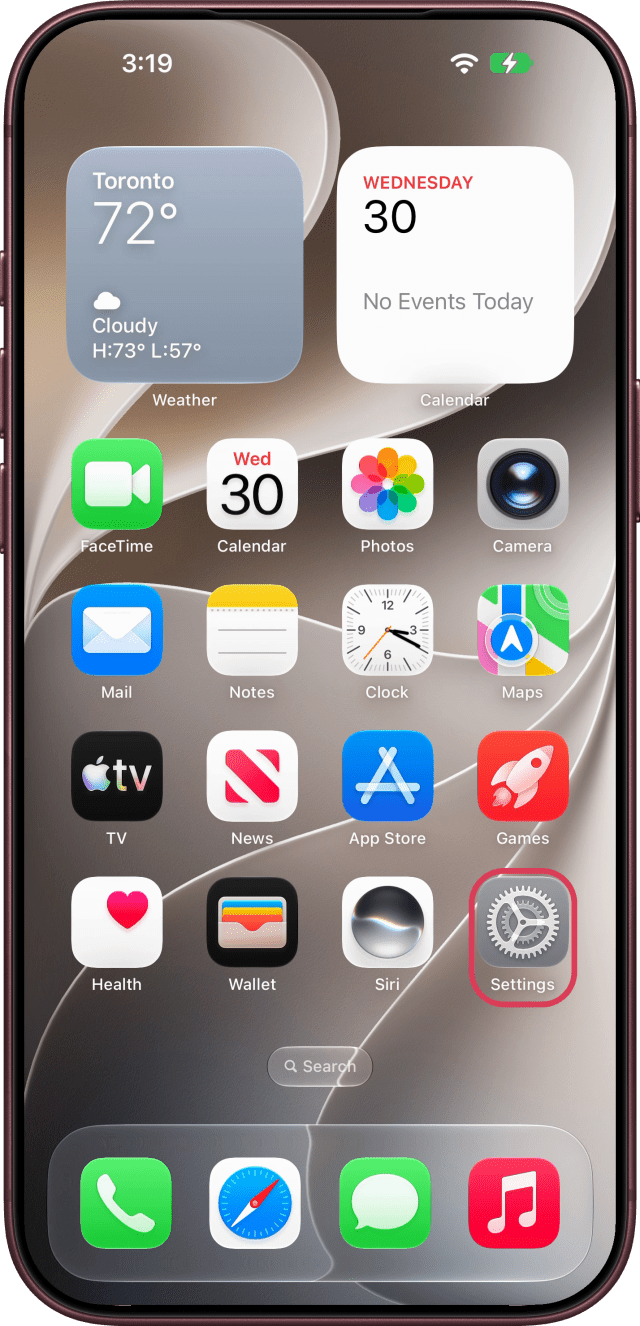
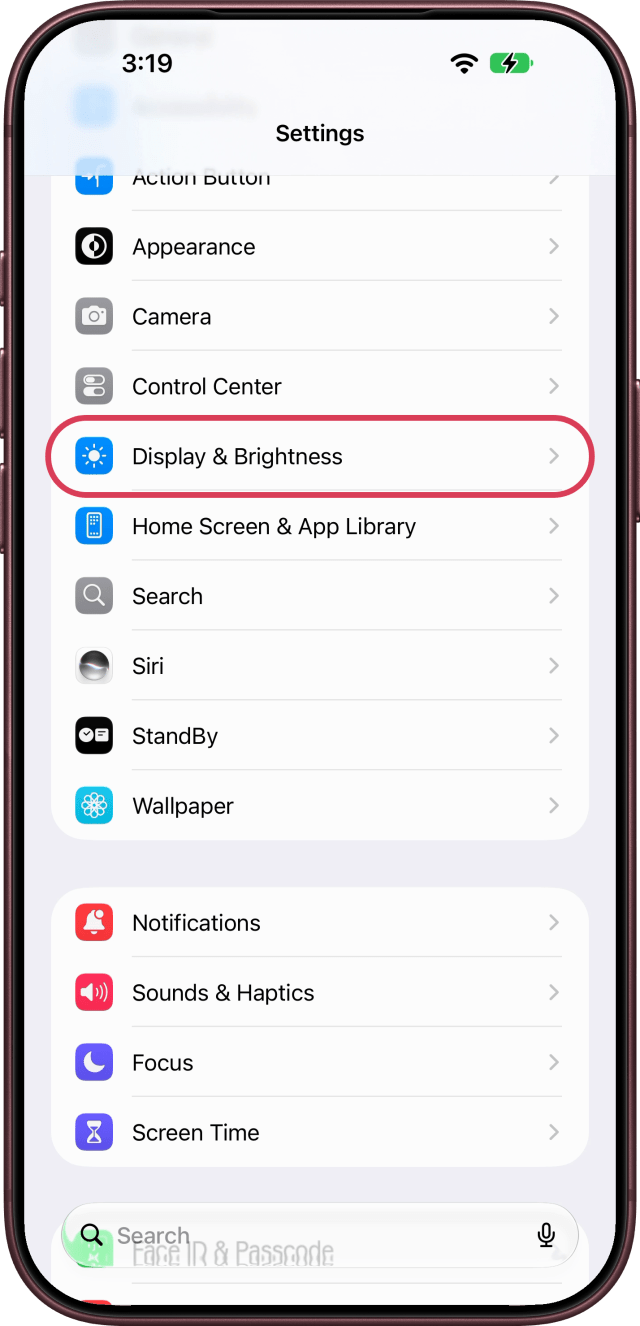
Open the Settings app, scroll down and tap Display & Brightness.
Step Two: Tap Always On Display
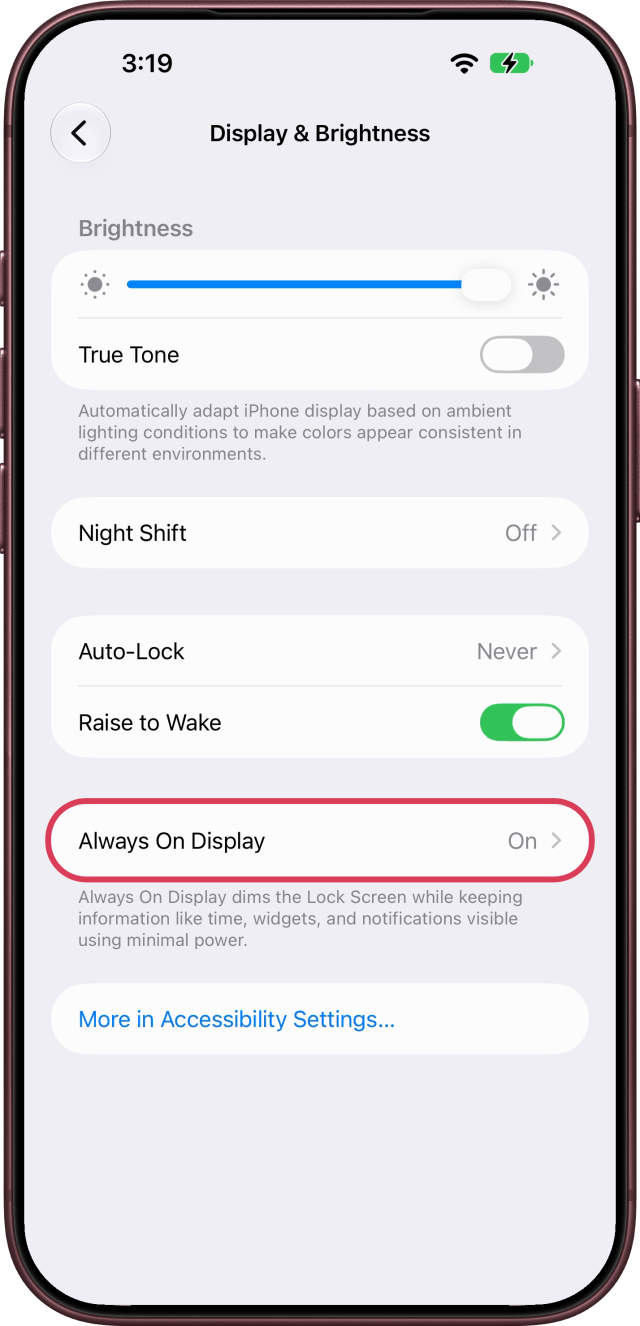
Tap Always On Display. While the feature is on, the row reads On.
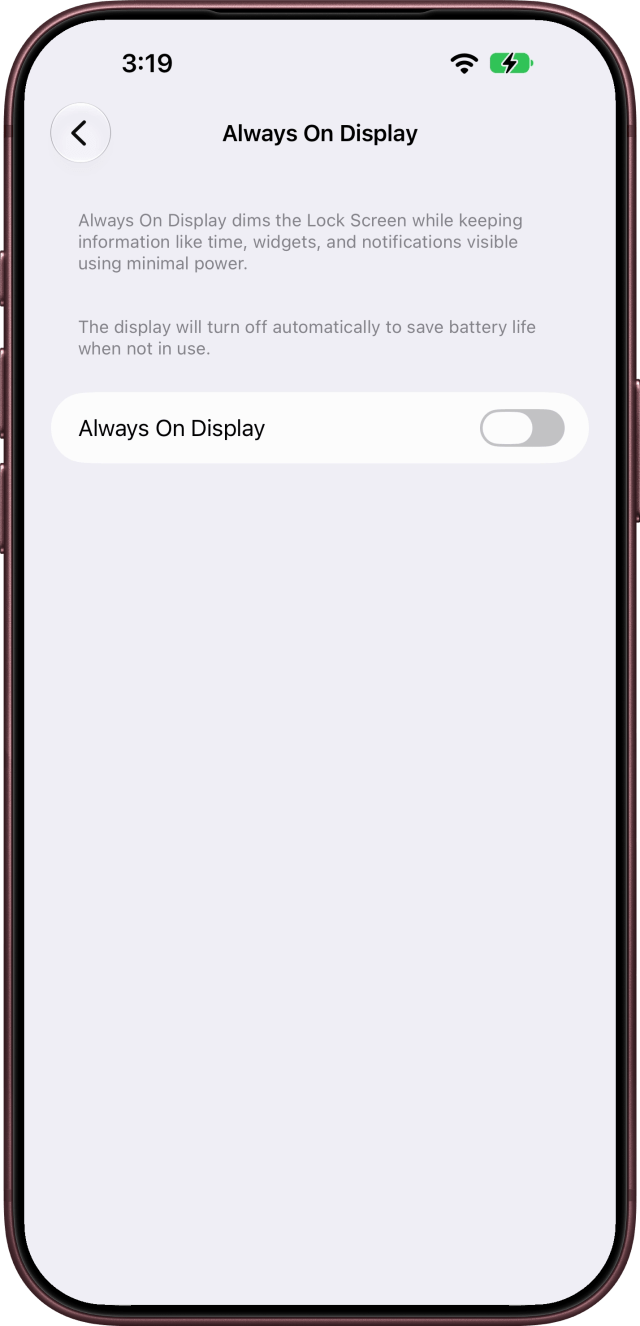
Step Three: Turn Off Always On Display
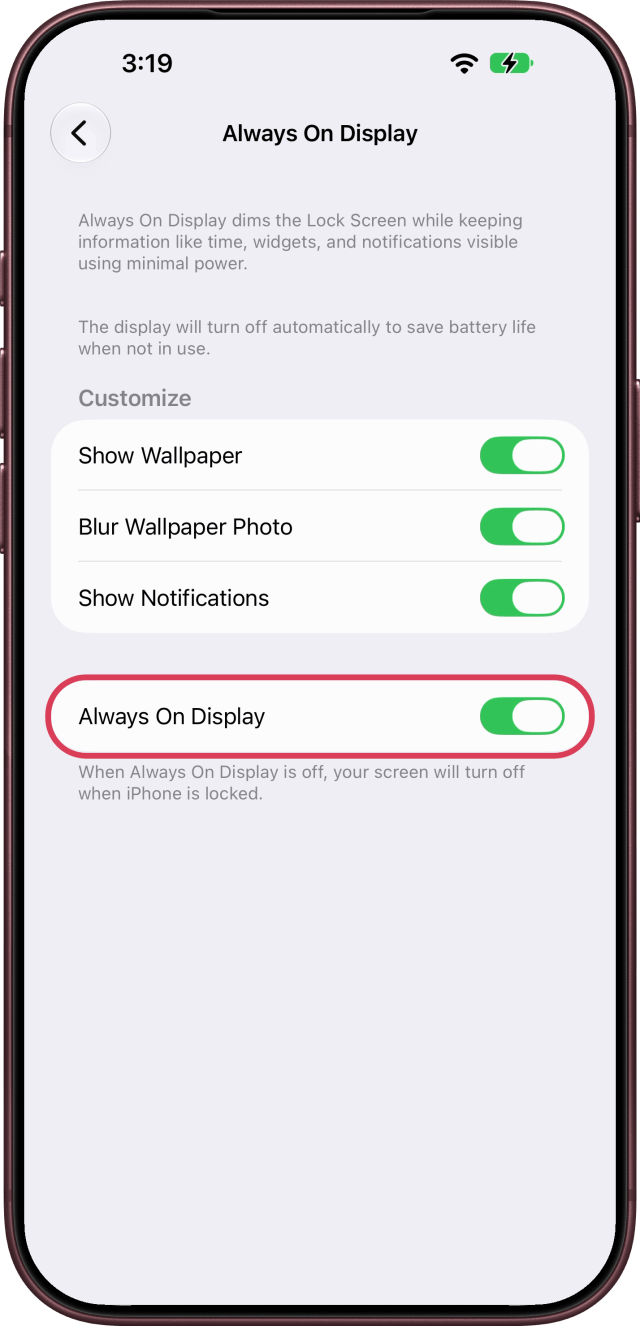
Turn off the Always On Display switch. The Customize options disappear, and as Apple's note on that screen puts it, "When Always On Display is off, your screen will turn off when iPhone is locked." To turn it back on, return to this screen and switch it on again.
Keep It On With Less on Screen
If you like Always On Display but not everything it shows, leave the switch on and use the switches under Customize instead: turn off Show Wallpaper, Blur Wallpaper Photo or Show Notifications.
When Your iPhone Turns It Off by Itself
Even with the setting on, Apple says the display turns off when your iPhone is face down or covered, when it is not near a paired Apple Watch, when a CarPlay session begins, while Continuity Camera is in use, while Low Power Mode or Sleep Focus is on, and at your usual bedtime.







![How To Change Wallpaper on Mac [Video]](/images/tutorials/90512/90512/90512-160.jpg "How To Change Wallpaper on Mac [Video]")
![How To Turn Off Always On Display on iPhone [Video]](/images/tutorials/87524/87524/87524-160.jpg "How To Turn Off Always On Display on iPhone [Video]")




![16-Inch M5 Max MacBook Pro Drops $900 to New Low of $3,499 [Deal]](/images/news/102438/102438/102438-160.jpg "16-Inch M5 Max MacBook Pro Drops $900 to New Low of $3,499 [Deal]")
![Magic Keyboard for iPad Air Drops to $200 on Amazon [Deal]](/images/news/102402/102402/102402-160.jpg "Magic Keyboard for iPad Air Drops to $200 on Amazon [Deal]")
![13-Inch M5 MacBook Air With 1TB Drops to $1,449 on Amazon [Deal]](/images/news/102345/102345/102345-160.jpg "13-Inch M5 MacBook Air With 1TB Drops to $1,449 on Amazon [Deal]")
