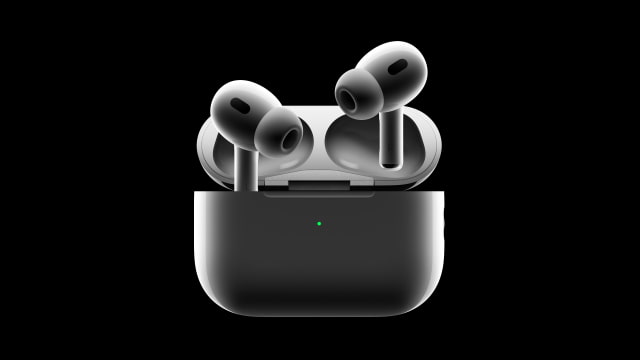
Apple has released a beta firmware update for AirPods Pro 3, AirPods Pro 2 and AirPods 4. The build number is 8B5014c.
AirPods beta firmware for Apple Developer Program members enables development of features on iOS and macOS for AirPods. It also enables debugging of issues by Apple with log collection.
It's likely this beta contains support for the new Live Translations coming in iOS 26.1. With iOS 26.1, AirPods Live Translation gains support for five new languages: Chinese (Mandarin, simplified), Chinese (Mandarin, traditional), Italian, Japanese, and Korean.
Below are instructions on how to enroll in the testing program.
Important Once installed on your AirPods, the beta software cannot be removed. Your device will continue to run this software until an updated non-beta software version is released. In the meantime, you'll automatically receive any additional beta software updates as long as you've enabled your AirPods to receive them using the installation steps below.
Supported devices The AirPods Public Beta is currently supported on these models: ● AirPods Pro 3 with MagSafe Charging Case (USB-C) ● AirPods Pro 2 with MagSafe Charging Case (USB-C) ● AirPods Pro 2 with MagSafe Charging Case (Lightning) ● AirPods 4 ● AirPods 4 with Active Noise Cancellation
Prerequisites To get the AirPods beta, you'll need a device running a beta version of: ● macOS 26 or later ● iOS 26 or later
Enroll your devices ● Turn on beta updates
● [Coming soon] For Mac computers running macOS 26 beta or later: To enable the AirPods beta, connect your AirPods to your Mac through the Bluetooth Settings. Go to System Settings > Bluetooth and select the (i) next to your AirPods. In the AirPods Settings menu, scroll down to find the "AirPods Beta Updates". Use the toggle to enable the beta software updates.
● For iPhones and iPads running iOS 26 beta or later: To enable the AirPods beta, connect your AirPods to your iOS device. Go to Settings > Bluetooth and select the (i) next to your AirPods. next to your AirPods. In the AirPods Settings menu, scroll down to find the "AirPods Beta Updates". Use the toggle to enable the beta software updates.
Provide feedback ● Optionally enable AirPods Logging The 'AirPods Analytics Data' setting generates files that allow Apple to troubleshoot issues with your AirPods device and helps Apple to improve its products and services. By default, logging is disabled. Once enabled, logging will remain enabled for 96 hours and automatically become disabled again.
● For Mac computers running macOS 26 beta or later: To enable additional logging, connect your AirPods to your Mac computer. Go to System Settings > Bluetooth and select the (i) next to your AirPods. Scroll down to find "AirPods Beta Updates" and use the 'AirPods Analytics Data' toggle to enable additional logging.
● For iPhones and iPads running iOS 26 Beta or later: To enable additional logging, connect your AirPods to your iOS device. Go to Settings >Bluetooth and select the (i) next to your AirPods. Scroll down to find "AirPods Beta Updates" and use the 'AirPods Analytics Data' toggle to enable additional logging.









![How To Change Wallpaper on Mac [Video]](/images/tutorials/90512/90512/90512-160.jpg "How To Change Wallpaper on Mac [Video]")
![How To Turn Off Always On Display on iPhone [Video]](/images/tutorials/87524/87524/87524-160.jpg "How To Turn Off Always On Display on iPhone [Video]")





![16-Inch M5 Max MacBook Pro Drops $900 to New Low of $3,499 [Deal]](/images/news/102438/102438/102438-160.jpg "16-Inch M5 Max MacBook Pro Drops $900 to New Low of $3,499 [Deal]")
![Magic Keyboard for iPad Air Drops to $200 on Amazon [Deal]](/images/news/102402/102402/102402-160.jpg "Magic Keyboard for iPad Air Drops to $200 on Amazon [Deal]")
