

Final Cut Camera 2.4 Adds Variable Aperture Control on iPhone 18 Pro
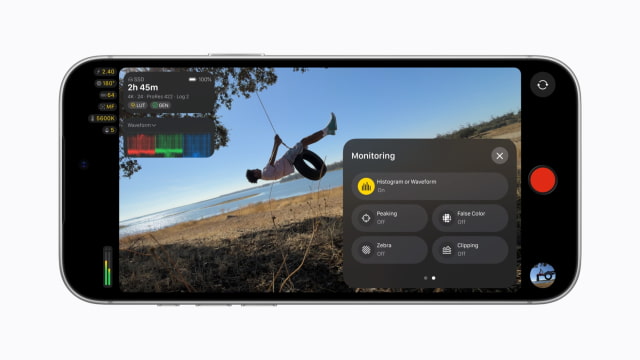
Apple has released Final Cut Camera 2.4 for iPhone, adding variable aperture control for iPhone 18 Pro and redesigning the app's filming interface. The free update also adds video monitoring and output options for devices running iOS 27.
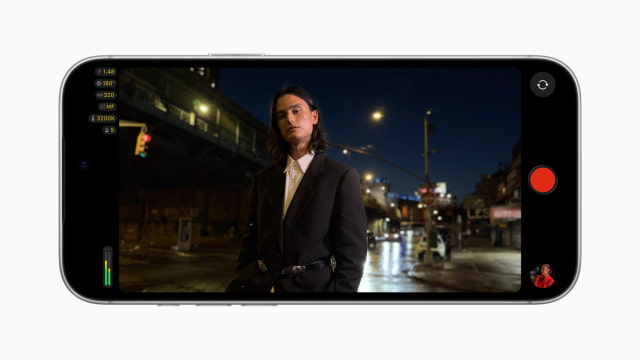
The redesigned interface puts shutter angle, ISO, and white balance closer at hand. New overlays include false color and clipping indicators for judging exposure, while focus peaking gains a sensitivity control. A tally light shows when recording is underway, and a two-finger tap clears controls from the viewfinder.
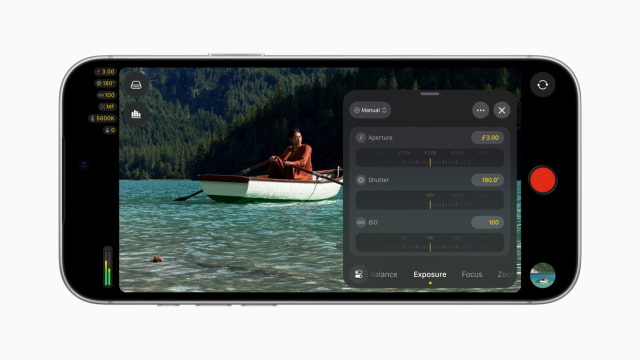
On iPhone 18 Pro, Final Cut Camera can control the Fusion Main camera's physical aperture. Filmmakers can set the opening directly or choose shutter priority or aperture priority, giving them another way to balance exposure and depth of field while recording.
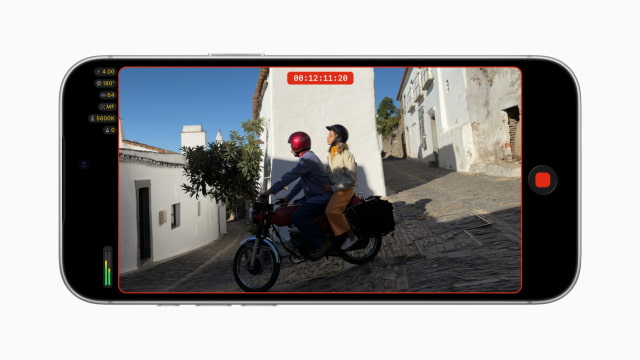
The update also enables Cinematic mode effects for regular video, including footage shot in ProRes or Apple Log. Editors can change focus points and depth of field afterward in Final Cut Pro, without having to record in the older Cinematic mode format.
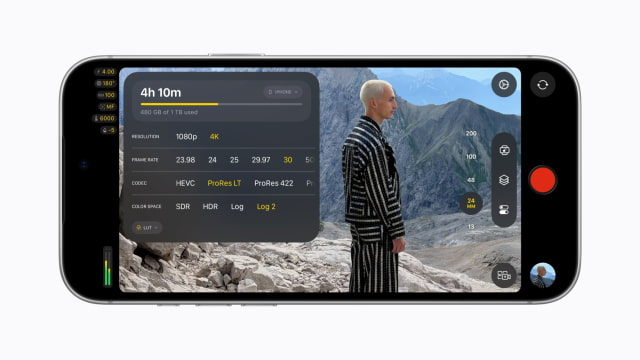
With iOS 27, Final Cut Camera adds an RGB Parade and histogram for checking color balance and exposure. Clean SDI output sends a clean signal through an HDMI-to-SDI converter for broadcast workflows. Genlock offset lets crews compensate for artifacts when filming a display or for timing differences between an iPhone and other genlocked cameras.
Final Cut Camera 2.4 is available as a free update beginning September 29. Blackmagic Camera added variable aperture control for iPhone 18 Pro earlier this month.



![Apple Debuts 'Nocturne' Trailer Ahead of October 30 Premiere [Video]](/images/news/102471/102471/102471-160.jpg "Apple Debuts 'Nocturne' Trailer Ahead of October 30 Premiere [Video]")




![How To Find Your iPhone IMEI Number [Video]](/images/tutorials/83557/83557/83557-160.jpg "How To Find Your iPhone IMEI Number [Video]")



![16-Inch M5 Max MacBook Pro Drops $900 to New Low of $3,499 [Deal]](/images/news/102438/102438/102438-160.jpg "16-Inch M5 Max MacBook Pro Drops $900 to New Low of $3,499 [Deal]")
![Magic Keyboard for iPad Air Drops to $200 on Amazon [Deal]](/images/news/102402/102402/102402-160.jpg "Magic Keyboard for iPad Air Drops to $200 on Amazon [Deal]")
![13-Inch M5 MacBook Air With 1TB Drops to $1,449 on Amazon [Deal]](/images/news/102345/102345/102345-160.jpg "13-Inch M5 MacBook Air With 1TB Drops to $1,449 on Amazon [Deal]")

