How to Enable the Mac App Store's Hidden Debug Menu
Posted January 10, 2011 at 3:15pm by
Shalom Levytam
These are instructions on how to enable the Mac App Store's hidden debug menu.
Step One
Launch Terminal from your Applications:Utilities folder.
Step Two
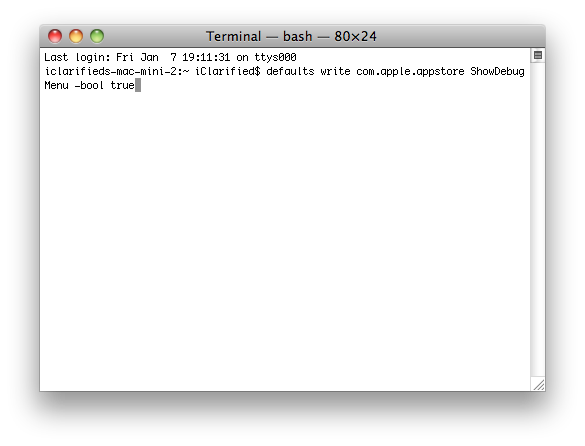
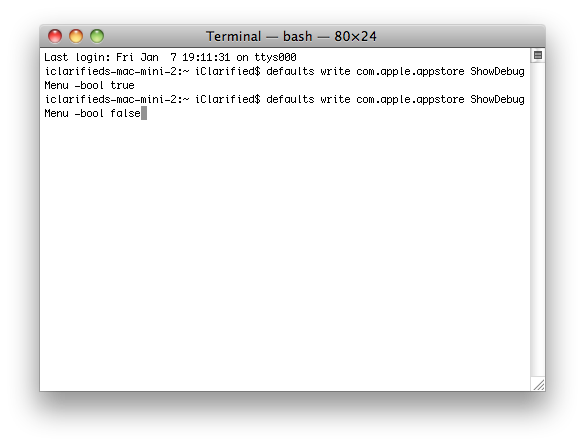
Input the following command:
defaults write com.apple.appstore ShowDebugMenu -bool true
Step Three
Launch the Mac App Store from your dock.

Step Four
Notice the new Debug menu.
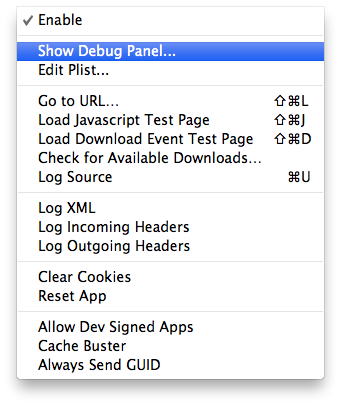
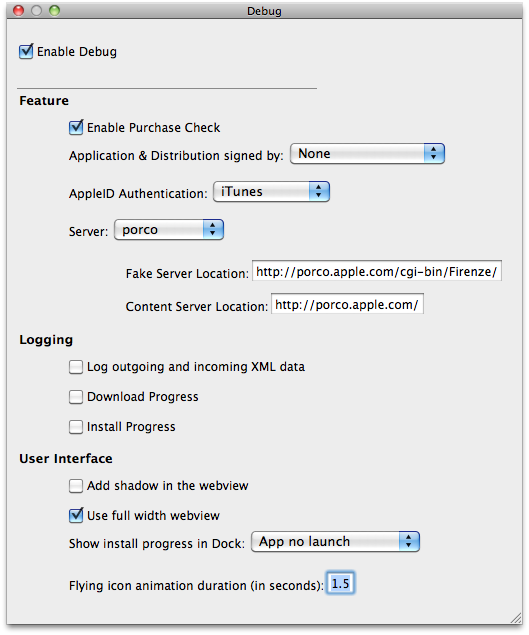
Click Show Debug Panel... from the Debu Menu to see more hidden debug features.
Step Five
To remove the Debug menu simply return to terminal and input:
defaults write com.apple.appstore ShowDebugMenu -bool false
[via MacStories]
Step One
Launch Terminal from your Applications:Utilities folder.
Step Two
Input the following command:
defaults write com.apple.appstore ShowDebugMenu -bool true
Step Three
Launch the Mac App Store from your dock.
Step Four
Notice the new Debug menu.
Click Show Debug Panel... from the Debu Menu to see more hidden debug features.
Step Five
To remove the Debug menu simply return to terminal and input:
defaults write com.apple.appstore ShowDebugMenu -bool false
[via MacStories]