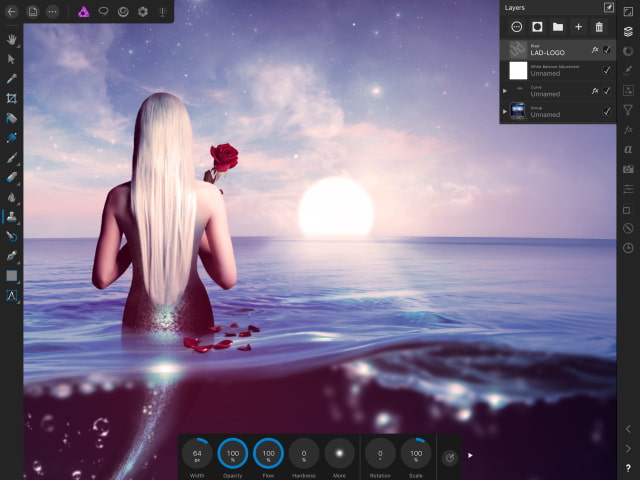
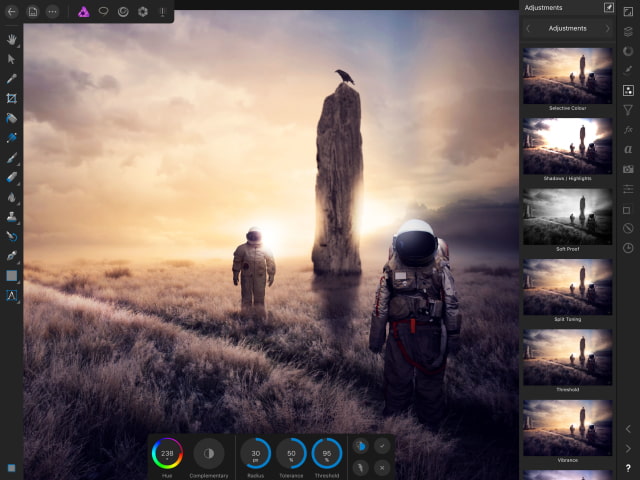
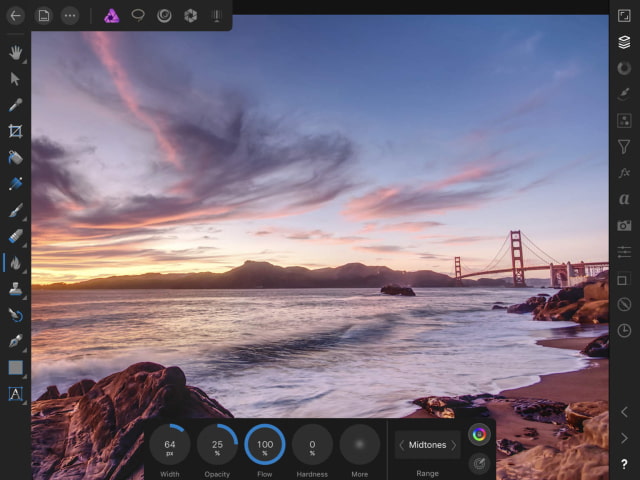
Affinity Photo has received a big update with native resolution support for the 10.5-inch iPad Pro, Portrait Mode, a new Photos chooser, and much more.
Affinity Photo is the first fully featured, truly professional photo editing tool for iPad - built from exactly the same back-end as our award-winning desktop version and fully optimised to harness the power of iPad’s hardware and touch capabilities.
What's New in Version 1.6.3 - Native resolution support for 10.5-inch iPad Pro - Portrait mode implementation - New chooser for Photos - supports multi selection, indicates RAW - Improve performance with complicated documents - Improved brush performance - Canvas rotation will snap to 90 degree increments if within 5 degrees - Improved RAW metadata support and reliability - Further HDR stability improvements - Improved pencil / gestures support - Undo / redo buttons available in full-screen mode - Support pasting of images from other applications - Ability to duplicate open documents from the home screen - Panoramas can now be created from RAW files - HDR Merge can now be performed on RAW files - Panorama stability improvements - Can now choose font face - not just family - Inpainting improvements and stability fixes - Improved iCloud folder support - Improved performance in documents with lots of masks / adjustments - Ability to turn off spelling red underlines - Pixel tool improvements - erase and other alternate modes - Preference option to limit touch to gestures - Improved layers studio - you can now see / select unto 2 masks / adjustments without expanding a layer - More tutorials! - Localisation improvements - Numerous other improvements and fixes
You can purchase Affinity Photo from the App Store for $19.99.
Get the iClarified Daily Newsletter
Apple news, rumors, tutorials, price drop alerts, in your inbox every evening, free.
Unsubscribe at any time.
Success!
You have been subscribed.
Add Comment
Would you like to be notified when someone replies or adds a new comment?
Yes (All Threads)
Yes (This Thread Only)
No
Notifications
Would you like to be notified when we post a new Apple news article or tutorial?





![Apple Releases visionOS 27.0.1 for Apple Vision Pro [Download]](/images/news/102459/102459/102459-160.jpg "Apple Releases visionOS 27.0.1 for Apple Vision Pro [Download]")
![Boot Speed Test: iPhone 18 Pro Max vs iPhone 17 Pro Max vs iPhone 16 Pro Max [Video]](/images/news/102462/102462/102462-160.jpg "Boot Speed Test: iPhone 18 Pro Max vs iPhone 17 Pro Max vs iPhone 16 Pro Max [Video]")
![Apple Releases macOS Golden Gate 27.0.1, Tahoe 26.7.1, and Sequoia 15.8.1 [Download]](/images/news/102456/102456/102456-160.jpg "Apple Releases macOS Golden Gate 27.0.1, Tahoe 26.7.1, and Sequoia 15.8.1 [Download]")
![Apple Releases iOS 27.0.1, iPadOS 27.0.1, and 26.7.1 Updates [Download]](/images/news/102453/102453/102453-160.jpg "Apple Releases iOS 27.0.1, iPadOS 27.0.1, and 26.7.1 Updates [Download]")


![How To Find Your iPhone IMEI Number [Video]](/images/tutorials/83557/83557/83557-160.jpg "How To Find Your iPhone IMEI Number [Video]")



![16-Inch M5 Max MacBook Pro Drops $900 to New Low of $3,499 [Deal]](/images/news/102438/102438/102438-160.jpg "16-Inch M5 Max MacBook Pro Drops $900 to New Low of $3,499 [Deal]")
![Magic Keyboard for iPad Air Drops to $200 on Amazon [Deal]](/images/news/102402/102402/102402-160.jpg "Magic Keyboard for iPad Air Drops to $200 on Amazon [Deal]")
![13-Inch M5 MacBook Air With 1TB Drops to $1,449 on Amazon [Deal]](/images/news/102345/102345/102345-160.jpg "13-Inch M5 MacBook Air With 1TB Drops to $1,449 on Amazon [Deal]")

