HomeView Review Roundup: Strong Hardware, Mixed Verdicts on Siri [Video]
The first HomeView reviews praise Apple's compact smart display, but the verdicts on its software are far less settled. Some reviewers are ready to make it a fixture in their kitchens. Others found Siri AI unreliable, apps too limited, or the need to keep an iPhone nearby frustrating.
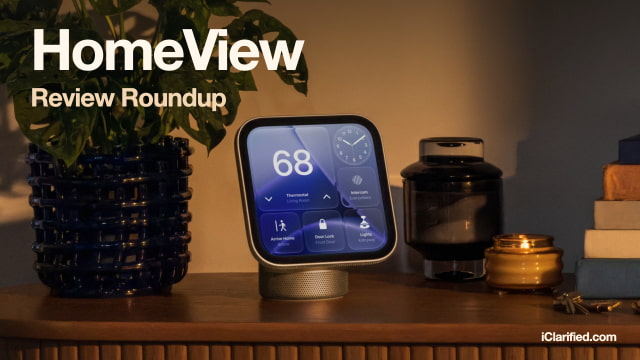
Apple's $299 HomeView arrives Friday, November 13, in tabletop and wall-mounted versions. The tabletop model is available to pre-order on Amazon. Wall mounts are sold separately.
Engadget
Billy Steele came away enthusiastic about how much HomeView can do for an iPhone household. In a conversation about visiting North Carolina lighthouses, Siri handled follow-up questions, checked his calendar, and worked out driving times. He found it "more natural and conversational" than his previous experiences with Siri, although a request for nearby hotels stumped it.
Cooking was another highlight. Safari's recipe view broke instructions into steps with timers, but some recipes arrived as one long block of text instead. Steele also liked the tabletop model's punchy bass and clear vocals, placing its sound between the HomePod mini and the larger HomePod.
Six Colors
Jason Snell has already retired his Google smart display, and HomeView is taking its place: "It's here to stay, at least in my kitchen." The family photos, responsive screen, and easy transfers of music and webpages from his iPhone make it useful every day.
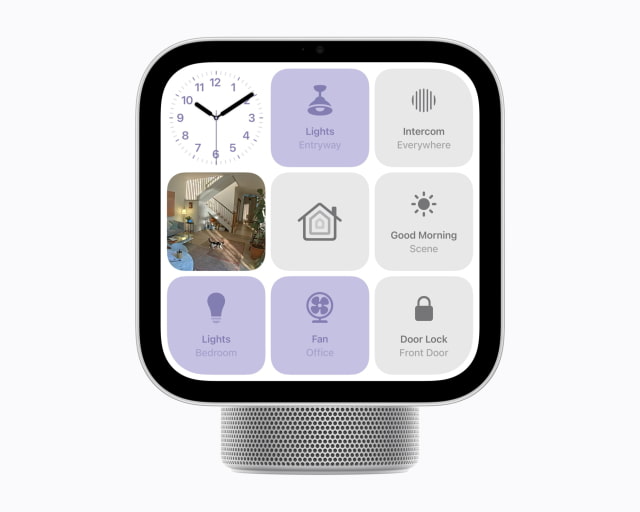
His frustrations are mostly with software. The Home Modular face could switch a light on, but dimming required opening the Home app. His recipes were stuck in Mela, which wasn't available on HomeView. Siri also kept sending music requests to an unrelated audio app until he deleted it. Snell likes the hardware enough to keep using it, while hoping Apple makes the interface more flexible and the apps more reliable.

CNET
Ajay Kumar's experience depended heavily on which accessories he tried to connect. HomeView imported his Hue hub and roughly 18 lights with their existing settings, giving him convenient controls at his desk. A Lockin smart lock and Eufy devices were another story: connection attempts failed even though he expected them to work. Apple was still investigating when he wrote the review.
He liked the vivid screen and room-filling sound, but wanted a larger display for the living room. Calendar entries and camera feeds that were comfortable to view at his desk became harder to read from farther away.
ZDNET
Maria Diaz had one of the most positive experiences with Siri AI. It handled a request to close the living room blinds, turn off bedroom lights, and turn on the TV. Facial recognition also correctly identified her and her husband throughout her testing, bringing up their own apps and information.
"I've fallen in love with the Apple HomeView," she writes. Her hesitation is the $299 price and the commitment to Apple's ecosystem, rather than whether she found the device useful.
Consumer Reports
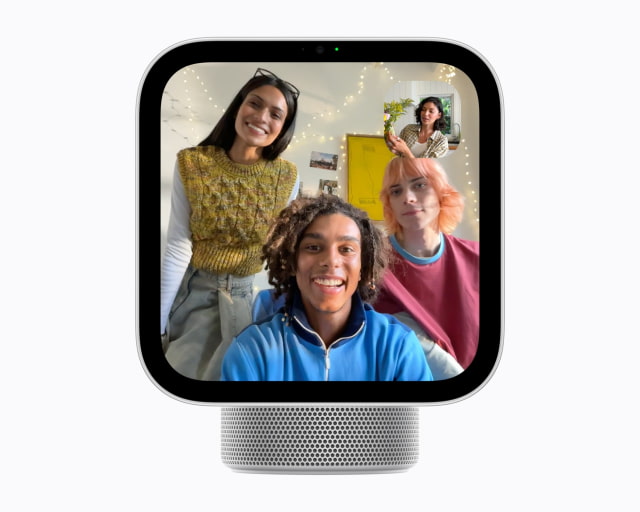
Daniel Wroclawski wanted his children to use HomeView to FaceTime their grandparents. Because they don't have their own iPhones or iPads, a parent had to start each call with a paired device nearby. That made it less useful as a shared family phone than he had hoped.
The dependence on an iPhone also interrupted music: his family couldn't leave SiriusXM playing for their dog after taking the paired phone out of the house. Wroclawski praised the responsive touchscreen, quick home controls, and photo display without ads, but wants more of HomeView to work independently.
Tom's Guide
Mike Prospero was much less convinced. In side-by-side tests, Alexa+ walked him through ordering a pizza and booking an Uber, while Siri could only offer to call the restaurant or open the Uber app. Several widgets also led to messages saying the corresponding app was only available on iPhone.
Siri did have a useful answer when he asked what time his neighbors were having people over: it found the invitation in his messages, including the time and plans for drinks and marshmallows. Live doorbell video appeared almost instantly, too. Those successes weren't enough to offset the missing apps and assistant capabilities for him.
The Verge
Jennifer Pattison Tuohy found HomeView excellent for quick light controls, camera feeds, and guided cooking. Switching between family members raised a privacy concern, though: she could sometimes read her daughter's messages after her daughter stepped away, or while she remained visible elsewhere in the room. They tested this with her daughter's consent.
She still considers it a strong choice for Apple households, especially for home control, but wants better privacy controls and more reliable Siri responses.
Pre-Orders and Buying Advice
You can pre-order HomeView on Amazon ahead of Friday's release. If you're deciding where it would fit in your home, our 20 things to know before buying HomeView covers setup, apps, Siri requirements, and the two models. Our HomeView vs. Echo Show comparison takes a closer look at the differences between Apple and Amazon's displays.