

How to Disable Automatic Software Updates on Your Apple TV
Posted December 26, 2017 at 6:27pm by
Shalom Levytam
These are instructions on how to disable automatic software updates on your Apple TV 4 or Apple TV 4K running tvOS.
Step One
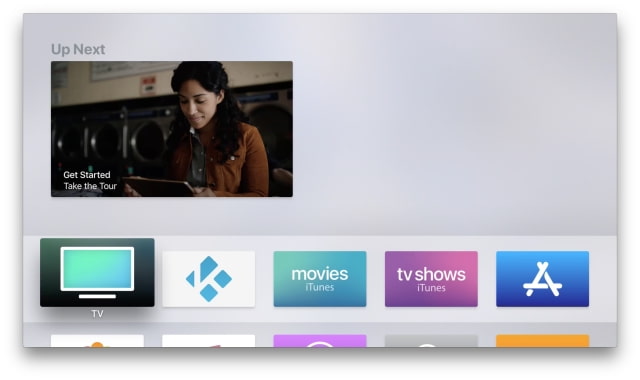
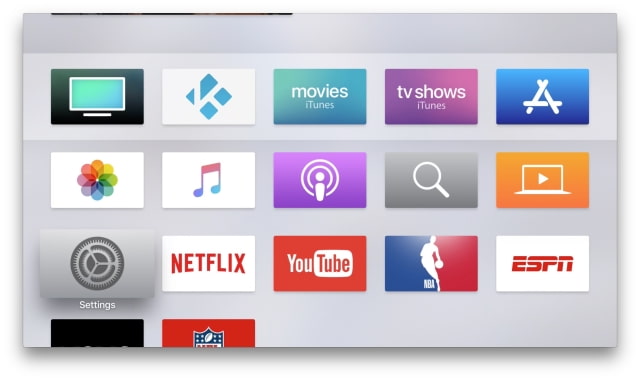
Choose Settings from the Home screen.
Step Two
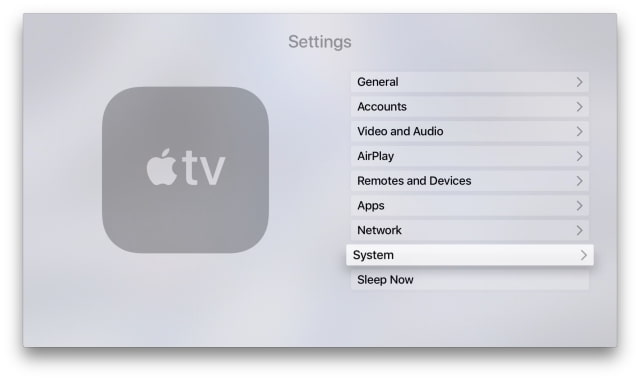
Select System from the Settings menu.
Step Three
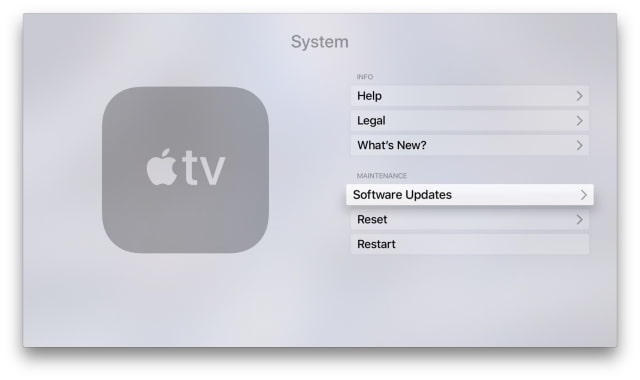
Choose Software Updates from the System menu.
Step Four
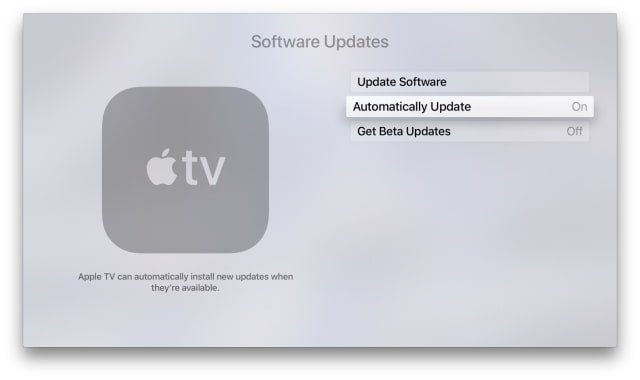
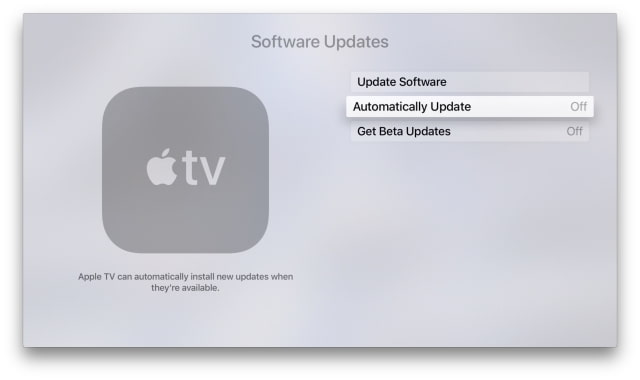
Toggle the Automatically Update option from the On position to the Off position.
Step One
Choose Settings from the Home screen.
Step Two
Select System from the Settings menu.
Step Three
Choose Software Updates from the System menu.
Step Four
Toggle the Automatically Update option from the On position to the Off position.




![Apple Releases Official Trailer for 'Where's Wanda?' Season 2 [Video]](/images/news/102360/102360/102360-160.jpg "Apple Releases Official Trailer for 'Where's Wanda?' Season 2 [Video]")







![13-Inch M5 MacBook Air With 1TB Drops to $1,449 on Amazon [Deal]](/images/news/102345/102345/102345-160.jpg "13-Inch M5 MacBook Air With 1TB Drops to $1,449 on Amazon [Deal]")




