MacBook Pro PROLED XDR Review Roundup: OLED Impresses, Touch Divides [Video]
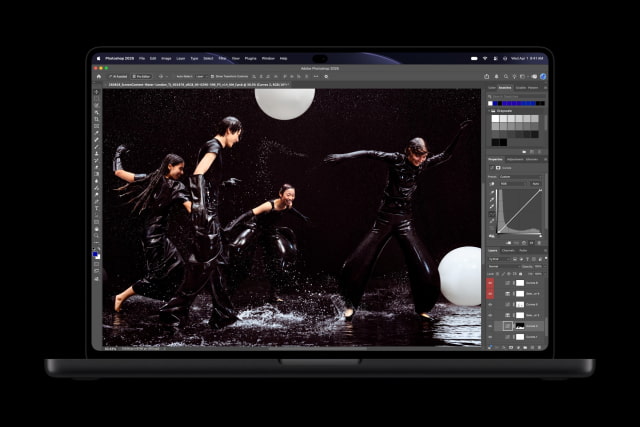
The first reviews of Apple's MacBook Pro with PROLED XDR Display are in, and its OLED screen is getting more praise than its touch controls. Reviewers welcome the richer picture and lighter design, while opinions differ on how often they actually want to reach up and tap the display.
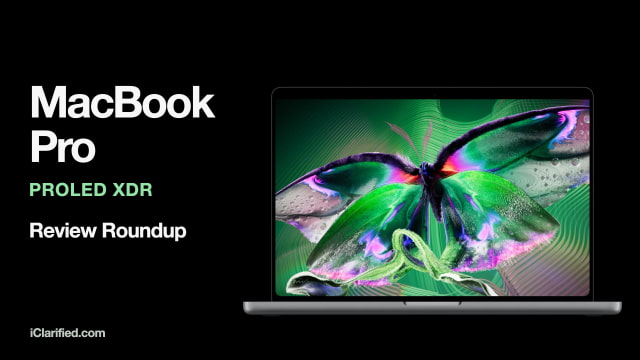
The new models arrive Friday, November 6, with starting prices of $2,899 for the 14-inch and $3,399 for the 16-inch. Amazon is taking pre-orders for both the 14-inch MacBook Pro and 16-inch MacBook Pro. They use the same M5 Pro and M5 Max chips as the standard models, with a $400 premium for a matching OLED configuration.
Bloomberg
Chris Welch found the weight reduction immediately noticeable on his commute. His 16-inch M5 Max review unit weighs 4.1 pounds, down from 4.7 pounds for the non-touch model. "I wouldn't want to go back," he writes.
Touch came in handy for Lightroom adjustments and iPhone Mirroring, although the trackpad remained his main way of using the Mac. His biggest complaint was the speakers: the extra bass worked well for movies, but made music, podcasts, and YouTube videos sound too boomy. He would like a setting to turn it down.
The Verge
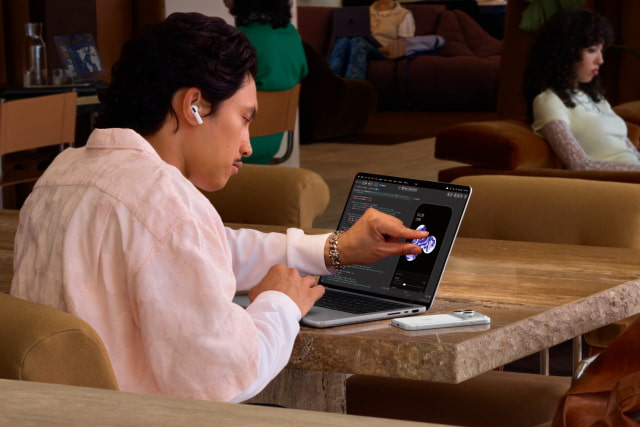
David Pierce describes the update as "a bunch of new upgrades but no new problems." Testing the 14-inch M5 Pro model, he found himself touching the screen only a few times a day, usually to zoom into a photo, pause a video, or show someone something onscreen.
That was enough to make touch useful, even without turning the Mac into a touch-first computer. Some games did not respond properly to taps, and the lack of Apple Pencil support limits drawing. Pierce still considers the $400 upgrade worthwhile for the display and lighter body alone.
PCMag
Joe Osborne calls this the "most improved MacBook Pro in years" and gives the 16-inch model an Editors' Choice award. He was especially impressed that Apple reduced the weight without removing any ports, while the OLED display made the laptop more useful for color-critical work away from a desk.
Its M5 Max review unit also edged ahead of the earlier M5 Max model in several benchmarks, though some results were within the margin of error. The cooling fans could become distractingly loud during sustained heavy work.
PetaPixel
PetaPixel calls the panel the "best display I've ever tested, full stop." In its Photography (P3-D65) preset, the review measured an average Delta E of 1.08, indicating very small color errors, and found excellent consistency across its 9-by-5 grid of uniformity measurements.
The reviewer would skip nano-texture glass this time. Comparing the two finishes head-on revealed no obvious contrast difference, but the matte option lost a little contrast when viewed from an angle. The standard glass already controlled reflections well enough for the reviewer's needs.
Fstoppers
For Alex Cooke, the benefit showed up while editing dark photographs. He could distinguish shadow tones that previously required checking a histogram, making it easier to judge an underexposed raw file before adjusting it. He also singles out the new Adobe RGB photography reference mode for photographers preparing work for print.
Cooke was more enthusiastic about touch than some reviewers. Making selections, signing documents, and nudging sliders felt quicker with a finger, and he enjoyed flicking windows into a tiled layout. He liked the speakers, too, finding their stronger bass balanced even at high volume.
CNET
Lori Grunin's review is still in progress, but her early display measurements are encouraging. "All the SDR reference modes are spot on," she writes, reporting average color errors below Delta E 1 and maximum errors below 2.
Touch felt particularly useful when working with the laptop in her lap or in bed, where the trackpad can be awkward to reach. Selecting text was less successful: a finger obscured the selection, and she wanted the word-selection gestures available on an iPad.
TechRadar
Matt Hanson gives the 16-inch M5 Max model 4.5 out of 5, with particular praise for its screen and battery life. It lasted 24 hours and 21 minutes in TechRadar's test, which loops a 1080p video at 50 percent brightness.
He found macOS less comfortable to navigate by touch than Windows or Chrome OS, with some menus still fiddly to use. The Dynamic Island was a highlight, giving him a convenient place to reach media controls. He would not buy the laptop for touch alone.

Tom's Guide
Tom's Guide tested both sizes in its continuous web-surfing battery test. The 16-inch M5 Max model lasted 21 hours and 24 minutes, while the 14-inch M5 Pro reached 16 hours and 52 minutes.
The 16-inch OLED model came within seven minutes of the standard 16-inch MacBook Pro in the same test, where the standard model was equipped with an M5 Pro chip.
Engadget
Engadget praises the lighter design and OLED display, but sees little reason for recent MacBook Pro owners to upgrade.
Pre-Orders
You can pre-order the 14-inch model on Amazon or pre-order the 16-inch model on Amazon ahead of Friday's release. Our OLED versus standard MacBook Pro comparison goes through the differences if you're deciding whether to spend the extra $400.